


Your GitHub profile is your developer resume. It's the first thing recruiters, open-source maintainers and other developers see when they click on your name.
But let's be honest... most READMEs look exactly the same.
I wanted to add something dynamic, eye-catching and personalized to my profile. I loved the idea of a "typing text" effect, but existing tools felt limited. You couldn't add modern design trends like neon glows, linear gradients, or glassmorphic macOS windows.
So, I decided to build my own.
Enter ScribeSVG: An ultra-fast, highly customizable typing animation generator for your GitHub README.
✨ What makes ScribeSVG different?
I didn't just want to build another standard text generator. I wanted this to feel like a premium design tool for developers. Here is what I added:
🎨 14+ Developer Fonts: From Fira Code to Space Mono and Press Start 2P.
🌈 Linear Gradients & Neon Glows: Add cyber-punk glows or sleek Tokyo Night gradients to your text.
🪟 Custom Layouts: Choose between Raw Text, a macOS Terminal Frame, or a Glassmorphic Card.
⚡ Next.js Edge Runtime: It renders in milliseconds globally so your README never lags.
🛠️ The Technical Challenge: Bypassing GitHub's Sandbox
Building this wasn't as simple as just returning an SVG. If you've ever tried to embed external assets in a GitHub README, you know that GitHub's camo image proxy is ruthless.
GitHub strips out external stylesheets, blocks <script> tags, and prevents standard web font imports via @import or <link>.
So, how did I get custom fonts like Fira Code to work inside an <img> tag on GitHub?
I had to build a custom renderer that fetches the font file directly from Google Fonts at runtime, converts the .woff2 font into a Base64 Data URI, and dynamically injects it directly into the <style> block of the SVG payload.
Combine that with CSS-only @keyframes animations, and everything is bundled into a single, self-contained SVG response that GitHub's proxy has no choice but to render perfectly! 🎯
🚀 How to use it in your README
You don't need to write any code to use it. I built a visual builder that lets you customize everything and generates the Markdown for you.
- Go to scribesvg.vercel.app
- Type your text lines, pick your colors, and tweak the speed.
- Click the Markdown tab under "Get The Code".
- Paste it into your
README.md!
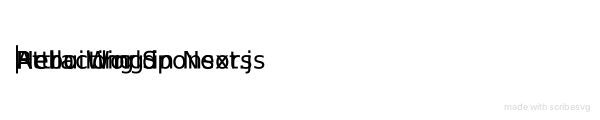
It looks like this:
[](https://github.com/DhanushNehru/ScribeSVG)

Checkout my github readme to see how things are rendered.


Top comments (5)
You hit the nail on the head: most READMEs do look exactly the same nowadays. Adding a customizable typing text effect without wrestling with SVGs and complex workflows is such a clean solution for profile personalization. How are you handling the caching/rendering on GitHub's proxy side? Brilliantly executed tool!
Thanks for checking out.
Maybe to detail on the rendering side I need to write another blog post detailing those.
Feel free to check out the repo, it's opensource
This looks amazing, thanks for sharing. That is so true that GitHub profile is a dev resume. And I have been working on improving mine lately.
Thanks for checking it out.
Feel free to contribute or star the repository to show your support
Some comments may only be visible to logged-in visitors. Sign in to view all comments.