


You are vibe engineering. You type a perfectly reasonable prompt, and the agent responds with utter nonsense. It invents APIs that don't exist, deletes stuff it should not, fix unit tests by changing the code in way that is just pure madness 🥲.
Key Takeaway
Remember: the agent is a collaborator, not a magician. Your job is to guide it, correct it, sometimes override it, and verify it's done what it claims. That's what makes you the engineer.
Now I would walk you through 3 things you can do to get the most out of agentic programming.
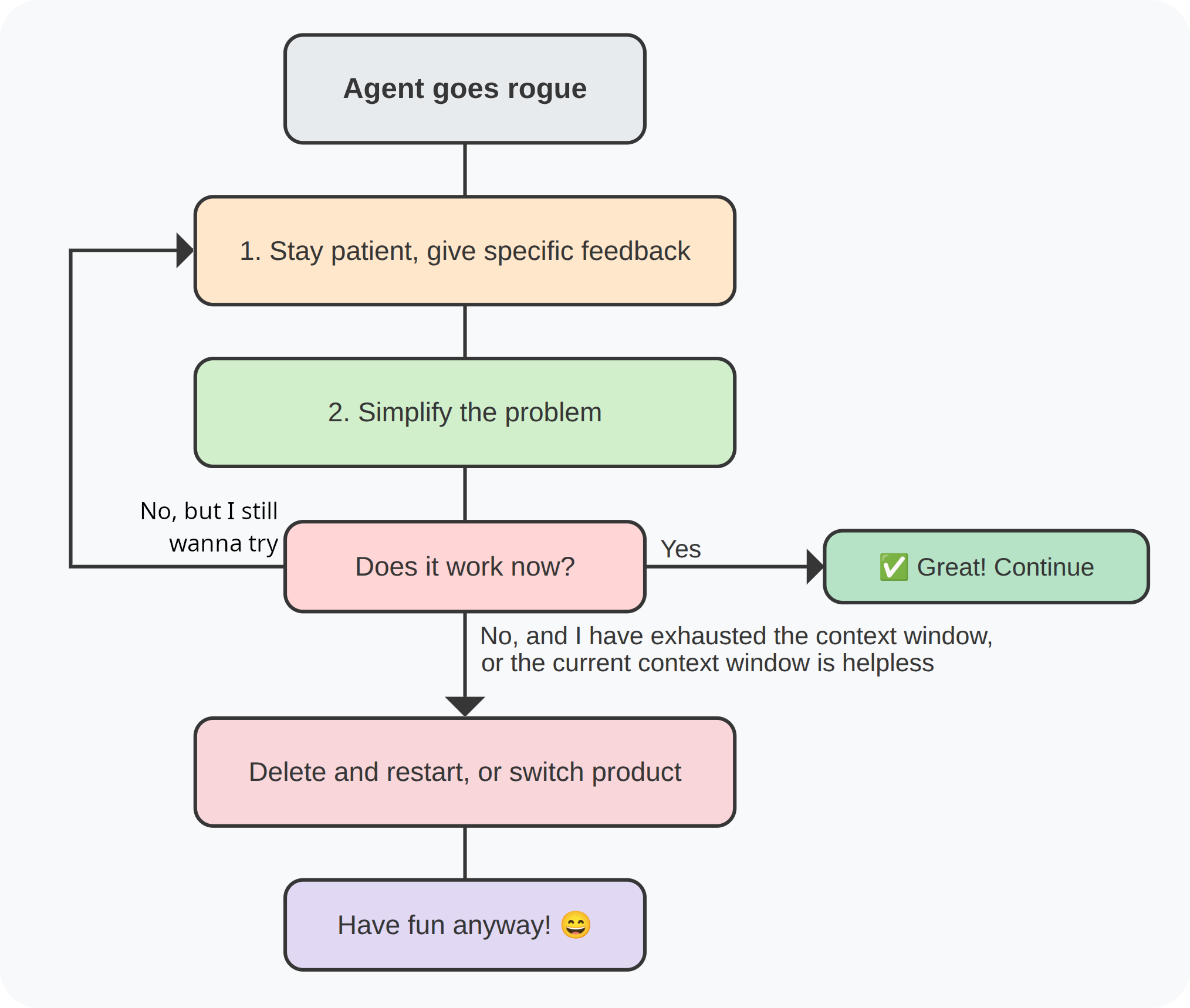
Patience + Feedback Loop
- Breathe. Seriously, it helps.
- Give specific feedback. Tell the agent why its suggestion is wrong. For example:
- "The current database design is needlessly expensive, we have this getAllProducs API which defaults to sort by a field which you create inside an aggregation operation. So I would suggest denormalizing the data and storing it in the database since this is a data which is created once but read often."
- "Your code didn't handle the edge case where the array is empty. Please add a guard clause."
- Iterate. The agent learns from your corrections. Often, after a few rounds of back‑and‑forth, it'll converge on a working solution.
🆘 Disclaimer 🆘
I have found myself that sometime I prefer to intervene and change some parts manually since fixing the issue is way faster and productive. Then I just tell the agent I had made some changes and that it should NOT revert them (at least in my experience with Copilot and OpenCode I had to tell it explicitly if I wanted to continue working on that same session/context window).
Simplify, Simplify, Simplify
This is the single most powerful trick in your arsenal. When the agent spirals into complexity, reduce the scope. Break your problem into the smallest possible piece that can work and be tested, and build from there.
- Instead of "build a full Kanban board with drag‑and‑drop, authentication, and real‑time updates", start with: "create a static HTML page that shows three columns".
- Once that works, add "allow moving cards between columns".
- Then add persistence, then auth, then real‑time.
💡 Key Takeaway
- If you can't get a tiny piece to work, it's unlikely you'll get the whole thing to work.
- And as for big architectural decisions or database design you can always brain storm first with a top model, have a semi-concrete big picture in mind. Then break that big picture into SMART steps.
Delete, Restart, or Switch
Sometimes, despite your best efforts, the agent is just stuck in a rut. It keeps circling back to the same flawed approach. When that happens:
-
Delete everything and start fresh. I guess this is a no-brainer, a clean context window whom does NOT have the subtle biases accumulated in the previous context window can save you.
If you are in the middle of a context window, feel free to summarize and compact the previous context window into a markdown file if you believe you would be needing it.
Sometime it also is quite helpful when your first shot misses the target, just undo whatever it did. Tweak your prompt/AGENTS.md/plan and ask it again.
If that fails, switch products. ATM we have an embarrassment of riches: Cursor, GitHub Copilot, Codex, Antigravity, Claude Code, and more. Each has its own strengths and quirks. One might be better at frontend, another at backend.
Never forget: you can always fall back to writing code yourself. The agent is a tool, not a replacement for your brain 😉.
Classic Move of LLMs When you Ask them to Fix Something
-
It guesses what the problem is!
This shows itself even more when you have a logical issue which is not generating any error logs. So you are not able to feed it any logs and you are just asking it and explaining what the problem is.
Changes some code.
Claims victory 🫠.
I guess you do NOT need me to tell you what will usually happen next, right? The bug is still there!
The issue is that it guessed the problem, it did NOT prove the problem by reproducing it! Now it should try to fix it (and prove the code which was changed was the root cause of the issue), and finally test and demonstrates it has been fixed!
So your prompt will be something similar to this:
...please first reproduce the problem. prove, you've reproduced it. Find the root cause. Fix it. And prove you fixed it.


Top comments (0)