


GitHub recently released a feature which allows you to add a README to your profile page. This is a great way to introduce yourself to the GitHub community as you highlight your skills and projects. In this post, we'll be looking at ways on how you can improve your README! 💯
What's a Github Profile README?
Since release about two weeks ago, there have been a ton of articles on dev.to about what the GitHub Profile README is about and how you can set up your own. Here's an informative article by Monica Powell to get you started:

This tweet by Caneco contains a summary of what it's all about:
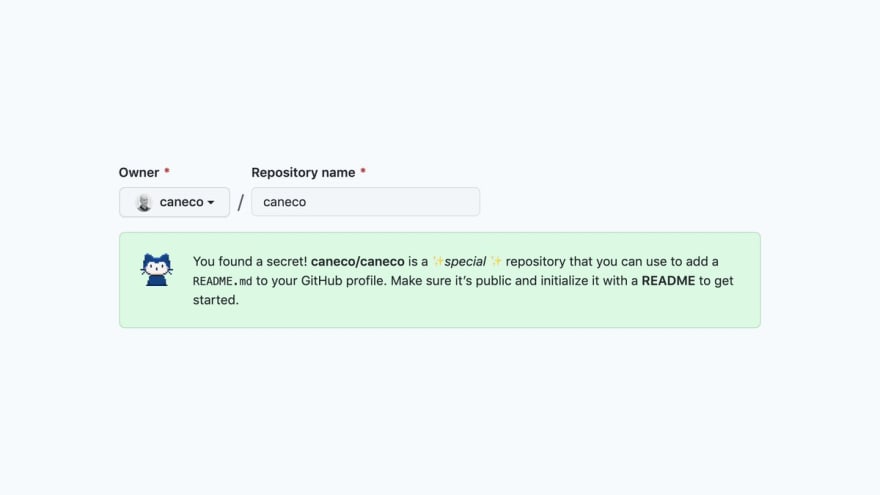


Do note that as of writing, this feature is not yet available to all GitHub users.
What to add to your README?
While sometimes simplicity is best, I do think that the README is a way to make a lasting first impression to others (this includes potential employers!). Let's break down some of the elements you can add to your own page.
I'll be using the README I created for my GitHub Profile as an example.
1. 📸 Add Images and Icons
Make your page memorable by uploading some images to your repository.
You can add a hero image, which is basically a large banner at the top of your page. This is the first thing that people will see when they visit, so make it enticing!
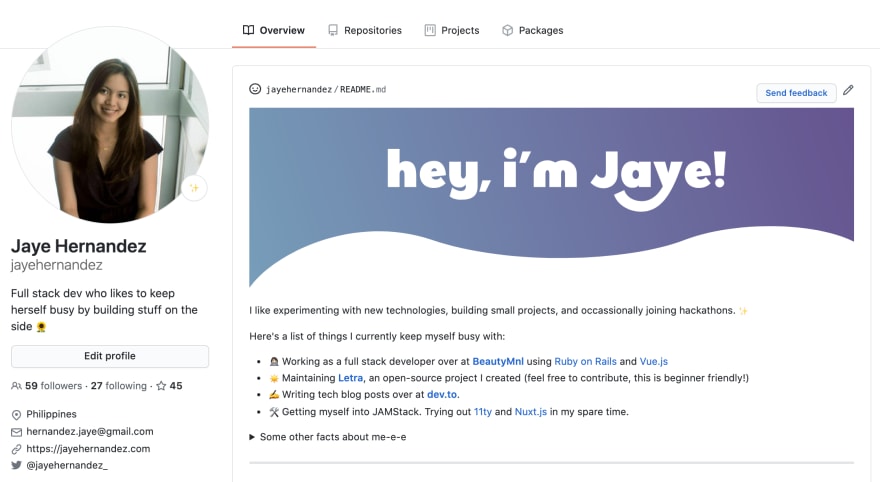
You'll notice that your eyes gravitate to the huge header image!
Want to link to external sites? Add some icons which redirect to your social networks or projects. I used the free and open source RemixIcon library for mine and just changed the color to suit the color scheme.

One thing to note: Make sure your images are of great quality. We wouldn't want images to show up pixelated. If you are using vector images, upload them using SVG instead of JPG or PNG.
2. 📈 Include Statistics
If you are using GitHub for your projects or use it to contribute to open source, you probably have a lot of commits and Pull Requests. Anurag Hazra created this amazing widget which compiles all those stats into one!
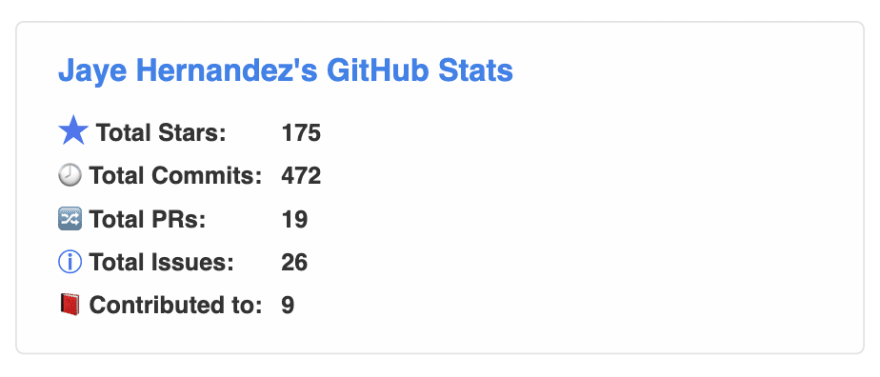
Here's the blog post if you want to learn more:

You can also add a widget that counts the number of page visits in your page. This widget created by Jiang Wenjian does the job, and it's very easy to setup. The docs for the visitor badge is available in this site!

3. 🛠 Use HTML
You are not limited to Markdown when it comes to editing your README. GitHub's Flavored Markdown allows using some of the HTML tags.
Here's some of the basic things you can do:
- Center a section using
<center>

- Create a widget that opens and closes using
<details>

For advanced use, you'll want to read up on the HTML blocks section to see the other tags that are available for use.
Hope this helps you in creating your own README! You can see the source code for mine over at my GitHub profile. Leave a ⭐️ if you found it useful!
 jayehernandez
/
jayehernandez
jayehernandez
/
jayehernandez
Profile README + Site made with 11ty and TailwindCSS
I'd love to know what you came up with for yours! Add your README's down below, or tweet them over at @jayehernandez_.


Oldest comments (35)
Super useful tips! 🤩
Yes, that's important 💯
Also, this article has been featured here:
Add Right to Left Text To Your GitHub Profile README
Ben Greenberg ・ Jul 12 ・ 2 min read
Thank you Vaibhav!! 🤩 That's a great article you linked as well 😁
Awesome! I wrote an article directly after finding out about this myself but did not have the time to get creative on mine since then, I plan on doing some interactive stuff with html canvas, if that's even possible, but I guess it is, have you tried using advanced javascript in the README?
Cool!! I haven't tried advanced javascript yet. The widgets above do though, they just link to an external site to get the data, maybe you can try something like that?
Yeah I realised right after my comment that GitHub doesnt support javascript in Markdown. But your idea should work! Thanks!
Edit: I just realised they also block iframes so I need to do some CSS magic 😁
Awesome!!
svg + styling is the way to go
I'm here! 😄
OH YAY, I'll update the link above to reflect your dev.to account instead, thanks for creating the visitor badge! 🥳
happy it helps :-)
Yay sana makatulong sa paggawa ng iyo!! 🙌🏻
🌶
Love this, Jaye!
Check out mine: I used Pipedream to update my README every time I publish a new DEV post, so my profile always shows my most recent post: dev.to/dylburger/show-your-most-re... .
This could be extended to ideas like:
Interested to hear what you think!
I've never heard of Pipedream before, but this is interesting! With all the available integrations, the possibilities are endless.
Yeah there’s a lot to experiment with!
Nice article jaye 😃 and thanks for including my repo too! I'm glad you liked it.
Thanks Anurag! It's great, thanks for making it 🥳
Thank you for the article. I update my github profile after read.
Thanks for sharing. Great work and appreciate for collecting top README profile in a repo. 🔥
Because I miss friendster... here's mine.
Repo: github.com/sorxrob/sorxrob
It uses GitHub actions to randomly select 8 users from my followers every hour and updates the README file. I'll try to make a write up of this!
This brings me back!