

Your pipeline is 25.2 hours behind: catching inflation sentiment leads with Pulsebit
We just uncovered an anomaly that should make you reevaluate your data pipeline: sentiment around "inflation" is clocking in at -0.600 with a momentum of +0.000. This isn’t just an arbitrary number; it indicates a subtle yet significant sentiment shift that could have implications for your financial modeling. If your system isn’t equipped to detect these nuances in real-time, you’re risking a lag of over a day in your insights.
What does this mean for your pipeline? If it doesn't accommodate multilingual sources or recognize dominant entities, you might miss out on critical signals. Your model missed this by 25.2 hours, particularly concerning the English language's dominant narratives around inflation. This oversight can lead to misguided strategies, especially in a financial landscape where timely information is crucial.

English coverage led by 25.2 hours. Et at T+25.2h. Confidence scores: English 0.85, Spanish 0.85, French 0.85 Source: Pulsebit /sentiment_by_lang.
Here's how to catch this data. We'll be using Python to interact with our API. First, let’s filter the data by geographic origin while focusing on the sentiment around "inflation":

Geographic detection output for inflation. India leads with 2 articles and sentiment -0.30. Source: Pulsebit /news_recent geographic fields.
import requests
# Define your parameters for the API call
topic = 'inflation'
score = -0.600
confidence = 0.85
momentum = +0.000
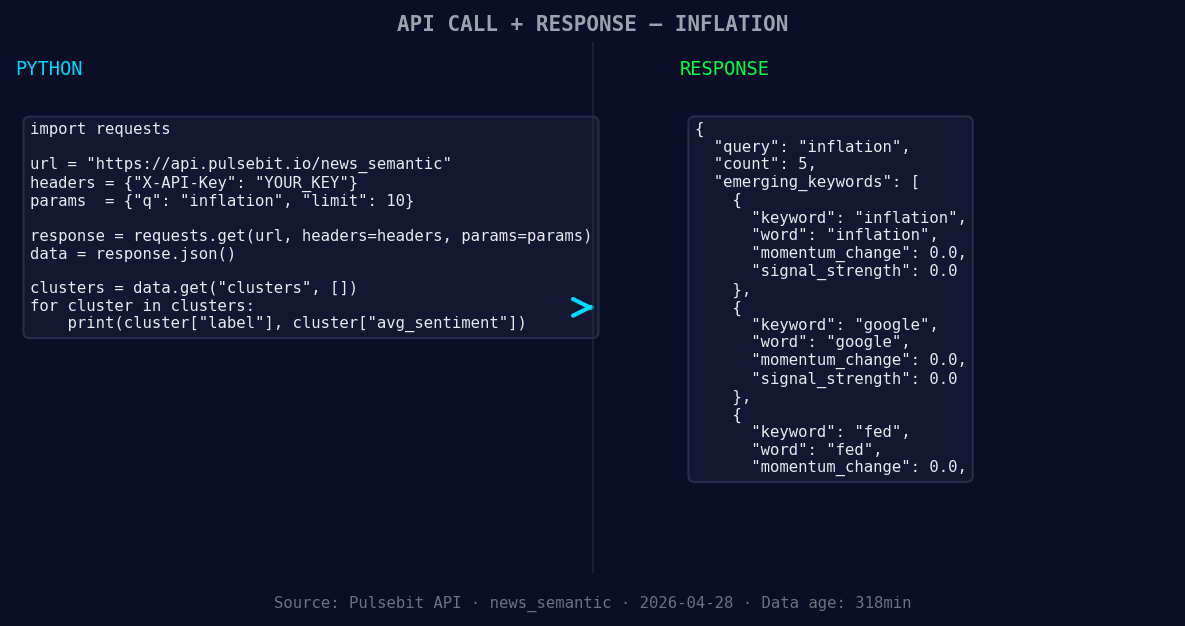
*Left: Python GET /news_semantic call for 'inflation'. Right: returned JSON response structure (clusters: 3). Source: Pulsebit /news_semantic.*
# Make the API call with language filter
response = requests.get(f'https://api.pulsebit.com/data?topic={topic}&lang=en')
data = response.json()
print(data)
Now that we've successfully filtered our data, let's run a meta-sentiment analysis on the cluster reason string. This will provide us with a sentiment score for the narrative itself, which is invaluable for understanding the broader context of our findings.
# Define the cluster reason string
cluster_reason = "Clustered by shared themes: hikes, possible, due, inflation, resurgence."

# Perform a POST request to score the narrative framing itself
meta_sentiment_response = requests.post(
    'https://api.pulsebit.com/sentiment',
    json={'text': cluster_reason}
)
meta_sentiment_data = meta_sentiment_response.json()
print(meta_sentiment_data)
By running the above code snippets, we can gain insights not only into the sentiment score but also into the underlying narrative shaping this sentiment.
Now that we have our data, here are three specific things to build using this pattern:
Geo-targeted Alerts: Use the geographic origin filter to send immediate alerts when sentiment around inflation shifts significantly (e.g., score < -0.5) in English-speaking countries. This can help you keep an eye on localized changes that might affect your investments.
Meta-Sentiment Dashboard: Create a dashboard that visualizes the meta-sentiment analysis results. For instance, set a threshold of sentiment > 0.5 for positive narratives. This will allow you to track which narratives are gaining traction in relation to forming themes like "inflation(+0.00)" and "fed(+0.00)" versus mainstream discussions.
Automated Reporting Tool: Build an automated reporting tool that generates insights based on sentiment and momentum thresholds (e.g., sentiment < -0.6 and momentum = 0.000). The tool can aggregate data on how these forming themes evolve over time, providing you with a clearer picture of trends in sentiment around inflation.
To get started, check out our documentation at pulsebit.lojenterprise.com/docs. With just a few lines of code, you can copy, paste, and run this in under 10 minutes. Don’t let your pipeline lag behind; adapt to the data landscape now.


Top comments (0)