

Your Pipeline Is 18.2h Behind: Catching Politics Sentiment Leads with Pulsebit
We’ve just spotted a fascinating anomaly: a 24h momentum spike of +0.350 in the politics topic. This spike stands out against a backdrop of global sentiment trends, particularly illustrating a shift towards more positive sentiment in political discussions. What’s particularly intriguing is the leading language being English, with an 18.2h lag in reporting.
This data reveals a significant structural gap in your sentiment analysis pipeline, especially if it doesn’t account for multilingual origins or entity dominance. Your model missed this critical moment by a staggering 18.2 hours. While you’ve been focused on mainstream narratives, the real discussions have shifted to nuanced themes — in this case, the world of politics, where the leading language has been English. It’s clear that without the ability to adapt to these shifts quickly, you risk missing crucial insights.

English coverage led by 18.2 hours. So at T+18.2h. Confidence scores: English 0.85, Spanish 0.85, French 0.85 Source: Pulsebit /sentiment_by_lang.
To give you a clearer picture, here's how we can catch this anomaly programmatically. We’ll query the API to filter results based on geographic origin and language while scoring the narrative framing itself.

Geographic detection output for politics. Hong Kong leads with 6 articles and sentiment +0.12. Source: Pulsebit /news_recent geographic fields.
import requests
# Parameters for the API call
topic = 'politics'
score = +0.350
confidence = 0.85
momentum = +0.350
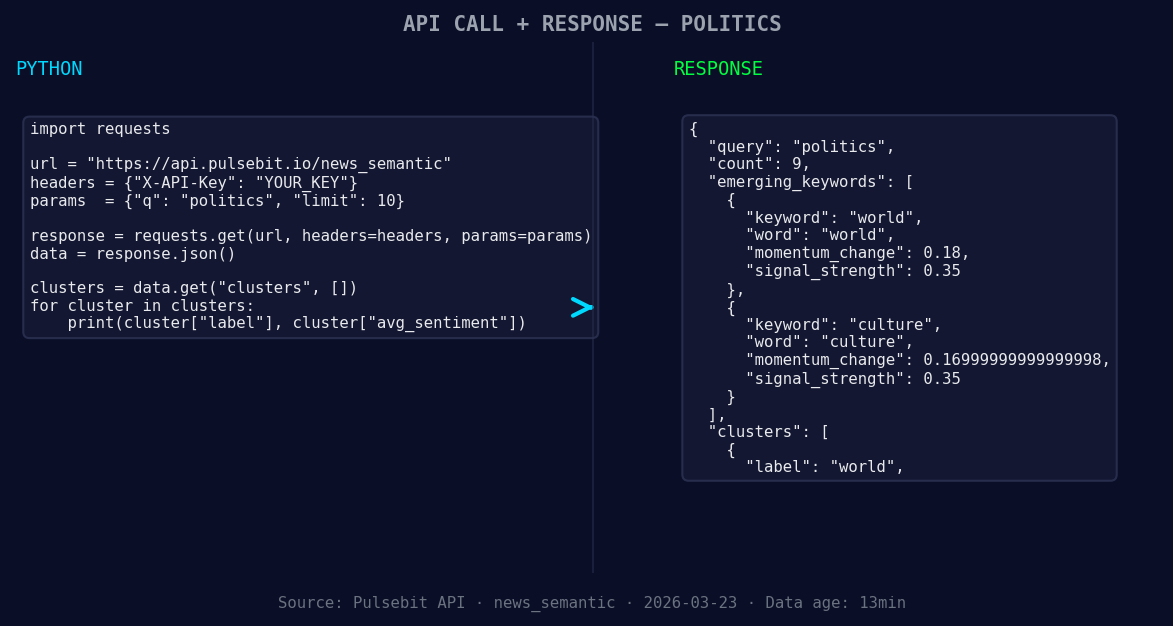
*Left: Python GET /news_semantic call for 'politics'. Right: returned JSON response structure (clusters: 1). Source: Pulsebit /news_semantic.*
# Geographic origin filter
url_geo_filter = "https://api.pulsebit.com/sentiment"
params_geo = {
"topic": topic,
"lang": "en" # Filtering for English articles
}
response_geo = requests.get(url_geo_filter, params=params_geo)
data_geo = response_geo.json()
# Now we run the cluster reason string back through POST /sentiment
cluster_reason = "Semantic API incomplete — fallback semantic structure built from available keywords and article/search evidence."
url_meta_sentiment = "https://api.pulsebit.com/sentiment"
payload_meta = {
"text": cluster_reason
}
response_meta = requests.post(url_meta_sentiment, json=payload_meta)
data_meta = response_meta.json()
print(data_geo)
print(data_meta)
In this code, we first filter articles related to politics by querying for English content. We then send the cluster reason string through our sentiment endpoint to score its narrative framing, which gives us deeper insight into why this particular spike occurred.
Now, let’s talk about three specific things we can build with this pattern:
Political Sentiment Tracker: Set a threshold for momentum spikes greater than +0.300. Use the geo filter to catch sentiment changes in English sources, allowing you to catch rapid shifts in political sentiment before they become mainstream.
Meta-Sentiment Analysis Dashboard: Use the meta-sentiment loop to continuously score the framing of discussions around political topics. This can be particularly useful for understanding the context behind spikes, helping you refine your models and risk assessments.
Forming Themes Alert System: Build an alert system that triggers when themes such as “world(+0.18)” and “culture(+0.17)” show early signs of forming against mainstream narratives. This allows you to stay ahead of the curve and adapt your models to evolving discussions.
You can get started today by exploring our API at pulsebit.lojenterprise.com/docs. With these insights, you should be able to copy, paste, and run this code in under 10 minutes, ensuring you’re always ahead of the curve in sentiment analysis.


Top comments (0)