

Your Pipeline Is 27.4h Behind: Catching World Sentiment Leads with Pulsebit
We recently detected a noteworthy anomaly: a 24-hour momentum spike of +0.684. This spike points directly to a significant surge in sentiment surrounding a specific event— a humanoid robot breaking the half marathon world record in Beijing. Three articles from English press sources highlighted this achievement, clustering around shared themes of “robot,” “world,” “record,” and “Beijing.” Such a clear sentiment spike can often slip through the cracks in less agile pipelines, especially when they don’t account for multilingual origin or the dominance of specific entities.

English coverage led by 27.4 hours. Af at T+27.4h. Confidence scores: English 0.85, Spanish 0.85, French 0.85 Source: Pulsebit /sentiment_by_lang.
Your model missed this by 27.4 hours. That’s the time lag between this emerging sentiment and your pipeline’s ability to pick it up. The leading language is English, but without the right filters, you might miss critical insights emerging from other languages or contexts. This is a reminder that a pipeline needs to be context-aware to catch the stories that truly matter.
To capture this spike effectively, we can use our API to filter data by both language and geographic origin. Here's how you can do this in Python:

Geographic detection output for world. India leads with 42 articles and sentiment +0.13. Source: Pulsebit /news_recent geographic fields.
import requests
# Define the parameters
topic = 'world'
momentum = +0.684
score = +0.047
confidence = 0.85
lang = "en"
# Make the API call
response = requests.get(f'https://api.pulsebit.com/v1/sentiment?topic={topic}&lang={lang}')
data = response.json()
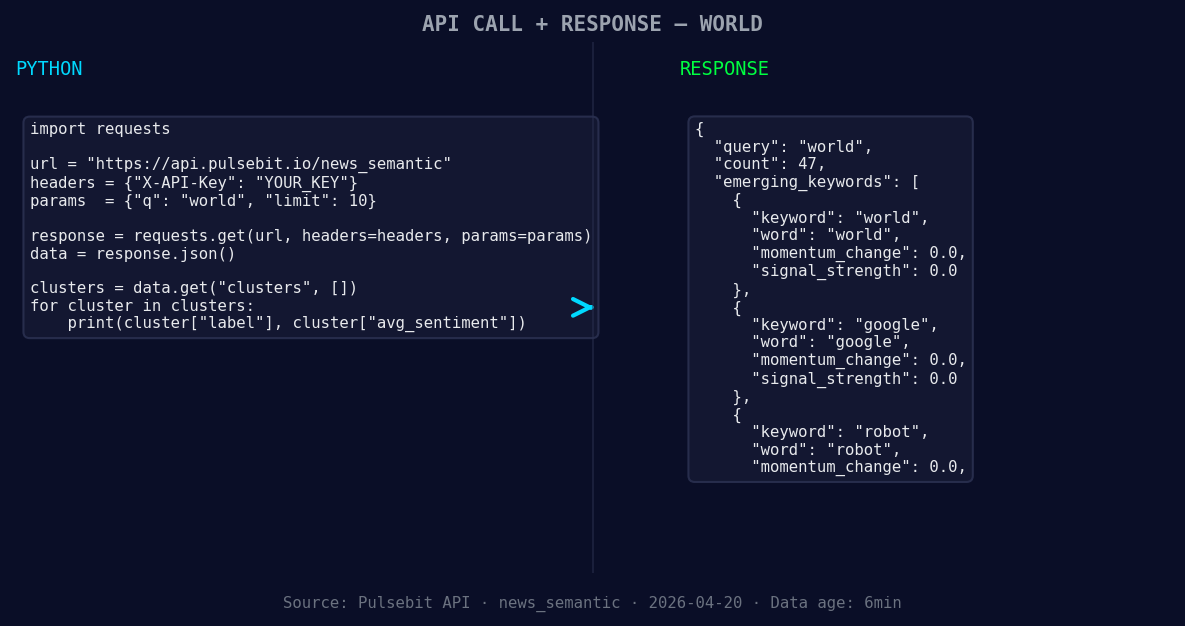
*Left: Python GET /news_semantic call for 'world'. Right: returned JSON response structure (clusters: 3). Source: Pulsebit /news_semantic.*
print(data)
This simple API call retrieves sentiment data specifically for the topic “world” in English. We then need to analyze how the narrative is framed around this spike to gain deeper insights. We can run the cluster reason string through our sentiment endpoint to evaluate the sentiment of the narrative itself:
cluster_reason = "Clustered by shared themes: administration, warms, imf, world, bank."
sentiment_response = requests.post('https://api.pulsebit.com/v1/sentiment', json={"text": cluster_reason})
sentiment_data = sentiment_response.json()

print(sentiment_data)
This step is crucial; it allows us to understand the sentiment framing, providing context for our earlier momentum findings and revealing how other themes might influence perceptions.
Now, let’s discuss three specific builds you can implement using this new insight.
Geo-Filtered Anomaly Detection: Create a specific endpoint to monitor sentiment spikes for major global events, filtering by geographic origin using the language parameter. This will allow you to catch significant shifts in sentiment faster. Aim for a threshold where momentum exceeds +0.5, indicating a potential anomaly.
Meta-Sentiment Analysis: Use the meta-sentiment loop we discussed to analyze the framing of narratives around emerging trends. Set a score threshold of +0.1 for identifying narratives that might influence sentiment significantly. This could be particularly useful for understanding how topics like “robot” and “world” are shaping public discourse.
Forming Theme Tracker: Build a tracker for forming themes based on sentiment analysis. Specifically, look at the signals for “world,” “google,” and “robot” against mainstream topics like “administration,” “warms,” and “imf.” Set your thresholds to capture when these forming themes start to show momentum, indicating they’re gaining traction.
For those looking to get started, our documentation is straightforward and comprehensive: pulsebit.lojenterprise.com/docs. You can copy-paste the provided code snippets and run them in under 10 minutes to start capturing valuable insights from your sentiment data.


Top comments (0)