

Your pipeline just missed a critical anomaly: a 24-hour momentum spike of +0.987 around the topic of global sentiment. This spike is driven by a notable story about Schwarzman’s generous donation to Oxford that’s resonating in the English press, gaining traction with a 28.0-hour lead over the Italian narrative. If your model is designed without the ability to handle multilingual sources or the dominance of specific entities, you might be lagging behind by over a day. In this case, while the mainstream conversation is fixated on “Schwarzman, million, humanities,” you could be missing out on significant sentiment shifts that align with broader global narratives.

English coverage led by 28.0 hours. Italian at T+28.0h. Confidence scores: English 0.85, Spanish 0.85, French 0.85 Source: Pulsebit /sentiment_by_lang.
To catch this momentum shift, we can leverage our API effectively. Here’s a snippet of Python code that demonstrates how to pinpoint this spike using the geographic origin filter and a meta-sentiment loop.
import requests
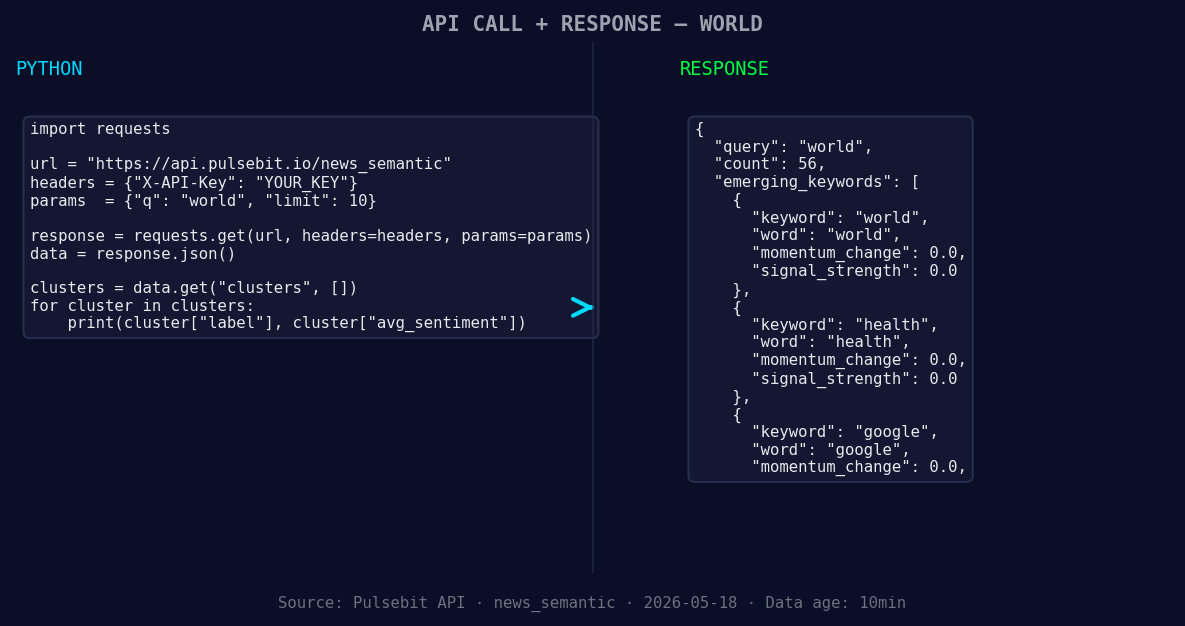
*Left: Python GET /news_semantic call for 'world'. Right: returned JSON response structure (clusters: 3). Source: Pulsebit /news_semantic.*
# Define the API endpoint and parameters
api_url = "https://api.pulsebit.com/v1/sentiment"
topic = 'world'
score = +0.074
confidence = 0.85
momentum = +0.987
# Step 1: Geographic Origin Filter
params = {
"topic": topic,
"lang": "en", # Filter by English
"momentum": momentum,
"score": score,
"confidence": confidence
}
response = requests.get(api_url, params=params)
data = response.json()
# Step 2: Meta-Sentiment Moment
cluster_string = "Clustered by shared themes: schwarzman, £185, million, humanities, its."
meta_response = requests.post(api_url, json={"text": cluster_string})
meta_sentiment = meta_response.json()
print("Filtered Data:", data)
print("Meta-Sentiment Analysis:", meta_sentiment)
This code first filters the sentiment analysis to only consider articles in English, ensuring we’re capturing the most relevant narratives in the context of the identified spike. With the GET request, we fetch the sentiment data surrounding the topic “world.” Next, we run the narrative framing of the clustered themes through a POST request to calculate the sentiment of that specific narrative. The insights gained from both requests can provide a clearer picture of how themes are evolving, allowing us to adjust our strategies accordingly.
Now, let's explore three potential builds we can implement using this pattern.
- Geo-Filtered Sentiment Tracker: Create a real-time dashboard that tracks sentiment using our geographic filter. Set a signal threshold with momentum greater than +0.5 to ensure you're only alerted to significant changes, focusing on English-speaking regions.

Geographic detection output for world. India leads with 42 articles and sentiment +0.16. Source: Pulsebit /news_recent geographic fields.
Meta-Sentiment Narrative Analyzer: Establish a service that pulls in clustered stories and runs them through our meta-sentiment analysis. Set the endpoint to trigger when sentiments around a topic exceed a score of +0.05, helping you identify narratives gaining traction.
Cross-Topic Sentiment Comparison: Use our API to compare sentiments between multiple topics, such as “world” and “health,” where you’ll set a threshold of +0.1 between the two. This can reveal unexpected correlations or divergences in sentiment, especially as mainstream topics like “schwarzman, million, humanities” form against lesser-discussed themes.
By implementing these builds, you can significantly enhance your pipeline's responsiveness to emerging trends and sentiment shifts, ensuring you’re equipped to act before your competitors do.
To dive deeper and get started, visit pulsebit.lojenterprise.com/docs. You can copy, paste, and run the provided code in under ten minutes. Let’s not get caught lagging behind again.


Top comments (0)