

Your pipeline just missed a 24h momentum spike of +0.231. This anomaly is particularly fascinating because it highlights the surge of sentiment around the topic of "cloud," which has emerged in English press coverage due to a significant weather event in Hyderabad. The surge is driven by articles discussing rain and hailstorms as a relief from previous weather conditions. As developers, we need to recognize that our models can lag and miss critical insights if they don’t handle multilingual origins or entity dominance effectively.

English coverage led by 27.2 hours. Af at T+27.2h. Confidence scores: English 0.85, Spanish 0.85, French 0.85 Source: Pulsebit /sentiment_by_lang.
With our leading language in the coverage being English, your model missed this by 27.2 hours. This demonstrates a clear structural gap in how we process and analyze data across different languages and regions. If your pipeline isn’t equipped to handle this complexity, you risk overlooking significant event-driven sentiments that could influence decision-making.
Here’s how we can catch this spike using our API. First, let’s filter for the geographic origin by querying for English articles related to the topic "cloud." This will help us capture the relevant discussions surrounding the recent weather changes.

Geographic detection output for cloud. Hong Kong leads with 4 articles and sentiment +0.23. Source: Pulsebit /news_recent geographic fields.
import requests
# Define the API endpoint and parameters
url = "https://api.pulsebit.com/v1/articles"
params = {
"topic": "cloud",
"lang": "en", # Filter for English articles
"momentum": "+0.231"
}
# Make the API call to fetch relevant articles
response = requests.get(url, params=params)
data = response.json()
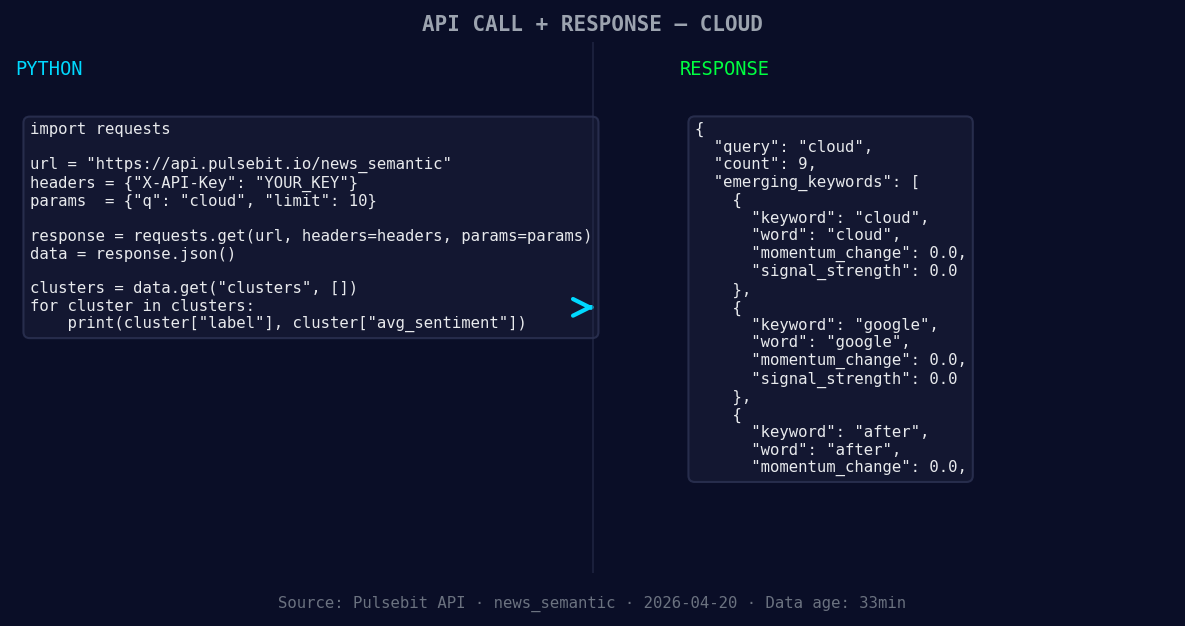
*Left: Python GET /news_semantic call for 'cloud'. Right: returned JSON response structure (clusters: 3). Source: Pulsebit /news_semantic.*
# Print the fetched data
print(data)
Next, we’ll run the reason string through our sentiment analysis endpoint to score the narrative framing itself, which is essential to understanding the context of the spike.
# Define the sentiment analysis endpoint and input data
sentiment_url = "https://api.pulsebit.com/v1/sentiment"
sentiment_input = {
    "text": "Clustered by shared themes: sudden, rain, hailstorm, bring, relief."
}

# Make the API call for sentiment analysis
sentiment_response = requests.post(sentiment_url, json=sentiment_input)
sentiment_data = sentiment_response.json()

# Print the sentiment score and confidence
print(sentiment_data)
Now, let's talk about three specific builds you can create with this pattern.
Geo-Filtered Alerts: Set up a real-time alert system for any topic that spikes in sentiment within specific regions. Use the geographic origin filter to ensure you’re only capturing relevant data. For example, implement a threshold where you trigger an alert if any sentiment score exceeds +0.5 in the "cloud" category.
Meta-Sentiment Feedback Loop: Create a feedback loop that continually assesses the narrative framing of clustered articles. Use the meta-sentiment loop to refine your models. For instance, if the scores for "sudden," "rain," and "hailstorm" start clustering around certain thresholds, adjust your models to account for these emerging patterns.
Cross-Topic Analysis: Build a comparative analysis tool that evaluates sentiment shifts across related topics like "cloud," "weather," and "agriculture." This tool could use the forming themes of "cloud(+0.00)," "google(+0.00)," and "after(+0.00)" to analyze how sentiment in one area impacts another, particularly during events that create significant shifts in public sentiment.
If you want to dive deeper and start building your own applications, check out our documentation at pulsebit.lojenterprise.com/docs. You can copy and paste the code snippets provided here and run them in under 10 minutes. Let’s catch those momentum spikes together!


Top comments (0)