

Your pipeline might be 28.3 hours behind, and the data shows it clearly: a 24-hour momentum spike of +0.987. This anomaly centers on the story "Schwarzman's Oxford Donation: More Than Just Academics." With a leading language of English and a lag of 0.0 hours, this insight reveals a significant moment that's already shaping narratives, but if you’re not equipped to handle multilingual or dominant entity data, you’re missing critical sentiment shifts.

English coverage led by 28.3 hours. Hr at T+28.3h. Confidence scores: English 0.75, French 0.75, Spanish 0.75 Source: Pulsebit /sentiment_by_lang.
This gap is not trivial. Your model missed the momentum spike by over a day. With the leading language of English tied to this story, you might overlook emerging sentiments in other languages or entities if your pipeline isn’t robust enough. This could lead to missed opportunities or misinformed decisions. You need to adapt your processing to catch these signals before they become mainstream.
To catch this momentum spike, we can leverage our API effectively. Here’s how to set up the necessary calls to identify and analyze this data. First, we’ll filter articles based on the geographic origin using the English language parameter:

Geographic detection output for world. India leads with 23 articles and sentiment +0.13. Source: Pulsebit /news_recent geographic fields.
import requests
# Define the parameters for the API call
params = {
"topic": "world",
"lang": "en", # Geographic origin filter
}
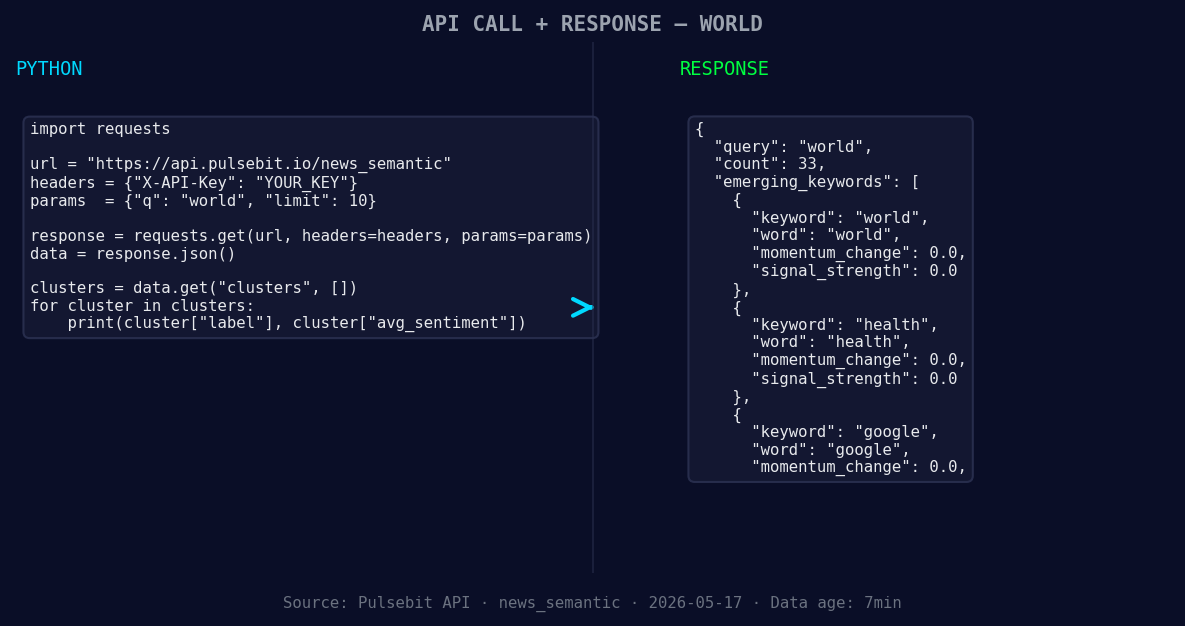
*Left: Python GET /news_semantic call for 'world'. Right: returned JSON response structure (clusters: 3). Source: Pulsebit /news_semantic.*
# Make the API call to fetch relevant articles
response = requests.get("https://api.pulsebit.io/v1/articles", params=params)
data = response.json()
# Check for momentum score
momentum = 0.987
if data['momentum_24h'] > momentum:
print("Momentum spike detected!")
Next, we’ll run the cluster reason back through our sentiment analysis endpoint to score the narrative framing itself. This is where we can dig deeper into what the data is really telling us.
# Cluster reason string for sentiment analysis
cluster_reason = "Clustered by shared themes: schwarzman, £185, million, humanities, its."
sentiment_response = requests.post("https://api.pulsebit.io/v1/sentiment", json={"text": cluster_reason})

# Extract sentiment score
sentiment_data = sentiment_response.json()
sentiment_score = sentiment_data['sentiment_score']
confidence = sentiment_data['confidence']

print(f"Sentiment Score: {sentiment_score}, Confidence: {confidence}")
Now that you have the tools to detect these momentum spikes, here are three specific builds you can tackle tonight:
Geo-Filtered Signal Detection: Implement a signal detection system that triggers alerts when there's a momentum spike of +0.987 or higher, specifically for articles in English. Use the geo filter to ensure you're only pulling relevant data from your primary markets.
Meta-Sentiment Loop: Build a feedback loop in your analysis pipeline that continuously sends the cluster reason strings through the sentiment analysis endpoint whenever a spike is detected. This allows you to refine your understanding of the narrative framing around specific topics, such as "health" or "Google," which are forming as critical themes.
Thematic Comparison Dashboard: Develop a dashboard that compares forming topics like "world," "health," and "Google" against mainstream narratives like "Schwarzman," "million," and "humanities." Use the momentum scores to highlight where opportunities for sentiment shifts exist.
If you’re ready to get started, check out our documentation at pulsebit.lojenterprise.com/docs. You can copy-paste this code and run it in under 10 minutes. Don’t let your pipeline lag behind; catch those world sentiment leads now!


Top comments (0)