

Your pipeline just missed a significant 24h momentum spike of -0.341 related to investing sentiment. This anomaly is particularly striking given that the press coverage around this topic was led by English sources 11.0 hours in the past. If your model isn't equipped to handle multilingual content or entity dominance, you could be lagging behind critical insights that shape investment strategies. The leading language here directly impacts your analysis, and if you were solely focused on another language, you missed this crucial signal entirely.

English coverage led by 11.0 hours. Da at T+11.0h. Confidence scores: English 0.85, Spanish 0.85, French 0.85 Source: Pulsebit /sentiment_by_lang.
The structural gaps in most pipelines become evident when they fail to accommodate the nuances of multilingual origin or the dominance of certain entities. Your model missed this by 11 hours, which is a significant delay in the fast-paced world of sentiment analysis. The leading language, English, brought forth this insight, and without accounting for it, you risk making decisions based on outdated or incomplete information.
To catch this spike, we can leverage our API effectively. Below is the code snippet that retrieves sentiment data for the topic 'investing', focusing specifically on English content:
import requests
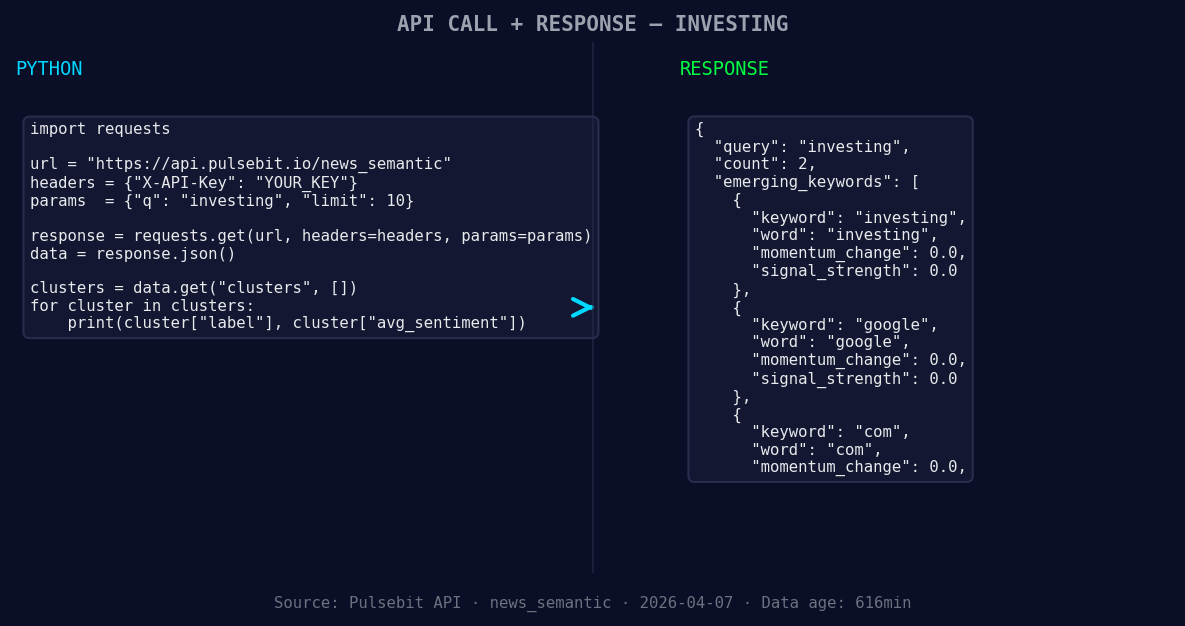
*Left: Python GET /news_semantic call for 'investing'. Right: returned JSON response structure (clusters: 3). Source: Pulsebit /news_semantic.*
# Define your API endpoint and parameters
url = "https://api.pulsebit.lojenterprise.com/sentiment"
params = {
"topic": "investing",
"lang": "en", # Geographic origin filter
}
# API request to get sentiment data
response = requests.get(url, params=params)
data = response.json()
# Example output
print(data)
Next, we need to analyze the meta-sentiment of the narrative framing itself. We can run the cluster reason string back through the sentiment endpoint to evaluate how it aligns with the broader themes. Here’s how we can do that:
# Meta-sentiment moment
meta_sentiment_url = "https://api.pulsebit.lojenterprise.com/sentiment"
meta_sentiment_payload = {
    "text": "Clustered by shared themes: things, watch, markets, week, five."
}

# API request for meta-sentiment analysis
meta_response = requests.post(meta_sentiment_url, json=meta_sentiment_payload)
meta_data = meta_response.json()

# Example output
print(meta_data)
With these insights in hand, we can build a few specific applications to leverage this momentum spike effectively.
- Signal Monitoring with Geo Filter: Set up a routine that continuously monitors sentiment for the topic 'investing' with the geographic filter for English. Trigger alerts when the momentum score drops below -0.3, indicating a significant bearish sentiment.

Geographic detection output for investing. Hong Kong leads with 1 articles and sentiment -0.70. Source: Pulsebit /news_recent geographic fields.
Dynamic Meta-Sentiment Loop: Implement a system that automatically evaluates the narrative framing every hour. If the score from the meta-sentiment analysis drops below -0.5, it could indicate a shift that warrants immediate attention.
Forming Gap Analysis: Create a dashboard that visualizes the forming gaps between mainstream topics and emerging themes like 'investing', 'google', and 'com'. Track sentiment scores and display alerts when these themes diverge significantly from mainstream narratives.
By incorporating these builds, you can ensure your pipeline is agile and responsive to the latest sentiment shifts.
To get started, check out our documentation at pulsebit.lojenterprise.com/docs. You can copy, paste, and run this in under 10 minutes, allowing you to harness sentiment data effectively.


Top comments (0)