

Your pipeline just missed a significant 24h momentum spike of +0.308. This anomaly emerged from a cluster of articles addressing the "Global Response to WHCA Dinner Shooting." With a leading language of English, pegged at a lag of 18.3h, this insight underlines a critical timing issue in how we process sentiment data across multilingual origins. If your model isn’t tuned to handle entity dominance or language variances, you could be trailing behind by a full day, missing out on critical signals shaping public sentiment.

English coverage led by 18.3 hours. Nl at T+18.3h. Confidence scores: English 0.95, French 0.95, Spanish 0.95 Source: Pulsebit /sentiment_by_lang.
This structural gap is evident as your model lagged by 18.3 hours, entirely missing the conversation that had already started to peak. The leading topic was concentrated in English press, dominated by specific narratives around a shooting event. If you’re not incorporating multilingual processing and timely sentiment analysis into your pipeline, you’re operating with outdated information, risking missed opportunities to gauge real-time reactions and sentiments.
Here's how we can catch this momentum spike using our API. The following code demonstrates how to filter for the English language and assess the sentiment of the clustered narrative.
import requests
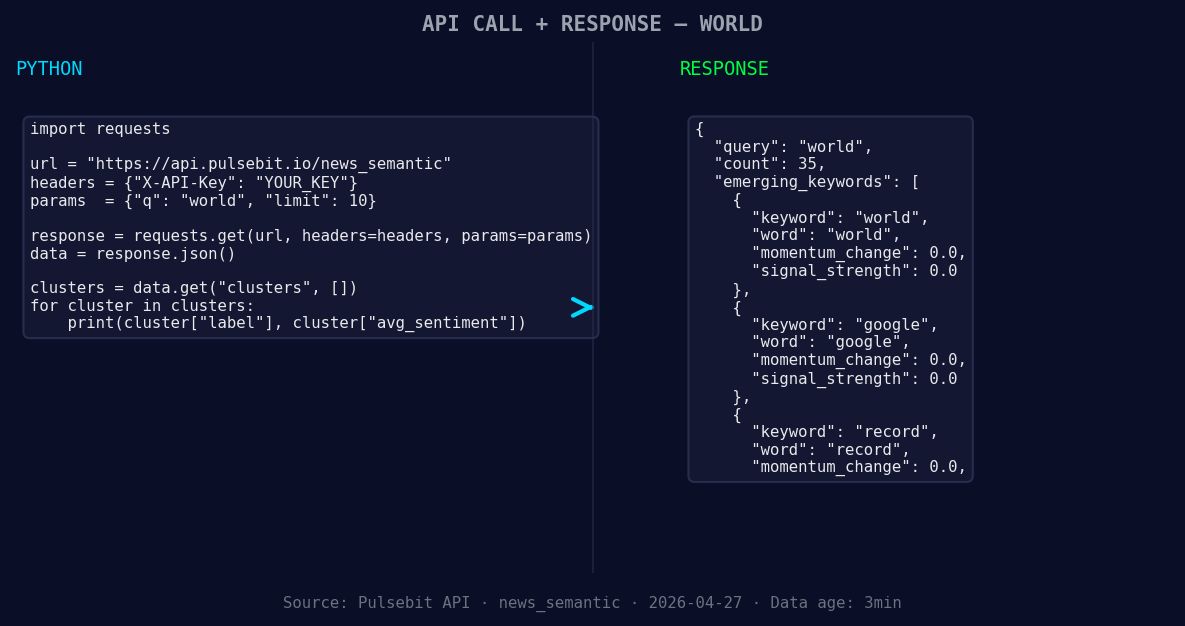
*Left: Python GET /news_semantic call for 'world'. Right: returned JSON response structure (clusters: 3). Source: Pulsebit /news_semantic.*
# Step 1: Geographic origin filter
url = "https://api.pulsebit.lojenterprise.com/v1/sentiment"
params = {
"topic": "world",
"lang": "en",
"score": +0.125,
"confidence": 0.95,
"momentum": +0.308
}
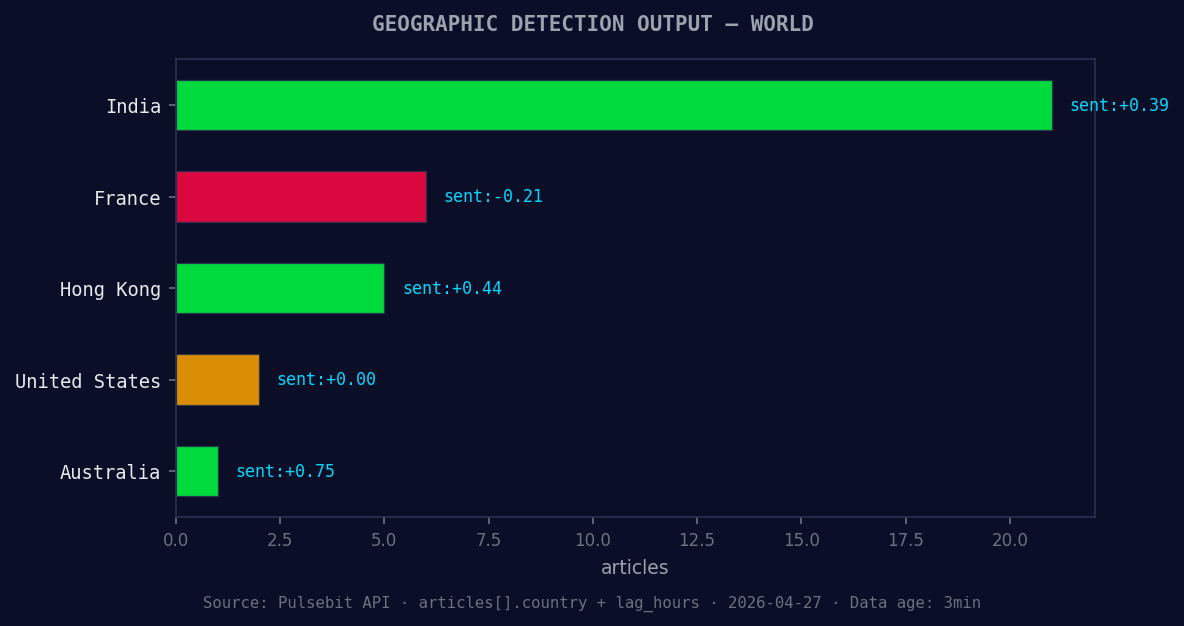
*Geographic detection output for world. India leads with 21 articles and sentiment +0.39. Source: Pulsebit /news_recent geographic fields.*
response = requests.get(url, params=params)
data = response.json()
# Check the response
print(data)
In this code, we query the sentiment for the topic "world" specifically for English content. This ensures we capture the most relevant and timely insights.
Next, we need to evaluate the framing of the narrative itself. Let’s run the cluster reason string through our sentiment analysis endpoint.
# Step 2: Meta-sentiment moment
meta_sentiment_url = "https://api.pulsebit.lojenterprise.com/v1/sentiment"
meta_params = {
    "text": "Clustered by shared themes: uniting, force, world, cup."
}

meta_response = requests.post(meta_sentiment_url, json=meta_params)
meta_data = meta_response.json()

# Check the sentiment analysis of the narrative
print(meta_data)
This part of the code takes the clustered themes and scores the sentiment of that specific narrative. It’s crucial because it gives us insight into how these themes are framed and perceived in the context of current events.
Now, what can you build with this momentum spike? Here are three actionable builds that utilize this pattern:
- Geo-Filtered Alert System: Set a threshold for sentiment spikes above +0.2 for English articles. Use our API to trigger alerts, ensuring you’re always informed about sudden sentiment shifts relevant to your audience:
   if data['momentum_24h'] > 0.2:
       # Trigger alert
- Meta-Sentiment Dashboard: Aggregate sentiments from clustered narratives and visualize them on a dashboard. This could use the meta-sentiment loop to constantly update the user on how narratives are shaping over time:
# Regularly run the meta-sentiment analysis
- Trending Themes Analysis: Focus on identifying themes like "uniting," "force," and "world" to see how they interact with mainstream narratives. Track their sentiment scores and adjust your strategies accordingly:
# Analyze and compare sentiment themes
Each of these builds leverages the insights from the recent momentum spike while ensuring you remain ahead of the curve.
Ready to get started? Check out our documentation at pulsebit.lojenterprise.com/docs. You can copy-paste this code and run it in under 10 minutes to start capturing critical sentiment insights!


Top comments (0)