

Your Pipeline Is 9.3h Behind: Catching Travel Sentiment Leads with Pulsebit
We recently discovered a compelling anomaly: a 24h momentum spike of +0.258 in travel sentiment. This notable surge indicates a significant shift in how the world perceives the travel and tourism sector. The leading language in this sentiment is English, with a striking 9.3-hour lead time. This is not just a number; it highlights an emerging trend that can reshape your approach to sentiment analysis.
The Problem
This 9.3-hour lead reveals a critical structural gap in any pipeline that fails to address multilingual origins or entity dominance. If your model doesn’t handle these factors, it might have missed this spike by over 9 hours. Specifically, the English sentiment, which drives the most traffic for travel narratives, was overlooked. When you rely solely on a narrow linguistic or thematic focus, you're likely to lag behind significant trends that can impact your analysis and decision-making.

English coverage led by 9.3 hours. Id at T+9.3h. Confidence scores: English 0.75, French 0.75, Spanish 0.75 Source: Pulsebit /sentiment_by_lang.
The Code
To catch this sentiment spike effectively, we can leverage our API to query the relevant data. Below is a snippet of Python code that demonstrates how to make this happen.
import requests
# Configuring the parameters
params = {
"topic": "travel",
"lang": "en"
}
# Making the API call to fetch sentiment data
response = requests.get("https://api.pulsebit.com/sentiment", params=params)
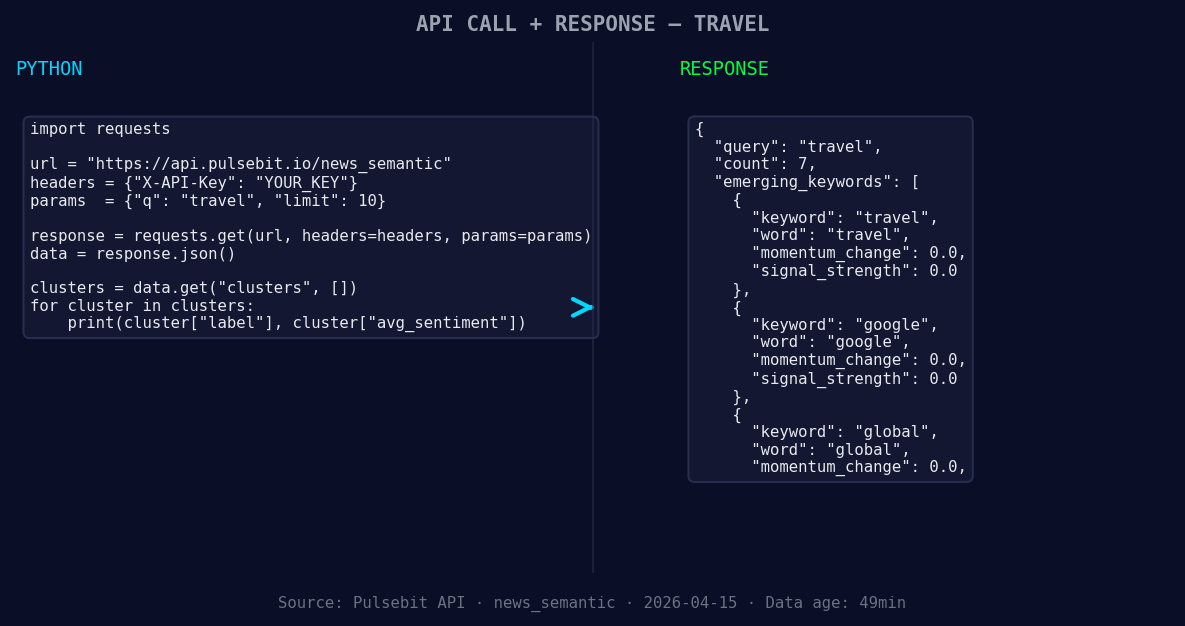
*Left: Python GET /news_semantic call for 'travel'. Right: returned JSON response structure (clusters: 3). Source: Pulsebit /news_semantic.*
# Check if the response is successful
if response.status_code == 200:
sentiment_data = response.json()
print(sentiment_data)
else:
print("Failed to retrieve data.")
# Now we will analyze the cluster reason string for meta-sentiment
cluster_reason = "Clustered by shared themes: tourism, travel, sees, best, year."
meta_sentiment_response = requests.post("https://api.pulsebit.com/sentiment", json={"text": cluster_reason})
if meta_sentiment_response.status_code == 200:
meta_sentiment_data = meta_sentiment_response.json()
print(meta_sentiment_data)
else:
print("Failed to analyze meta-sentiment.")
In this code, we first filter the sentiment data by language — specifically, English. This is crucial for catching the leading narratives. We then run the cluster reason string through another API call to score the narrative framing itself, allowing us to understand the underlying themes driving this sentiment.
Three Builds Tonight
Here are three specific builds we can create using this newfound insight:
-
Geo-Filtered Sentiment Analysis: Develop an endpoint that tracks the sentiment of travel news by country, filtering it with
"lang": "en"and a specific region. This could help you identify local trends and how they relate to global movements.

Geographic detection output for travel. Hong Kong leads with 4 articles and sentiment +0.09. Source: Pulsebit /news_recent geographic fields.
Meta-Sentiment Dashboard: Create a dashboard that visualizes the meta-sentiment scores derived from cluster reason strings. For instance, you could analyze the sentiment around "Clustered by shared themes: tourism, travel, sees, best, year." This would give you a deeper understanding of how different narratives are framed.
Forming Theme Alerts: Set up alerts for forming themes such as travel(+0.00), google(+0.00), and global(+0.00) that are diverging from mainstream topics like tourism, travel, and sees. Whenever the sentiment crosses a threshold (e.g., +0.1), you can trigger notifications to your team for immediate action.
Get Started
To dive deeper and implement these ideas, check out our documentation at pulsebit.lojenterprise.com/docs. You can copy, paste, and run the provided code in under 10 minutes to start catching these significant sentiment leads.


Top comments (0)