

Your Pipeline Is 23.1h Behind: Catching Economy Sentiment Leads with Pulsebit
We recently discovered an intriguing anomaly: a 24h momentum spike of +0.500 in sentiment surrounding the topic of the economy. This spike coincides with a cluster of articles focusing on "Iran War's Impact on Global Economy," primarily emerging from English press sources. The leading language here is English, with a 23.1-hour lead over Italian coverage. This data highlights a critical window: if you’re not capturing the nuances of multilingual sentiment, your model could be 23.1 hours behind in recognizing vital shifts in public sentiment.

English coverage led by 23.1 hours. Italian at T+23.1h. Confidence scores: English 0.90, Spanish 0.90, French 0.90 Source: Pulsebit /sentiment_by_lang.
The Problem
This discovery exposes a significant gap in any pipeline that doesn’t account for multilingual origin or entity dominance. Your model missed this by 23.1 hours, which is a long time in the sentiment analysis game. If your pipeline is only processing data in one language, like Italian or any other, you’re missing out on timely insights that could inform your decisions. In our case, the English press was leading the conversation about the economy, while other languages trailed. This is a critical oversight that can have real-world implications.
The Code
Let’s build a Python snippet to catch this momentum spike effectively. First, we’ll set up a query to filter articles based on geographic origin. Here’s how to do that using our API:

Geographic detection output for economy. India leads with 3 articles and sentiment +0.08. Source: Pulsebit /news_recent geographic fields.
import requests
# Define the parameters for the API call
params = {
"topic": "economy",
"lang": "en" # Filter for English language articles
}
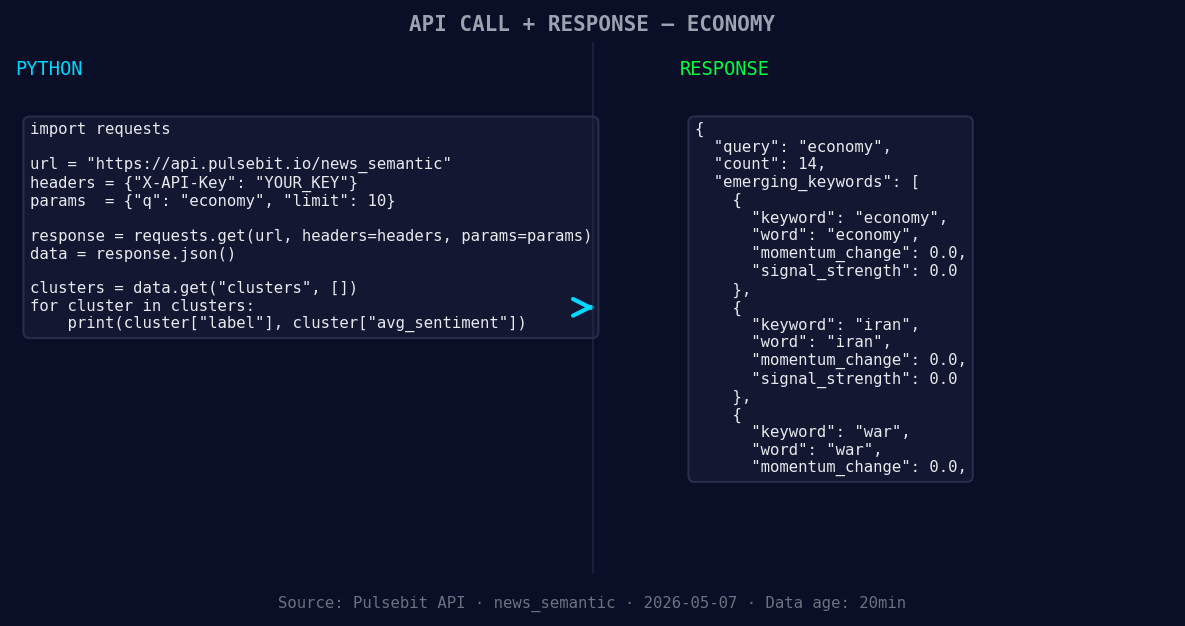
*Left: Python GET /news_semantic call for 'economy'. Right: returned JSON response structure (clusters: 3). Source: Pulsebit /news_semantic.*
# Make the API call
response = requests.get("https://api.pulsebit.com/articles", params=params)
data = response.json()
# Check the response
print(data)
Next, we’ll run the cluster reason string back through the sentiment analysis endpoint to score the narrative framing itself:
# Define the cluster reason string
cluster_reason = "Clustered by shared themes: but, business, matters, economy, could."

# Make the POST request to the sentiment endpoint
sentiment_response = requests.post("https://api.pulsebit.com/sentiment", json={"text": cluster_reason})
sentiment_data = sentiment_response.json()

# Check the sentiment score
print(sentiment_data)
These two snippets allow us to not only capture the sentiment from English articles but also analyze the narrative around it, giving you a more comprehensive view of the sentiment landscape.
Three Builds Tonight
Here are three specific builds you can implement using this pattern:
Geo-Filtered Alerts: Set up a webhook that triggers alerts when the momentum reaches a certain threshold (e.g., +0.500) specifically for topics like "economy." Use the geographic origin filter to ensure you’re only alerted for English articles.
Meta-Sentiment Analysis Pipeline: Create a pipeline that continuously scores the narrative around clustered themes. For instance, if the score for the cluster "but, business, matters, economy" drops below 0, trigger an alert to investigate further.
Forming Themes Dashboard: Build a dashboard that visualizes forming themes such as "economy(+0.00), iran(+0.00), war(+0.00)" versus mainstream sentiments like "but, business, matters." Use real-time data to keep the dashboard updated, helping you identify emerging trends as they happen.
Get Started
Ready to dive in? You can find more information at pulsebit.lojenterprise.com/docs. You can copy-paste and run this code in under 10 minutes to start catching those momentum spikes effectively.


Top comments (0)