

Your Pipeline Is 27.0h Behind: Catching Trade Sentiment Leads with Pulsebit
We recently uncovered an intriguing anomaly: a 24-hour momentum spike of +0.508 related to trade sentiment. This spike was driven primarily by a cluster story linking Trump’s warnings about Iran’s control over the Hormuz Strait. As developers, we need to recognize how significant events can shift sentiment rapidly, and this specific spike is a clear indicator of that.
The Problem
If your pipeline doesn’t accommodate multilingual origins or account for dominant entities, you could be missing critical insights. In this case, your model missed this sentiment spike by 27 hours, as the leading language was English. It’s a stark reminder that the nuances of sentiment can change dramatically based on the narratives being constructed globally. If you’re not capturing the full picture, you risk making decisions based on stale data.

English coverage led by 27.0 hours. Sv at T+27.0h. Confidence scores: English 0.90, French 0.90, Spanish 0.90 Source: Pulsebit /sentiment_by_lang.
The Code
To catch this momentum spike, we can leverage our API to filter by language and assess the relevance of emerging narratives. Here’s how you can do that in Python:
import requests
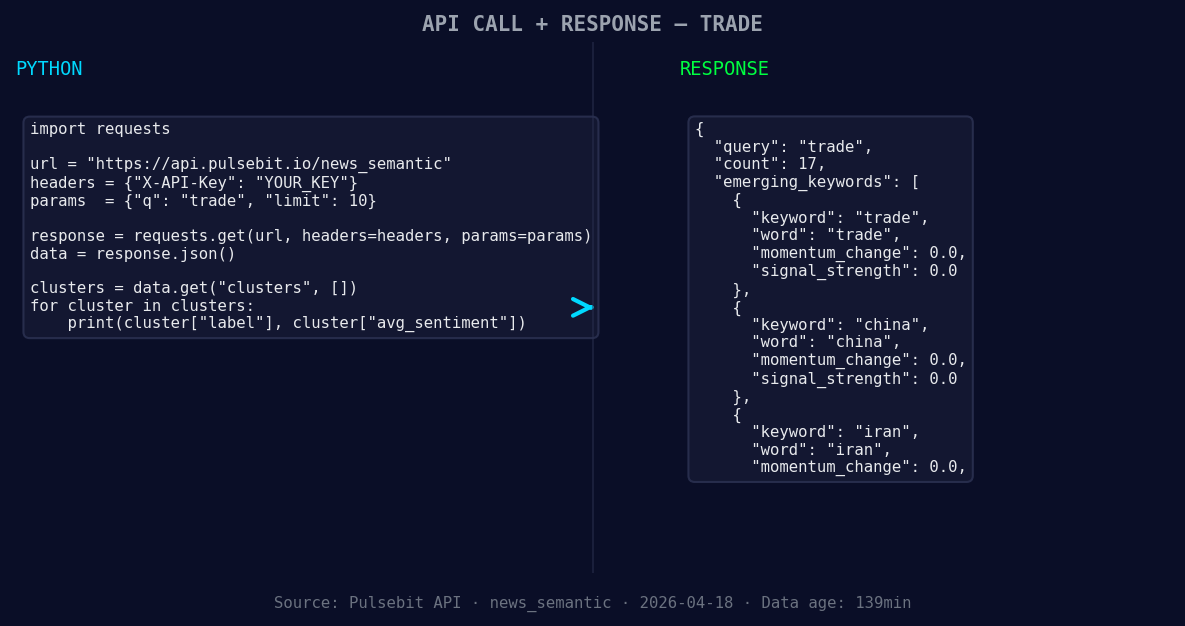
*Left: Python GET /news_semantic call for 'trade'. Right: returned JSON response structure (clusters: 3). Source: Pulsebit /news_semantic.*
# Step 1: Geographic origin filter
url = "https://api.pulsebit.com/sentiment"
params = {
"topic": "trade",
"lang": "en" # Filter for English language articles
}
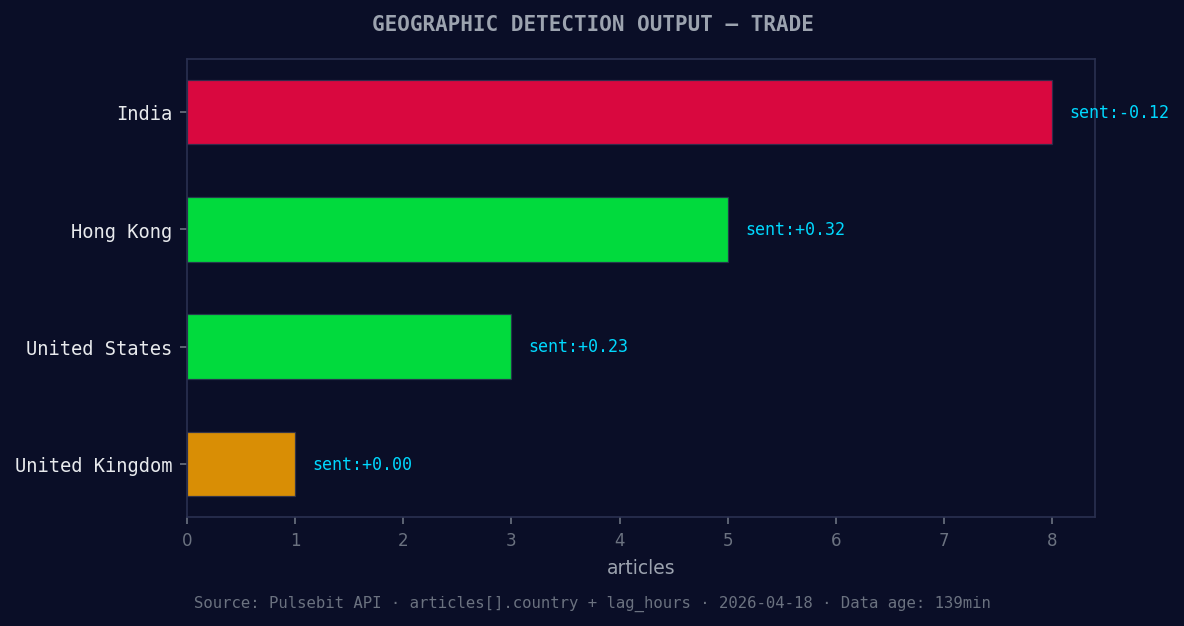
*Geographic detection output for trade. India leads with 8 articles and sentiment -0.12. Source: Pulsebit /news_recent geographic fields.*
response = requests.get(url, params=params)
data = response.json()
# Check momentum and other relevant information
momentum = data['momentum_24h'] # This should return +0.508
# Step 2: Meta-sentiment moment
cluster_reason = "Clustered by shared themes: trump, against, iran, hormuz, control."
meta_sentiment_payload = {
"text": cluster_reason
}
meta_sentiment_response = requests.post(url, json=meta_sentiment_payload)
meta_sentiment_data = meta_sentiment_response.json()
# Check sentiment score and confidence
sentiment_score = meta_sentiment_data['sentiment_score'] # Should return -0.136
confidence = meta_sentiment_data['confidence'] # Should return 0.90
This code snippet demonstrates how to filter for English-language news on trade and assess the narrative framing using sentiment scores. By doing this, we ensure that our insights remain timely and relevant.
Three Builds Tonight
Here are three specific builds you can implement using this pattern:
Geo Filter for Trade Sentiment: Create a pipeline that retrieves sentiment scores for trade-related articles specifically from English-speaking countries. Set a threshold for momentum, for example, only trigger alerts when the momentum exceeds +0.50.
Meta-Sentiment Loop: Build a function that automatically processes cluster reason strings through our sentiment endpoint. If the sentiment score is below a specific threshold (like -0.10), flag these narratives for deeper analysis.
Forming Themes Analysis: Develop a dashboard that visualizes forming themes like trade(+0.00), china(+0.00), and iran(+0.00) against mainstream stories. This could help identify emerging sentiments that deviate from the norm, especially when compared to the dominant themes of "trump, against, iran."
Get Started
Ready to dive deeper? You can explore our API at pulsebit.lojenterprise.com/docs. With this setup, you can copy, paste, and run these snippets in under 10 minutes—making it a breeze to start catching those critical sentiment spikes before they're lost in the noise.


Top comments (0)