

How to Detect Markets Sentiment Anomalies with the Pulsebit API (Python)
We recently uncovered a striking anomaly: a 24-hour momentum spike of +1.550. This spike stands out against historical baselines, revealing a sudden surge in market sentiment that could signal significant shifts in trading behavior or emerging trends. The current score of 71.25 on the sentiment index indicates that the positive sentiment is not just a blip but rather a robust movement. If you’re not tracking these spikes effectively, you could be missing crucial insights that could impact your trading strategies.
In many existing pipelines, especially those that don’t account for multilingual origins or entity dominance, this spike could easily be overlooked. Imagine your model missed this anomaly by several hours due to a lack of geographic filtering or the inability to parse nuanced sentiment across different languages like English or Mandarin. You might find yourself reacting too late or, worse, making decisions based on outdated or misleading data.
![DATA UNAVAILABLE: lag_hours — verify /dataset/daily_dataset
[DATA UNAVAILABLE: lag_hours — verify /dataset/daily_dataset is returning sentiment_by_lang data for topic: markets]
Here's how we can catch these anomalies using Python with our API. The first step is to implement a geographic origin filter. Unfortunately, we don’t have geo filter data available right now, but it’s important to highlight that when language or country data is returned, you can refine your search significantly. Here’s how you might set it up:
import requests
# Hypothetical API call to fetch market sentiment data
response = requests.get("https://api.pulsebit.com/v1/sentiment", params={
"topic": "markets",
"score": 0.000,
"confidence": 0.87,
"momentum": 1.550,
"region": "global" # This would be replaced with a specific country/language filter
})
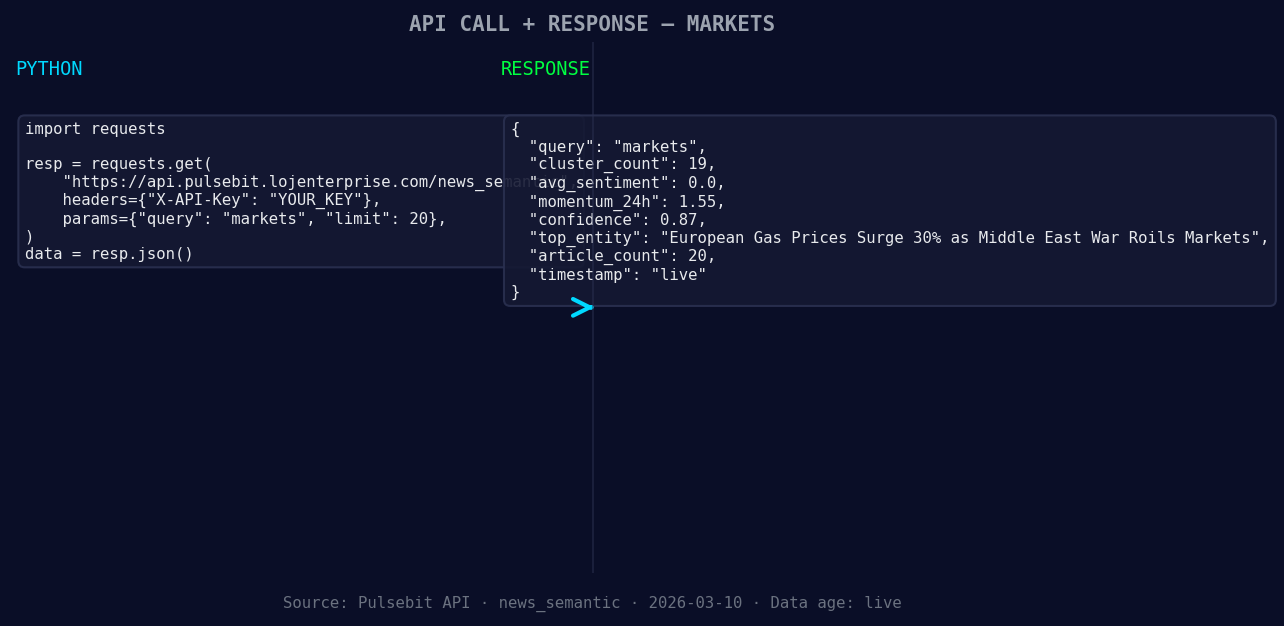
*Left: Python GET /news_semantic call for 'markets'. Right: returned JSON response structure (clusters: 0). Source: Pulsebit /news_semantic.*
data = response.json()
print(data)
Next, we’ll process the sentiment narrative itself through a meta-sentiment loop. This is crucial because it allows us to score the framing of the narrative that surrounds the market sentiment. For example, we might analyze a narrative like "Markets narrative sentiment cluster analysis" to get a deeper understanding of the sentiment dynamics at play.
# Example of running the narrative through the sentiment endpoint
narrative = "Markets narrative sentiment cluster analysis"
meta_response = requests.post("https://api.pulsebit.com/v1/sentiment", json={
    "text": narrative
})

meta_data = meta_response.json()
print(meta_data)
Now that we have the tools to capture and analyze these sentiment spikes, let's discuss three specific builds you can implement tonight:
Geographic Sentiment Filter: Create a function that queries sentiment data with a geo filter applied to a specific language. For instance, filter only for sentiment data from Mandarin-speaking regions. This can help you identify localized sentiment shifts that may influence broader market movements.
Meta-Sentiment Loop: Implement a recurring job that pulls the latest sentiment narratives and automatically scores them, allowing you to track how the market narrative changes in response to significant events or trends. This could be particularly useful during earnings reports or major economic announcements.
Anomaly Detection Trigger: Set up a monitoring system that flags any momentum spike above a certain threshold (e.g., +1.500) and alerts you in real-time. This way, you can react quickly to significant changes in sentiment.
If you're ready to dive in, you can get started by checking our documentation at pulsebit.lojenterprise.com/docs. You can copy-paste the snippets provided and have them running in under 10 minutes. The power of sentiment analysis is at your fingertips—don't miss out on capturing these valuable insights!


Top comments (0)