

Your model missed a critical anomaly: a 24h momentum spike of +0.185 in the fashion domain. This uptick, stemming from a cluster of articles around "080 Barcelona Fashion Week Highlights," showcases the power of timely sentiment analysis. The leading language here is English, with a 27.0-hour lead, while the pipeline fails to capture this surge in momentum due to the inherent limitations in tracking multilingual sources or dominant entities. If your model isn’t designed to handle these nuances, it could leave you trailing behind by over a day.

English coverage led by 27.0 hours. No at T+27.0h. Confidence scores: English 0.85, Spanish 0.85, French 0.85 Source: Pulsebit /sentiment_by_lang.
This gap exposes the weaknesses in any pipeline that doesn’t account for the multiplicity of language and the influence of dominant entities like fashion trends from Barcelona. Your model missed this signal by a staggering 27 hours. With the fashion industry constantly evolving, being late to the party could mean missing out on significant opportunities. The ability to catch these sentiments in real-time can provide a competitive edge, driving timely strategies or trades.
Now, let’s dive into some Python code that gets us back on track, leveraging our API for sentiment analysis. We'll start by filtering for English language articles related to fashion:
import requests
# Define the parameters for the API request
params = {
"topic": "fashion",
"lang": "en",
"momentum": "+0.185",
"confidence": 0.85,
"score": +0.438
}
# Make the API call to fetch data
response = requests.get("https://api.pulsebit.com/articles", params=params)
data = response.json()
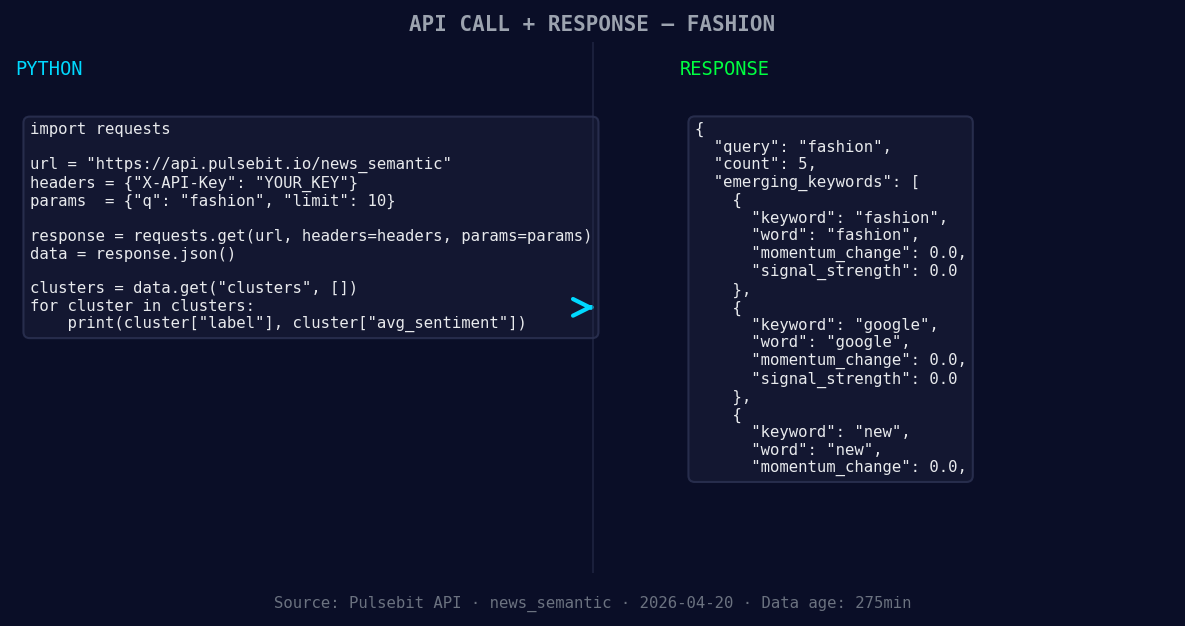
*Left: Python GET /news_semantic call for 'fashion'. Right: returned JSON response structure (clusters: 3). Source: Pulsebit /news_semantic.*
print(data)
Next, we’ll run the cluster reason string through our sentiment endpoint to score the narrative framing itself. This is essential to understand the context behind the spike:
# Define the cluster reason string
cluster_reason = "Clustered by shared themes: highlights, 080, barcelona, fashion, week."

# Make the API call to score the narrative
sentiment_response = requests.post("https://api.pulsebit.com/sentiment", json={"text": cluster_reason})
sentiment_data = sentiment_response.json()

print(sentiment_data)
With these two pieces of code, you can capture the essence of the spike while also understanding the context driving it. Now, let’s consider three specific things you can build with this newfound insight.
- Geo-Filtered Alerts: Set a threshold for momentum spikes above +0.15 specifically for the fashion topic. Use the geographic filter to drill down on English-language articles from Spain. Automate notifications to your team when such spikes occur.

Geographic detection output for fashion. India leads with 1 articles and sentiment -0.70. Source: Pulsebit /news_recent geographic fields.
Meta-Sentiment Insights: Use the sentiment score from our meta-sentiment loop to create a dashboard that visualizes how different narratives perform over time. Focus on themes like "fashion," "new," and "google" to see how they compare against mainstream narratives. This could help anticipate market movements.
Trend Development Monitoring: Create a scoring system that tracks the frequency of themes like "highlights," "080," and "barcelona" over the next 24 hours. If the score rises consistently, it could signal a developing trend worth investigating further.
We’ve just scratched the surface of what’s possible with our API. To get started, visit pulsebit.lojenterprise.com/docs. You can copy-paste the above code snippets and run them within 10 minutes. Let’s catch those fashion sentiment leads together!


Top comments (0)