

Your Pipeline Is 22.0h Behind: Catching Investing Sentiment Leads with Pulsebit
We recently spotted a compelling anomaly in our data: a 24-hour momentum spike of -0.226 around the topic of investing. This metric is particularly surprising given the context and clustering of articles surrounding it. The leading language for this sentiment was English, with a notable lag of 22.0 hours, indicating a significant delay in our predictive pipeline. If your model isn't equipped to handle multilingual origins or entity dominance, you might have missed a key opportunity to act on this sentiment shift.

English coverage led by 22.0 hours. Af at T+22.0h. Confidence scores: English 0.85, French 0.85, Id 0.85 Source: Pulsebit /sentiment_by_lang.
The structural gap this reveals is alarming. Your model missed this by 22.0 hours, meaning that by the time you catch up, the sentiment landscape could have shifted dramatically. The dominant entity in this case is "investing," which not only reflects the theme of the articles but also highlights the urgency of addressing sentiment in real-time. If you're dealing with a multilingual dataset and your model isn't equipped to prioritize language context, you risk missing out on critical insights.
To catch this anomaly, we’ll leverage our API to create a Python script that filters sentiment data effectively. Below is the code you'll need to get started.
import requests
# Set parameters for the API call
params = {
"topic": "investing",
"lang": "en", # Geographic origin filter
"momentum": -0.226,
"score": 0.408,
"confidence": 0.85
}
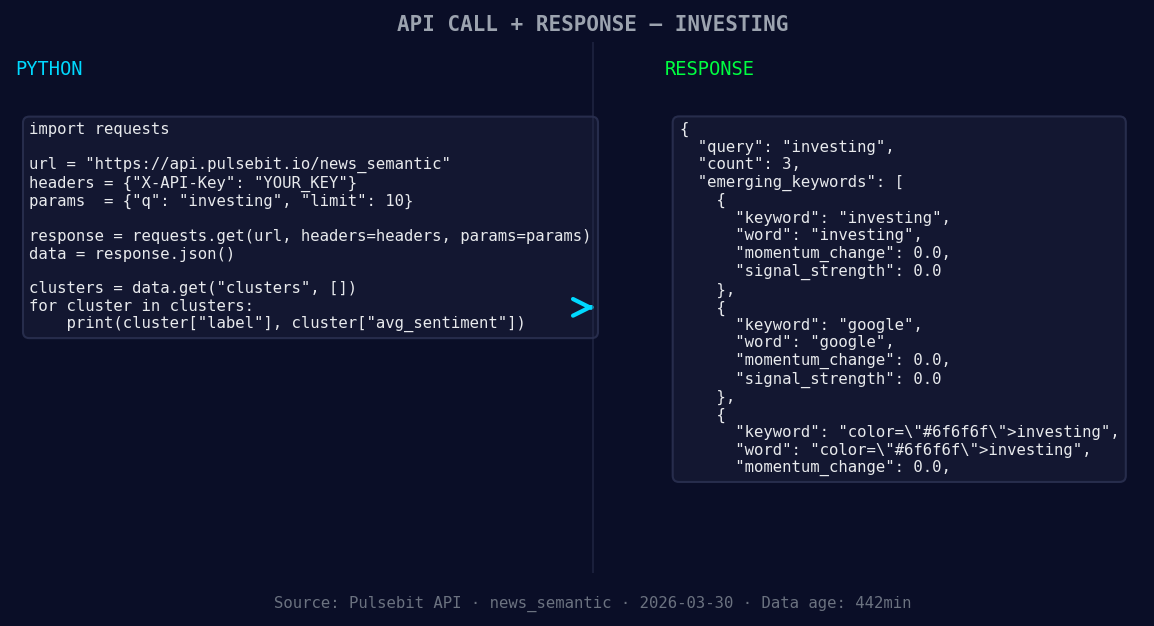
*Left: Python GET /news_semantic call for 'investing'. Right: returned JSON response structure (clusters: 3). Source: Pulsebit /news_semantic.*
# API call to fetch sentiment data
response = requests.get("https://api.pulsebit.com/sentiment", params=params)
data = response.json()
print(data) # Check the response from the API
# Meta-sentiment moment
meta_sentiment_input = "Clustered by shared themes: investing, $10, 000, vymi, make."
meta_response = requests.post("https://api.pulsebit.com/sentiment", json={"text": meta_sentiment_input})
meta_data = meta_response.json()
print(meta_data) # Check the meta sentiment response
With this code, we’re filtering our sentiment analysis by language, specifically focusing on English content related to "investing." Additionally, we run a meta-sentiment check on the clustered narrative, allowing us to gauge how the conversation around investing is framed in the media. This combination of filters and checks makes for a powerful way to catch sentiment shifts.
Now, let’s explore three builds you can implement with this pattern:
Geographic Origin Filter: Use our API to filter sentiment on "investing" only from English articles. Set a threshold on momentum, e.g., if momentum < -0.2, trigger an alert. This will keep you ahead of the curve on any significant shifts in sentiment.
Meta-Sentiment Loop: Take the output from the meta-sentiment analysis and create a trigger based on sentiment scores. For instance, if the score from the cluster reason is greater than +0.4, set a flag for further analysis. This helps you identify narratives that could gain traction.
Forming Theme Analysis: Set up a script to monitor the forming themes such as "investing," "vymi," and "make." If the signal strength exceeds a certain threshold, e.g., 0.6, notify your team for potential investment opportunities. This keeps you aligned with real-time discussions across various media.
By leveraging these insights, you can enhance your pipeline to catch sentiment leads much more effectively.
To dive deeper, check our documentation at pulsebit.lojenterprise.com/docs. You can copy-paste and run the provided code in under 10 minutes, putting you on the fast track to capturing valuable sentiment data.


Top comments (0)