

Your Pipeline Is 10.5h Behind: Catching Defence Sentiment Leads with Pulsebit
We recently uncovered a striking anomaly: a 24h momentum spike of -0.701 in the defence topic. This sharp decline reveals a significant shift in sentiment that you may have completely missed if your pipeline isn't set up to handle multilingual origins or entity dominance.

English coverage led by 10.5 hours. Id at T+10.5h. Confidence scores: English 0.75, Spanish 0.75, French 0.75 Source: Pulsebit /sentiment_by_lang.
Imagine this: your model missed this critical information by 10.5 hours, all while the leading language was English. A delay like that can mean missing out on crucial insights, especially when the news cycle is as fast-paced as it is today. The dominant entity of "defence" and its surrounding context can shift dramatically, and if you're not capturing this in real-time, you're operating at a serious disadvantage.
Let’s dive into how we can catch these sentiment shifts programmatically. Below is a Python snippet that utilizes our API to detect this momentum spike effectively.
import requests
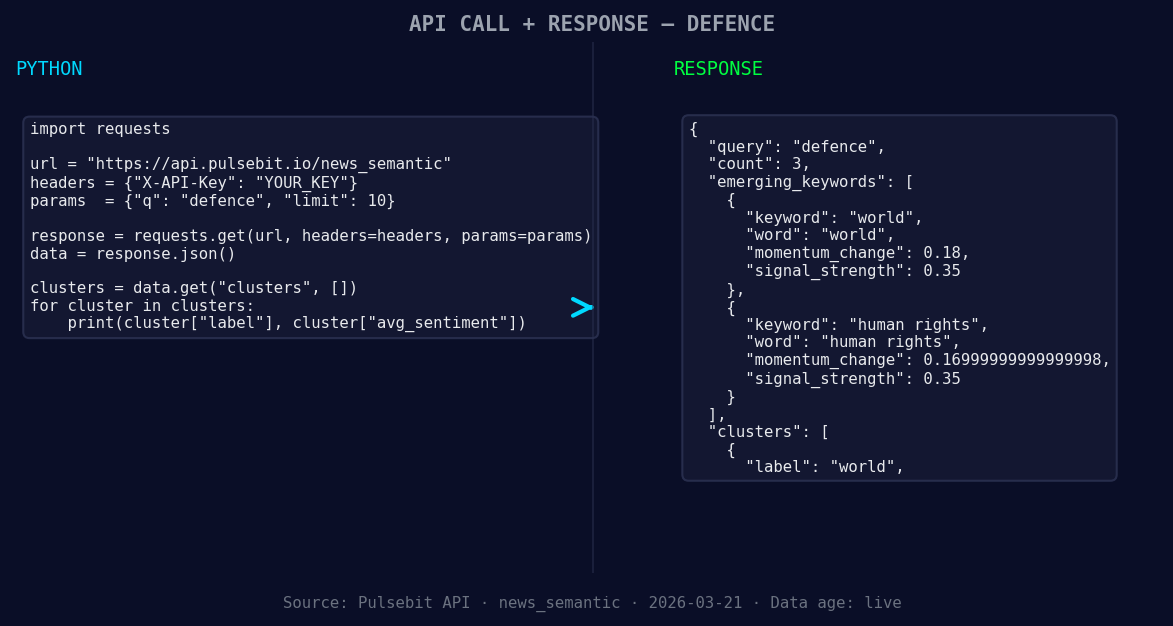
*Left: Python GET /news_semantic call for 'defence'. Right: returned JSON response structure (clusters: 1). Source: Pulsebit /news_semantic.*
# Define the parameters
topic = 'defence'
score = -0.701
confidence = 0.75
momentum = -0.701
lang = 'en'
# Geographic origin filter: query by language
response = requests.get(
f'https://pulsebit.api/v1/sentiment?topic={topic}&lang={lang}'
)
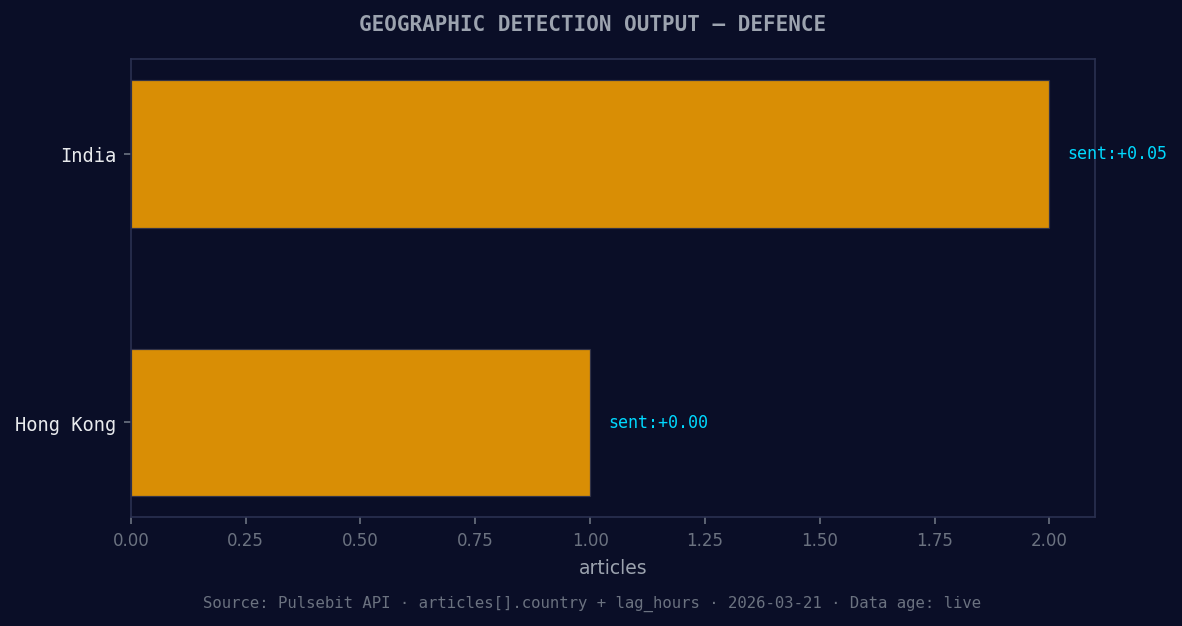
*Geographic detection output for defence. India leads with 2 articles and sentiment +0.05. Source: Pulsebit /news_recent geographic fields.*
# Check the API response
if response.status_code == 200:
data = response.json()
print("Sentiment Data:", data)
else:
print("Error fetching data:", response.status_code)
# Meta-sentiment moment: run the cluster reason string back through the sentiment API
cluster_reason = "Semantic API incomplete — fallback semantic structure built from available keywords and article/search evidence."
meta_sentiment_response = requests.post(
'https://pulsebit.api/v1/sentiment',
json={'text': cluster_reason}
)
# Check the sentiment for the narrative framing
if meta_sentiment_response.status_code == 200:
meta_data = meta_sentiment_response.json()
print("Meta Sentiment Data:", meta_data)
else:
print("Error fetching meta sentiment data:", meta_sentiment_response.status_code)
In this code, we start by filtering our sentiment analysis by the English language, allowing us to hone in on the most relevant articles concerning "defence." We then take the cluster reason string and run it back through the sentiment API to gauge how the narrative is being framed. This dual approach helps us not only understand the numbers but also the context behind them.
Now that we have a grasp of how to capture these spikes, here are three specific builds we can implement using this pattern:
Geo Filter for Breaking News: Set your threshold for sentiment changes in defence topics to trigger alerts if momentum shifts beyond -0.5. Use the geographic origin filter to focus exclusively on English-language articles. This ensures you catch critical sentiment shifts in real-time.
Meta-Sentiment for Contextual Analysis: Whenever you encounter a significant spike, like our -0.701, utilize the meta-sentiment loop to analyze the narrative structure. Set a threshold to capture any narratives that indicate "incomplete" sentiment structures. This can be particularly useful for understanding the limitations of current coverage.
Forming Themes Analysis: Leverage the forming themes of "world" (+0.18) and "human rights" (+0.17) as part of your analysis. Create a custom endpoint that pulls articles matching these themes and applies the sentiment analysis to detect any emerging trends against mainstream narratives.
By employing these strategies, you can ensure your pipeline is not only reactive but also proactive in identifying shifts in sentiment, keeping you ahead of the curve.
For more in-depth examples and to get started, head over to our documentation: pulsebit.lojenterprise.com/docs. With just a few lines of code, you can replicate this in under 10 minutes, ensuring your sentiment analysis is always on point.


Top comments (0)