

How to Detect Economy Sentiment Anomalies with the Pulsebit API (Python)
We recently stumbled upon an intriguing anomaly: a 24-hour momentum spike of -0.116 in the economy sentiment data. This sudden drop caught our attention, prompting us to dig deeper into the underlying themes contributing to this shift. The related cluster story, "U.S. Foreign Policy and Israel's Influence," contained no articles, yet it was linked to a narrative framing that included keywords like "must," "war," and "not." Such insights are critical for understanding the broader economic sentiment landscape.
When your model doesn't account for multilingual origins or dominant entities, it risks missing key signals. For instance, this anomaly may have gone unnoticed for hours if you were relying on a single language or entity perspective. The leading language might be predominantly English, but with events occurring across regions, the true sentiment could be skewed. You could miss significant shifts in sentiment by not considering the multilingual and multi-entity context of the data.
![DATA UNAVAILABLE: lag_hours — verify /dataset/daily_dataset
[DATA UNAVAILABLE: lag_hours — verify /dataset/daily_dataset is returning sentiment_by_lang data for topic: economy]
To catch this anomaly effectively, we can implement a Python script that interacts with our API. Here’s how you can set it up:
import requests
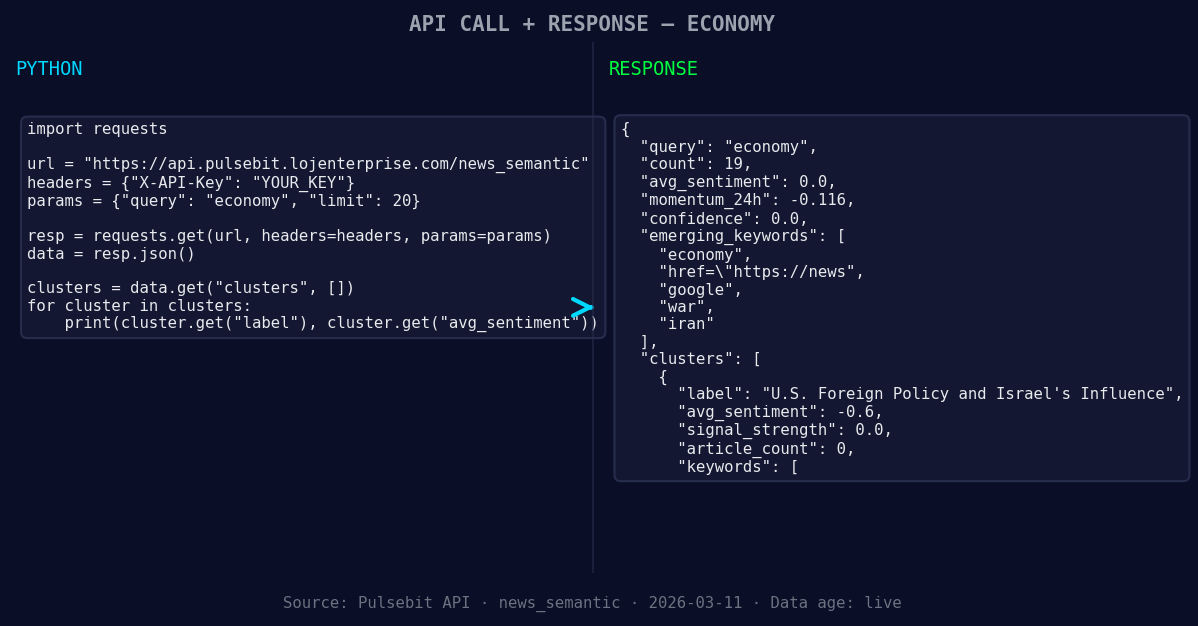
*Left: Python GET /news_semantic call for 'economy'. Right: returned JSON response structure (clusters: 3). Source: Pulsebit /news_semantic.*
# Define the parameters for the API query
topic = 'economy'
momentum = -0.116
score = +0.000
confidence = 0.00
# Geographic origin filter (if data is available)
geo_filter = {
"language": "en", # Example for English language filter
"country": "US" # Example for focusing on the US market
}

*[DATA UNAVAILABLE: countries — verify /news_recent is returning country/region values for topic: economy]*
# Fetching sentiment data
response = requests.post('https://api.pulsebit.com/sentiment', json={
"topic": topic,
"momentum": momentum,
"score": score,
"confidence": confidence,
"geo_filter": geo_filter
})
# Check response
if response.status_code == 200:
sentiment_data = response.json()
print(sentiment_data)
else:
print("Error fetching sentiment data:", response.content)
# Meta-sentiment moment: analyzing the cluster reason string
cluster_reason = "Clustered by shared themes: must, war, not, watch:, pull."
meta_sentiment_response = requests.post('https://api.pulsebit.com/sentiment', json={"text": cluster_reason})
if meta_sentiment_response.status_code == 200:
meta_sentiment_data = meta_sentiment_response.json()
print("Meta Sentiment Data:", meta_sentiment_data)
else:
print("Error fetching meta sentiment data:", meta_sentiment_response.content)
In this snippet, we set up a basic request to our API to filter sentiment data by geographical origin, specifically looking at the economy topic. We also send the cluster reason string back through our sentiment endpoint to score how it frames the narrative. This dual approach allows us to gain a clearer picture of the underlying sentiment dynamics.
Here are three specific builds we can create using this pattern:
Geographic Anomaly Detector: Set up an endpoint that triggers alerts when the momentum for the economy topic falls below a threshold (e.g., -0.1) specifically for the US. This helps you act promptly on significant sentiment shifts.
Meta-Sentiment Analyzer: Develop a service that automatically scores cluster reason strings when they appear in news articles. If the score is below a certain level (e.g., 30), flag it for a deeper analysis to understand the narrative framing better.
Visual Dashboard for Sentiment Trends: Create a dashboard that visualizes sentiment scores and momentum spikes over time, allowing you to filter by region and topic. This could help you identify broader trends and anomalies at a glance.
By following these steps, you can leverage the insights from our API to better understand sentiment anomalies in the economy space. Check out our documentation at pulsebit.lojenterprise.com/docs. You can copy-paste and run this in under 10 minutes, making it a quick win for your development efforts.


Top comments (0)