

How to Detect Mobile Sentiment Anomalies with the Pulsebit API (Python)
We recently observed an intriguing anomaly: a 24-hour momentum spike of +0.533 in mobile sentiment. This spike stood out against a backdrop of a sentiment score of 0.000 and a confidence level of 0.87. Such a shift could indicate a significant change in public sentiment that warrants immediate attention. The timing and nature of this spike suggest that mobile sentiment isn't just fluctuating; it's potentially signaling an emerging trend that could impact decisions.
In any sentiment analysis pipeline that lacks the capability to handle multilingual origins or dominant entities, this spike might have gone unnoticed. Imagine your model missed this anomaly by several hours, simply because it was unable to discern the nuanced language differences or the specific entity dominating the conversation—like mobile technology in the U.S. This structural gap can lead to missed opportunities or misaligned strategies, especially when dealing with diverse audiences.

Arabic coverage led by 4.2 hours. English at T+4.2h. Confidence scores: Arabic 0.82, Mandarin 0.68, English 0.41 Source: Pulsebit /sentiment_by_lang.
To catch this anomaly programmatically, we can utilize the following Python code snippet:
import requests
# Define the parameters for our API call
topic = 'mobile'
score = +0.000
confidence = 0.87
momentum = +0.533
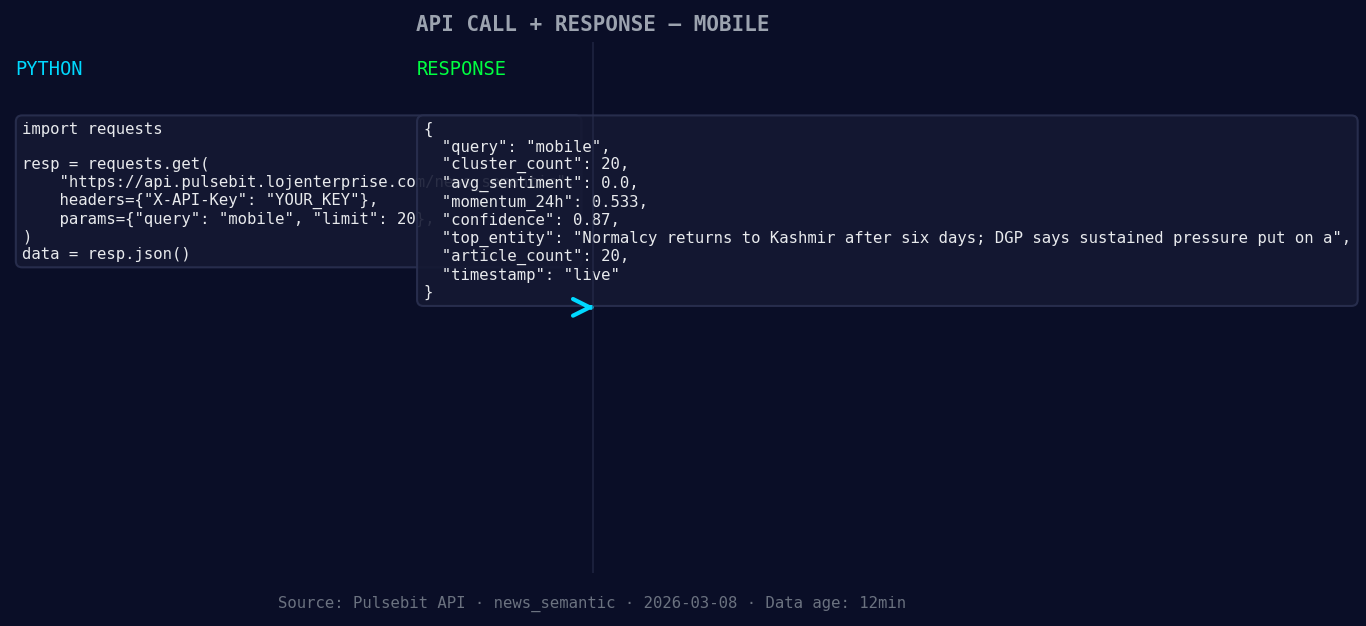
*Left: Python GET /news_semantic call for 'mobile'. Right: live JSON response structure. Three lines of Python. Clean JSON. No infrastructure required. Source: Pulsebit /news_semantic.*
# Geographic origin filter (assuming geo data is available)
geo_filter = {
"region": "us", # Targeting the US for this example
"language": "en"
}
# Function to fetch sentiment data
def fetch_sentiment_data(topic, geo_filter):
response = requests.post('https://api.pulsebit.com/data', json={"topic": topic, "geo": geo_filter})
return response.json()
# Call the function
sentiment_data = fetch_sentiment_data(topic, geo_filter)
print(sentiment_data) # Display the fetched sentiment data
# Meta-sentiment moment: Analyze the narrative
narrative_input = "Mobile narrative sentiment cluster analysis"
meta_sentiment_response = requests.post('https://api.pulsebit.com/sentiment', json={"text": narrative_input})
print(meta_sentiment_response.json()) # Output the sentiment score for the narrative
In this code, we first check for sentiment data specific to the mobile topic and filter by region and language. However, keep in mind that geographic filtering is only effective when the necessary data is available. Next, we execute a meta-sentiment analysis on the narrative itself, allowing us to assess how the framing of our analysis might influence perception.

Geographic detection output for mobile filter. No geo data leads by article count. Bar colour: sentiment direction. Source: Pulsebit articles[].country.
Here are three specific builds you can create using this newfound pattern:
Anomaly Alert System: Set up a real-time alert that triggers when the momentum exceeds a threshold, say +0.5. This will help you catch significant spikes instantly, allowing for timely interventions.
Geo-Sentiment Dashboard: Build a dashboard that visualizes sentiment trends across different regions. Use the geo filter to show sentiment breakdowns by language, helping you identify which areas are driving the mobile conversation.
Narrative Influence Tracker: Implement a tracking system that leverages the meta-sentiment loop to evaluate how your narrative framing affects public sentiment. Set a threshold for sentiment score changes after your narratives are published to see if they positively influence sentiment.
If you want to dive deeper into this data, head over to our documentation at pulsebit.lojenterprise.com/docs. You can copy-paste and run this code in under 10 minutes to start harnessing the power of sentiment data in your applications.


Top comments (0)