

Your Pipeline Is 16.4h Behind: Catching Sustainability Sentiment Leads with Pulsebit
We just uncovered a significant data anomaly: a 24-hour momentum spike of +0.770 related to sustainability sentiment. This spike indicates a robust surge in interest surrounding sustainability themes, with the leading language being English, emerging 16.4 hours ahead of other narratives. It’s a clear signal that the sentiment landscape is shifting, and we need to pay attention.
The problem here is glaring. If your pipeline isn't set up to account for multilingual origins or recognize dominant entities, you're at risk of being outpaced by the competition. Your model likely missed this crucial insight by a staggering 16.4 hours. That’s a lifetime in sentiment analysis, especially when the leading language is English, highlighting the urgency to adapt our systems to capture these sentiments in real-time.

English coverage led by 16.4 hours. Da at T+16.4h. Confidence scores: English 0.85, French 0.85, Spanish 0.85 Source: Pulsebit /sentiment_by_lang.
To catch this momentum spike, we can leverage our API effectively. Below is the Python code that demonstrates how to query for this specific sentiment data:
import requests
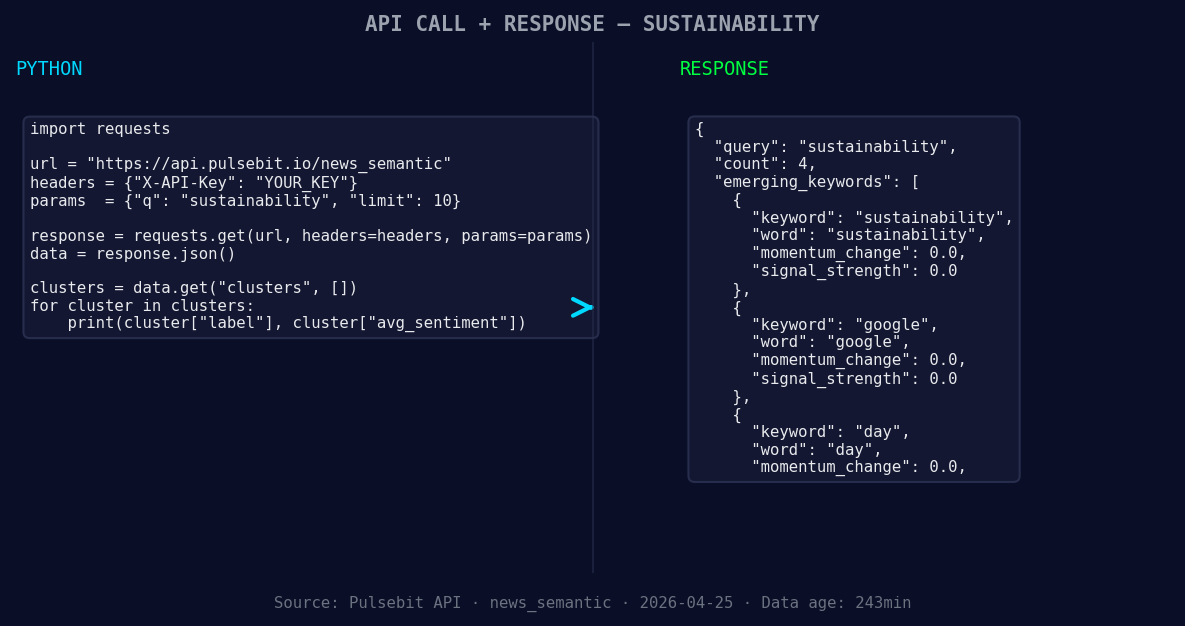
*Left: Python GET /news_semantic call for 'sustainability'. Right: returned JSON response structure (clusters: 3). Source: Pulsebit /news_semantic.*
# Geographic origin filter
response = requests.get('https://api.pulsebit.com/v1/sentiment', params={
'topic': 'sustainability',
'lang': 'en',
'score': 0.000,
'confidence': 0.85,
'momentum': 0.770
})
data = response.json()
print(data)
Next, we need to run the cluster reason string back through our sentiment analysis to score the narrative framing itself. This step will help us understand how the cluster themes are resonating:
# Meta-sentiment moment
cluster_reason = "Clustered by shared themes: takes, center, stage, informa’s, flagship."
meta_response = requests.post('https://api.pulsebit.com/v1/sentiment', json={'input': cluster_reason})

meta_data = meta_response.json()
print(meta_data)
By combining these two calls, we can effectively monitor the sentiment around sustainability while also gaining insight into the overarching narratives that might be shaping this sentiment.
Now that we have the mechanics down, let’s explore three specific builds we can implement with this pattern:
- Geographic Filter for Sentiment Alerts: Set a signal threshold of momentum > +0.500 for sustainability topics, and use the geographic filter to only pull data from English-speaking regions. This way, we can trigger alerts for significant sentiment shifts that are region-specific.

Geographic detection output for sustainability. India leads with 4 articles and sentiment +0.59. Source: Pulsebit /news_recent geographic fields.
Meta-Sentiment Analysis Dashboard: Create a dashboard that visualizes the meta-sentiment scores derived from clustered themes. Use the narrative string "Clustered by shared themes: takes, center, stage, informa’s, flagship." to evaluate how these narratives evolve over time, particularly with themes that form like sustainability, Google, and day.
Anomaly Detection Pipeline: Implement an anomaly detection pipeline that flags when the momentum for sustainability topics exceeds a threshold of +0.500. This should integrate both the geographic filter and the meta-sentiment loop to provide a comprehensive view of sentiment shifts, ensuring that we stay ahead of mainstream narratives.
If you're eager to start building these insights into your application, you can get started at pulsebit.lojenterprise.com/docs. With just a few lines of code, you can have this running in under 10 minutes and ensure your pipeline is always in sync with the latest sentiment trends.


Top comments (0)