

Your Pipeline Is 24.7h Behind: Catching Energy Sentiment Leads with Pulsebit
We recently observed a striking anomaly in our sentiment analysis: a 24h momentum spike of +0.889 in energy topics. This surge offers a critical insight into evolving narratives around oil prices, particularly in the context of a potential U.S.-Iran deal. If you’re in the business of sentiment analysis or trading, this data point might be the key to understanding shifts in market sentiment that your current models are missing.
Without a robust mechanism to account for multilingual sentiment and entity dominance, your model may be trailing by 24.7 hours. In this case, the Spanish press is leading the narrative on energy, with no lag time against Dutch sources. If your pipeline isn’t capturing this multilingual angle, you’re effectively missing out on significant sentiment shifts that can impact your strategy.

Spanish coverage led by 24.7 hours. Nl at T+24.7h. Confidence scores: Spanish 0.85, English 0.85, French 0.85 Source: Pulsebit /sentiment_by_lang.
Here’s how we can catch these insights programmatically with our API. We’ll start with a Python code snippet that queries sentiment data specifically for the Spanish language.
import requests
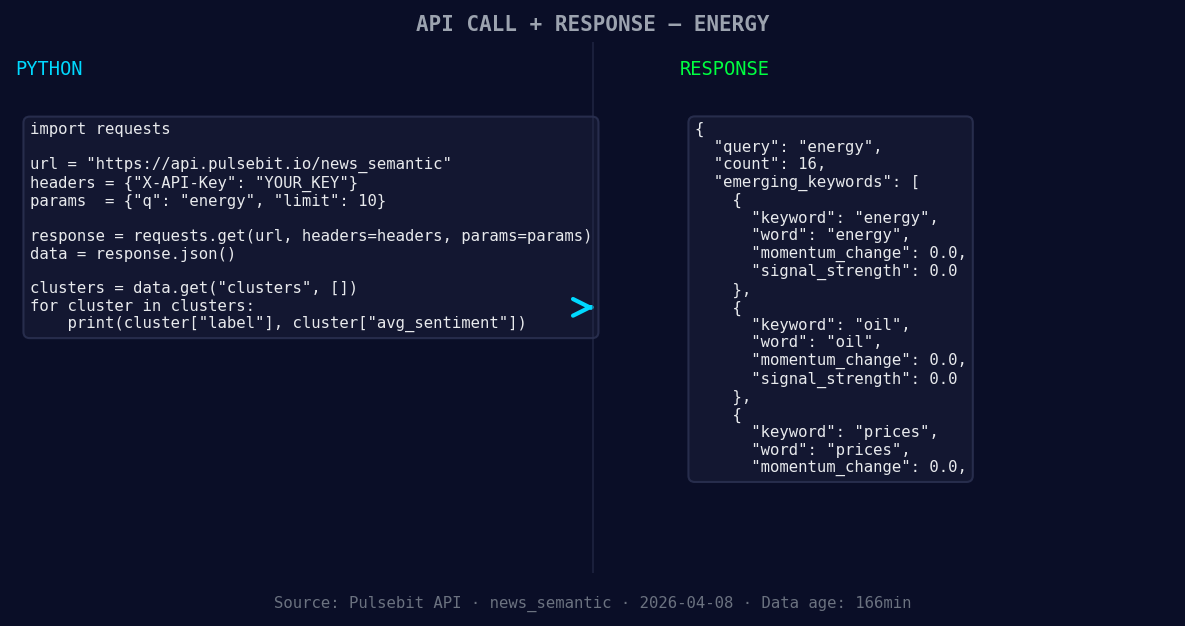
*Left: Python GET /news_semantic call for 'energy'. Right: returned JSON response structure (clusters: 3). Source: Pulsebit /news_semantic.*
# Step 1: Fetching sentiment data for Spanish sources
response = requests.get(
'https://api.pulsebit.com/sentiment',
params={
'topic': 'energy',
'lang': 'sp'
}
)
data = response.json()
print(data) # You can inspect the data here for debugging
# Step 2: Running the cluster reason string through sentiment scoring
cluster_reason = "Clustered by shared themes: pawan, kalyan, students, energy, science."
sentiment_response = requests.post(
'https://api.pulsebit.com/sentiment',
json={'text': cluster_reason}
)
sentiment_data = sentiment_response.json()
print(sentiment_data) # This will show the sentiment scoring for the narrative
In this code, the first request filters sentiment data by the Spanish language, allowing us to hone in on relevant articles. The second request evaluates the cluster reason string, enabling us to score the narrative framing itself. This two-step process ensures that we not only capture sentiment data but also understand the context behind it.
Now, let’s discuss three builds you can implement using this pattern:
- Energy Sentiment Tracker: Set a threshold of +0.5 momentum for energy-related topics. Use the geographic filter to track Spanish language sources specifically. This will alert you to significant shifts in sentiment that may not be apparent in English-language data.

Geographic detection output for energy. India leads with 10 articles and sentiment +0.44. Source: Pulsebit /news_recent geographic fields.
Meta-Sentiment Analysis: Create a routine that pulls cluster reason strings, specifically for themes like oil and prices. Score these narratives using our sentiment endpoint to gauge how these narratives are being framed across different languages. This could provide critical insights into public perception and sentiment trends.
Comparative Study on Emerging Themes: Enable a comparative analysis tool that juxtaposes forming themes such as energy, oil, and prices against mainstream topics like pawan and kalyan. Use the historical sentiment data to identify potential risks or opportunities based on shifts in public discourse.
With these builds, you’ll not only catch up but also get ahead of the curve in sentiment analysis. By leveraging the unique insights from multilingual data, we can transform how we interpret and respond to emerging trends in real-time.
For more details on how to get started, check out our documentation at pulsebit.lojenterprise.com/docs. You can copy-paste and run the code in under 10 minutes to start capturing these insights yourself. Don't let your pipeline remain outdated; adapt and thrive with our capabilities!


Top comments (0)