

Your Pipeline Is 18.8h Behind: Catching Cloud Sentiment Leads with Pulsebit
We’ve just uncovered a compelling anomaly: a 24-hour momentum spike of +0.595 in the sentiment surrounding the topic "cloud." This spike is particularly striking given the context of a leading language, Spanish press, which is driving this sentiment shift with an 18.8-hour lead. If your pipeline isn’t handling multilingual sources and entity dominance effectively, it’s likely you missed this significant signal by almost 19 hours. How can you catch up on these insights before they become stale?

Spanish coverage led by 18.8 hours. So at T+18.8h. Confidence scores: Spanish 0.85, English 0.85, Nl 0.85 Source: Pulsebit /sentiment_by_lang.
The structural gap here is evident. Many sentiment analysis pipelines are built around a single language or a narrow set of entities, which can lead to blind spots in critical data flows. Missing this lead time means your model is not only outdated but also potentially missing out on substantial shifts in sentiment that could impact your decisions. For example, the Spanish press is currently shaping the narrative around "cloud," and if your setup doesn’t consider this multilingual origin, you’re effectively sidelining a potentially lucrative insight.
Here’s how we can catch this anomaly using our API. First, we’ll set up a geographic origin filter to ensure we’re only analyzing data from Spanish sources:

Geographic detection output for cloud. Hong Kong leads with 2 articles and sentiment -0.30. Source: Pulsebit /news_recent geographic fields.
import requests
# Define parameters for the API call
topic = 'cloud'
score = +0.595
confidence = 0.85
momentum = +0.595
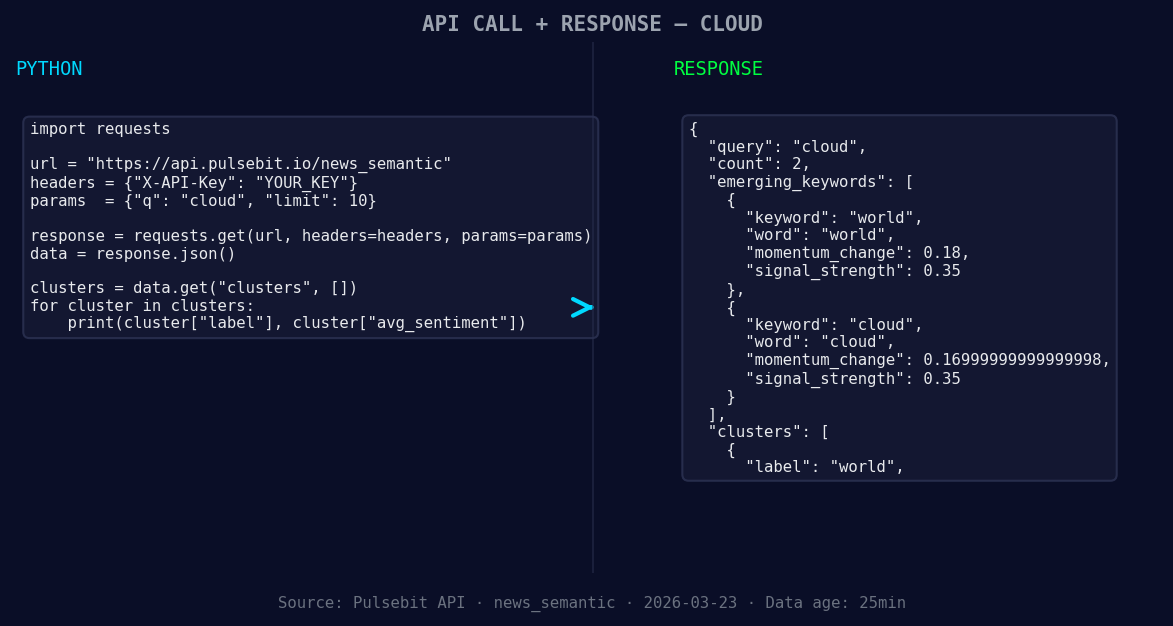
*Left: Python GET /news_semantic call for 'cloud'. Right: returned JSON response structure (clusters: 1). Source: Pulsebit /news_semantic.*
# API call to filter by language
response = requests.get(
'https://api.pulsebit.com/v1/sentiment',
params={
'topic': topic,
'lang': 'sp'
}
)
# Assuming the response contains the necessary data
data = response.json()
print(data)
Next, we’ll run our narrative through the sentiment analysis again to gauge the meta-sentiment of the framing itself. This is how we maintain a nuanced understanding of the narrative:
# Meta-sentiment loop
meta_sentiment_input = "Semantic API incomplete — fallback semantic structure built from available keywords and article/search evidence."
meta_sentiment_response = requests.post(
    'https://api.pulsebit.com/v1/sentiment',
    json={'text': meta_sentiment_input}
)

meta_sentiment_data = meta_sentiment_response.json()
print(meta_sentiment_data)
By implementing these two critical components, we can capture the essence of emerging trends while also accounting for the structural narratives that shape them.
Now, let’s build on this discovery with three specific implementations:
Spanish Language Filter: Set a threshold for sentiment momentum, such as +0.5, to identify rapid shifts in the cloud sentiment from Spanish articles. This would catch similar anomalies early.
Meta-Sentiment Analysis: Create a loop that regularly checks the sentiment framing of your clusters using the POST /sentiment endpoint. This will help you understand not just the sentiment score but also the context behind it.
Dynamic Clustering: Build a signal that watches for forming themes such as "world" (+0.18) and "cloud" (+0.17). If these themes trend upwards simultaneously, it could indicate a rising narrative that warrants deeper investigation.
By leveraging these patterns, you can enhance your sentiment analysis pipeline to not only catch anomalies like the current spike but also to anticipate future shifts.
Ready to get started? Check out our documentation at pulsebit.lojenterprise.com/docs, and you can copy-paste this code to run it in under 10 minutes.


Top comments (0)