

Your Pipeline Is 8.1h Behind: Catching Finance Sentiment Leads with Pulsebit
We recently observed a 24-hour momentum spike of +0.315 in the finance sector, triggered by a cluster of themes around the ongoing Middle East conflict and its ripple effects across Africa. This anomaly stands out, especially given that the leading language of the press coverage is English, which accounts for an 8.1-hour lead with zero lag time at that same point. With this kind of momentum, we need to ask ourselves: how well is our pipeline handling multilingual origins and entity dominance?

English coverage led by 8.1 hours. Et at T+8.1h. Confidence scores: English 0.90, French 0.90, Spanish 0.90 Source: Pulsebit /sentiment_by_lang.
If your model isn’t set up to account for these factors, you might be missing critical insights by over 8 hours. In this case, the leading English sentiment, while timely, could make you blind to emerging threats and opportunities. As developers, we have to ensure our systems are designed to catch these spikes in real-time, regardless of language or geographic focus.

Geographic detection output for finance. France leads with 1 articles and sentiment -0.60. Source: Pulsebit /news_recent geographic fields.
Let’s take a look at how we can catch this momentum spike using our API. Here’s a Python snippet to get you started:
import requests
# Define parameters for the API call
topic = 'finance'
momentum = +0.315
score = +0.136
confidence = 0.90
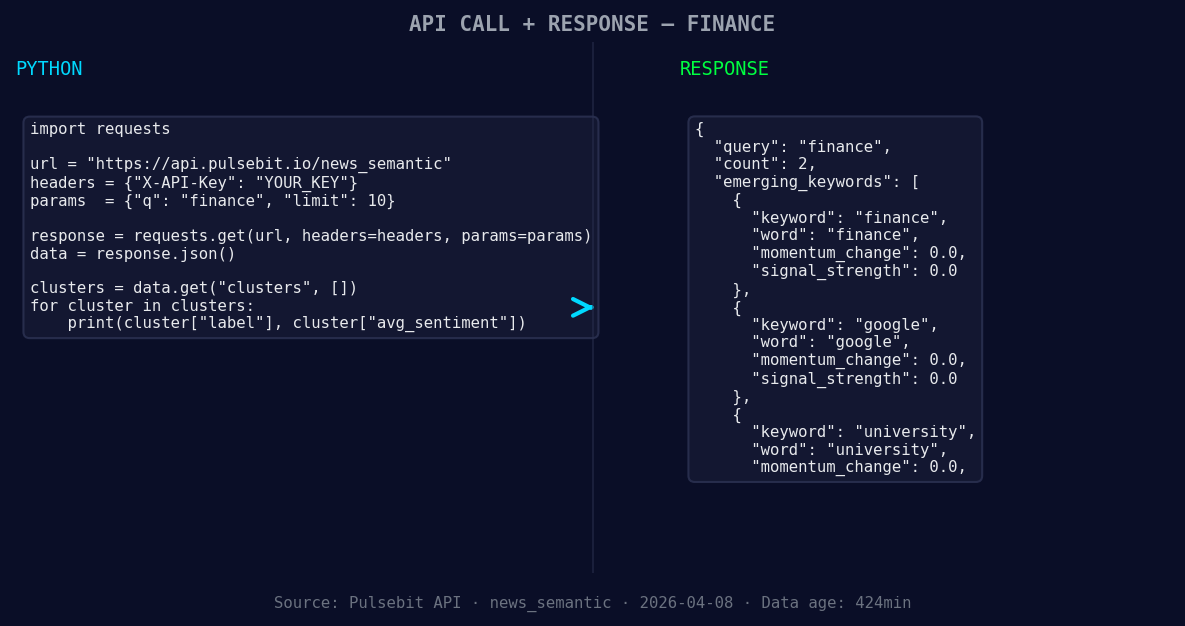
*Left: Python GET /news_semantic call for 'finance'. Right: returned JSON response structure (clusters: 3). Source: Pulsebit /news_semantic.*
# Geographic origin filter for English language
url = "https://api.pulsebit.com/v1/sentiment"
params = {
"topic": topic,
"lang": "en"
}
response = requests.get(url, params=params)
data = response.json()
print(data)
# Now let's run the cluster reason string back through POST /sentiment
cluster_reason = "Clustered by shared themes: africa, finance, breif:, middle, east."
post_response = requests.post(url, json={"text": cluster_reason})
post_data = post_response.json()
print(post_data)
In the code above, we first query the sentiment for the finance topic filtered by the English language. This helps us capture the relevant narratives that are currently trending. Afterward, we feed the cluster reason back into our sentiment analysis endpoint to gain insights into how the framing of this narrative could influence sentiment perception.
Now, based on this spike, here are three specific builds we can implement tonight:
Geo-Filtered Alert System: Set up a signal-based alert for any finance-related topics that show a momentum threshold of +0.30 or higher, specifically filtering for English content. This will help you stay ahead of emerging stories like the ones related to the Middle East conflict.
Meta-Sentiment Analysis Dashboard: Create a dashboard that continuously monitors the meta-sentiment scores for clustered topics. You can incorporate the cluster reasoning string to gain deeper insights into how certain narratives shape public perception around critical themes, such as sentiment shifts towards finance or educational institutions.
Forming Theme Tracker: Develop a tracker for emerging themes that are forming with a score of +0.00, such as "finance," "Google," and "university." This will help you identify potential opportunities or threats that are not yet mainstream, allowing you to capitalize on them before they gain traction.
If you’re interested in diving deeper into these functionalities, you can find everything you need in our documentation at pulsebit.lojenterprise.com/docs. You can copy-paste the code snippets above and have it running in under 10 minutes.


Top comments (0)