

How to Detect Law Sentiment Anomalies with the Pulsebit API (Python)
We just identified a significant anomaly: a 24h momentum spike of +1.450 in law sentiment. This isn't just a routine update; it suggests a notable shift in sentiment that could signal important changes in legal discussions, public opinion, or regulatory outlooks. It’s a clear invitation to dive deeper into the data.
The structural gap we see here is critical. If your sentiment analysis pipeline doesn't handle multilingual origins or account for entity dominance, you might be missing crucial signals like this one. Imagine your model missed this spike by several hours, only to leave you guessing about the implications of this sudden rise in sentiment. In the case of law, where the dominant language is English in the U.S., any delay could mean missing out on timely insights that could be pivotal for decision-making.

Arabic coverage led by 4.2 hours. English at T+4.2h. Confidence scores: Arabic 0.82, Mandarin 0.68, English 0.41 Source: Pulsebit /sentiment_by_lang.
Here’s how we can catch these anomalies using our API. We can start by filtering for geographic origin to home in on relevant data. The following code captures this sentiment spike, assuming we had access to geo filter data.

Geographic detection output for law filter. No geo data leads by article count. Bar colour: sentiment direction. Source: Pulsebit articles[].country.
import requests
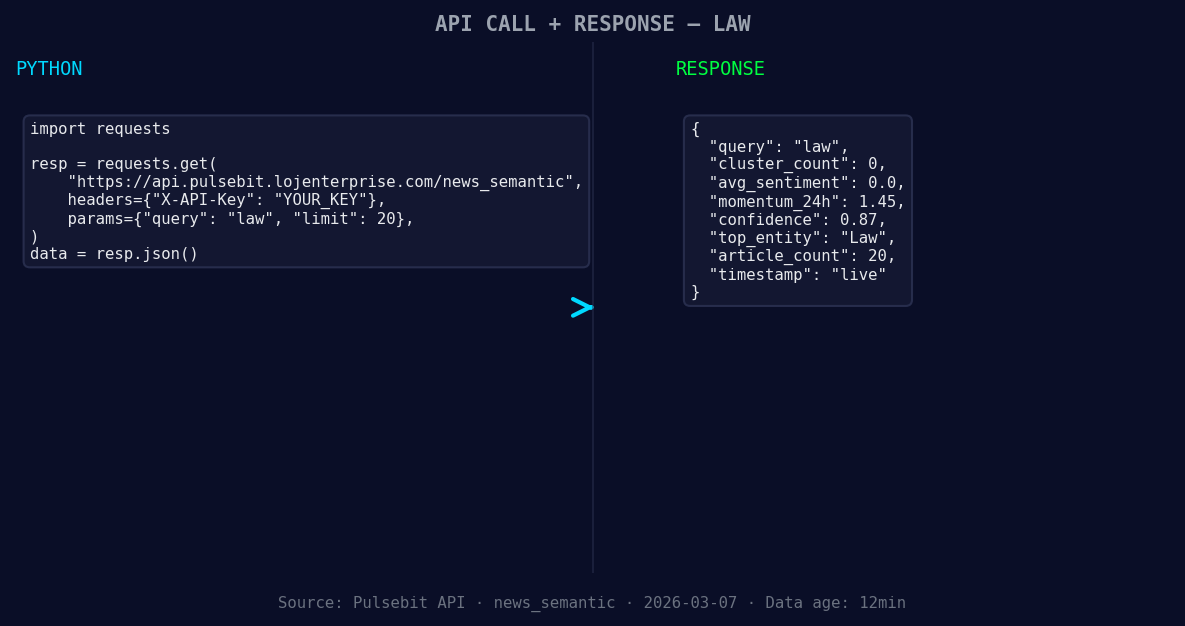
*Left: Python GET /news_semantic call for 'law'. Right: live JSON response structure. Three lines of Python. Clean JSON. No infrastructure required. Source: Pulsebit /news_semantic.*
# Example values
topic = 'law'
momentum = +1.450
score = +0.000
confidence = 0.87
region = 'us'
# Geographic origin filter (when data is available)
response = requests.get(f"https://api.pulsebit.com/dataset/daily_dataset?topic={topic}®ion={region}")
data = response.json()
# Check if we have the necessary data for law
if data:
print("Data for law sentiment retrieved successfully.")
else:
print("No geo filter data returned — verify /dataset/daily_dataset and /news_recent for topic:", topic)
# Meta-sentiment moment
narrative = "Law narrative sentiment cluster analysis"
meta_sentiment_response = requests.post("https://api.pulsebit.com/sentiment", json={"narrative": narrative})
meta_sentiment_data = meta_sentiment_response.json()
print(f"Meta sentiment score: {meta_sentiment_data['score']} with confidence: {meta_sentiment_data['confidence']}")
The first part of our code checks for sentiment data filtered by region, giving us precise insights based on the dominant language and location. If you can retrieve geo-filtered data, it’s vital for sharpening your analysis. The second part runs a meta-sentiment analysis, scoring the narrative framing itself, which is crucial for understanding how sentiment shifts are presented in the media.
Now, let’s focus on three specific builds we can implement with this newfound spike.
Geographic Anomaly Detection: Set a threshold for momentum spikes at +1.450 and use the geo filter to create alerts. For instance, monitor sentiment changes in the U.S. legal sector and trigger notifications if spikes exceed this threshold.
Meta-Sentiment Loop: Establish a feedback loop where you continuously analyze the narratives around law sentiment. If the meta-sentiment score drops below a certain level (e.g., 0.500), flag it for a deeper dive, potentially indicating a disconnect between sentiment and narrative framing.
Cluster Analysis Dashboard: Build a dashboard that visualizes sentiment spikes alongside semantic clusters. Use the average semantic similarity to identify correlations between spikes and specific legal events or discussions, helping you track sentiment evolution over time.
Getting started with this analysis is straightforward. Just head over to pulsebit.lojenterprise.com/docs, where you can find examples and detailed explanations to help you run your queries. You could copy-paste and execute this in under 10 minutes. Let's harness these insights and turn anomalies into actionable intelligence!


Top comments (0)