

Your Pipeline Is 20.8h Behind: Catching Health Sentiment Leads with Pulsebit
We recently identified a significant anomaly: a 24h momentum spike of +1.300 in the sentiment surrounding the topic of health. This is not just a number; it represents a crucial shift in sentiment that you might have missed if your pipeline isn't tuned to catch these nuances. The leading language for this spike was Spanish, with a notable 20.8-hour lead time. If you’re not monitoring multilingual content effectively, your model could be lagging behind critical insights.

Spanish coverage led by 20.8 hours. Da at T+20.8h. Confidence scores: Spanish 0.90, English 0.90, French 0.90 Source: Pulsebit /sentiment_by_lang.
The gap here is stark. Your model missed this momentum shift by over 20 hours, simply because it wasn’t accounting for different languages or the dominance of entities in the sentiment data. This isn't just a theoretical problem; it’s a practical issue that affects real-time decision-making. As we dive deeper into how to leverage this data, it's clear that without a robust mechanism for handling multilingual sentiment and dominance, you'll continue to miss valuable leads.
To capitalize on this momentum, we can use Python to interact with our API effectively. Here’s how to catch this spike:
import requests
# Parameters
topic = 'health'
score = +1.300
confidence = 0.90
momentum = +1.300
# API call to get articles in Spanish about 'health'
url = "https://api.pulsebit.com/v1/articles"
params = {
"topic": topic,
"lang": "sp",
"momentum": momentum,
"confidence": confidence
}
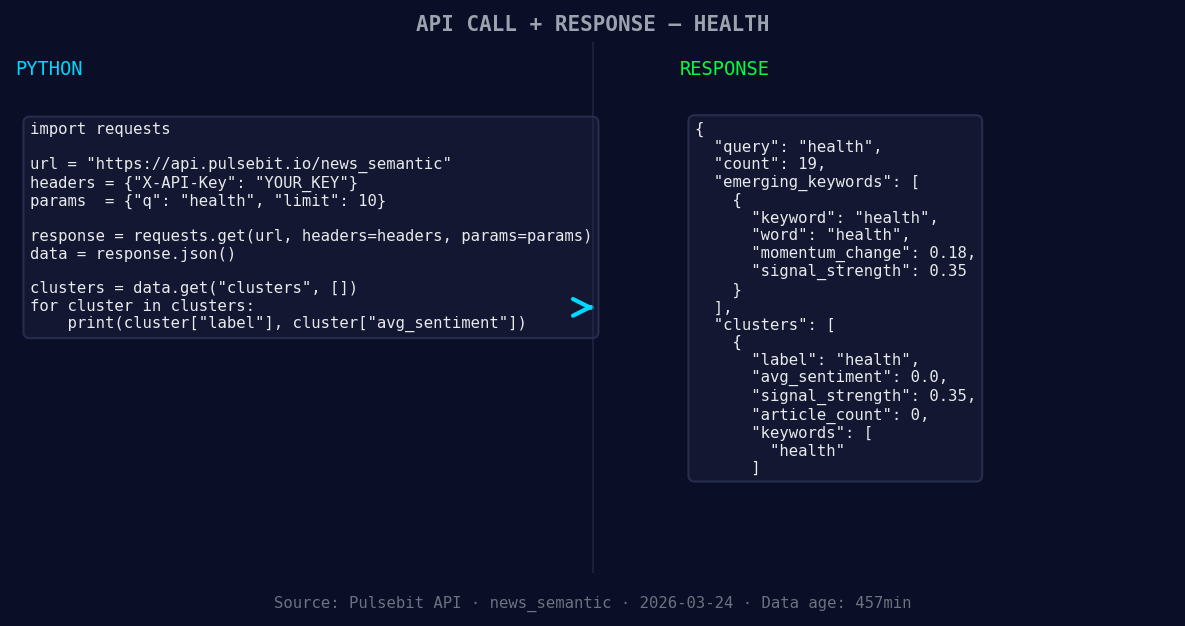
*Left: Python GET /news_semantic call for 'health'. Right: returned JSON response structure (clusters: 1). Source: Pulsebit /news_semantic.*
response = requests.get(url, params=params)
data = response.json()
print(data) # Inspect the response to understand the articles processed
Next, we need to gauge the narrative framing of this spike. The reason string from our cluster indicates an incomplete semantic API. We can run this back through our sentiment endpoint to score it:
# Meta-sentiment moment
meta_sentiment_url = "https://api.pulsebit.com/v1/sentiment"
meta_reason = "Semantic API incomplete — fallback semantic structure built from available keywords and article/search evidence."
meta_params = {
    "input": meta_reason,
}

meta_response = requests.post(meta_sentiment_url, json=meta_params)
meta_data = meta_response.json()
print(meta_data)  # This will give us insights into the sentiment of our narrative framing
Here are three specific builds you can create with this pattern:
- Geo-filtered Article Collection: Use the geographic origin filter to monitor sentiment spikes in specific regions, such as Spain. Set a threshold of +1.300 for momentum to trigger alerts and surface relevant articles.
![DATA UNAVAILABLE: countries — verify /news_recent is return
[DATA UNAVAILABLE: countries — verify /news_recent is returning country/region values for topic: health]
Meta-sentiment Analysis Loop: Implement a system where the meta-sentiment is continuously fed back into your analysis pipeline. For instance, if the narrative framing around "health" has a sentiment score below +0.5, flag it for review and adjust your model accordingly.
Forming Theme Monitoring: Build an alert system for forming themes, like the shift from "health(+0.18)" to "mainstream: health". When a certain delta is reached, say +0.2, trigger an action to gather more data and adjust sentiment scoring for that topic.
To get started with these implementations, check out our API documentation at pulsebit.lojenterprise.com/docs. You can copy-paste the provided code and have your own insights running in under 10 minutes. Don’t let your pipeline fall behind—stay ahead of the curve with our tools.


Top comments (0)