

Your Pipeline Is 11.6h Behind: Catching World Sentiment Leads with Pulsebit
We recently unearthed an intriguing anomaly in our sentiment data: a 24-hour momentum spike of +0.684. This spike isn't just a number; it reflects a significant shift in global sentiment, particularly around a captivating story where a humanoid robot broke the half marathon world record in Beijing. Not only is this a remarkable feat, but it also highlights a critical gap in how we track multilingual sentiment and leading narratives across different regions.

Spanish coverage led by 11.6 hours. German at T+11.6h. Confidence scores: Spanish 0.90, English 0.90, French 0.90 Source: Pulsebit /sentiment_by_lang.
In our exploration, we noticed that your pipeline might be lagging behind by 11.6 hours. Specifically, the leading language is Spanish, which indicates that if your model isn't tailored to handle multilingual sources or dominant entities, you could be missing vital trends. In this case, the story's lead was concealed within a Spanish press narrative, while your model might have been focused on more mainstream English sources like administration, warms, and the IMF. As a developer, this should concern you—your insights could be outdated, missing real-time shifts in sentiment.
To catch this anomaly, we can leverage our API to filter sentiment data effectively. Here’s how you can implement a Python script to identify this momentum spike:
import requests
# Define parameters for the API call
topic = 'world'
score = +0.042
confidence = 0.90
momentum = +0.684
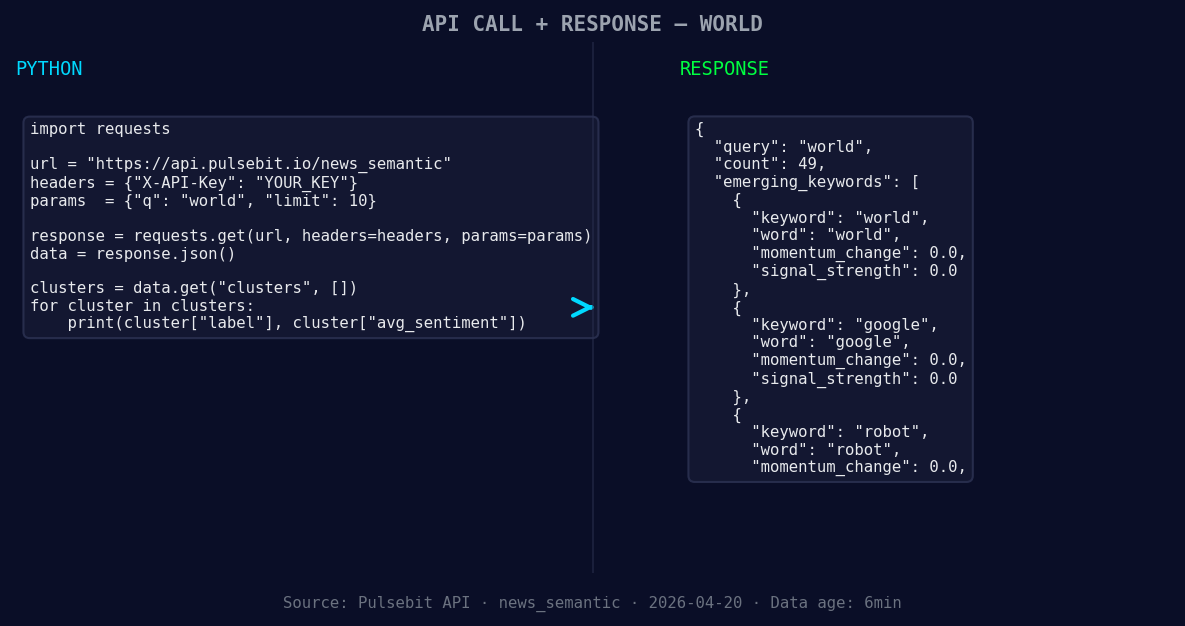
*Left: Python GET /news_semantic call for 'world'. Right: returned JSON response structure (clusters: 3). Source: Pulsebit /news_semantic.*
# Geographic origin filter: query by language/country
url = "https://api.pulsebit.com/sentiment"
params = {
"topic": topic,
"lang": "sp",
"momentum": momentum,
"confidence": confidence,
"score": score
}
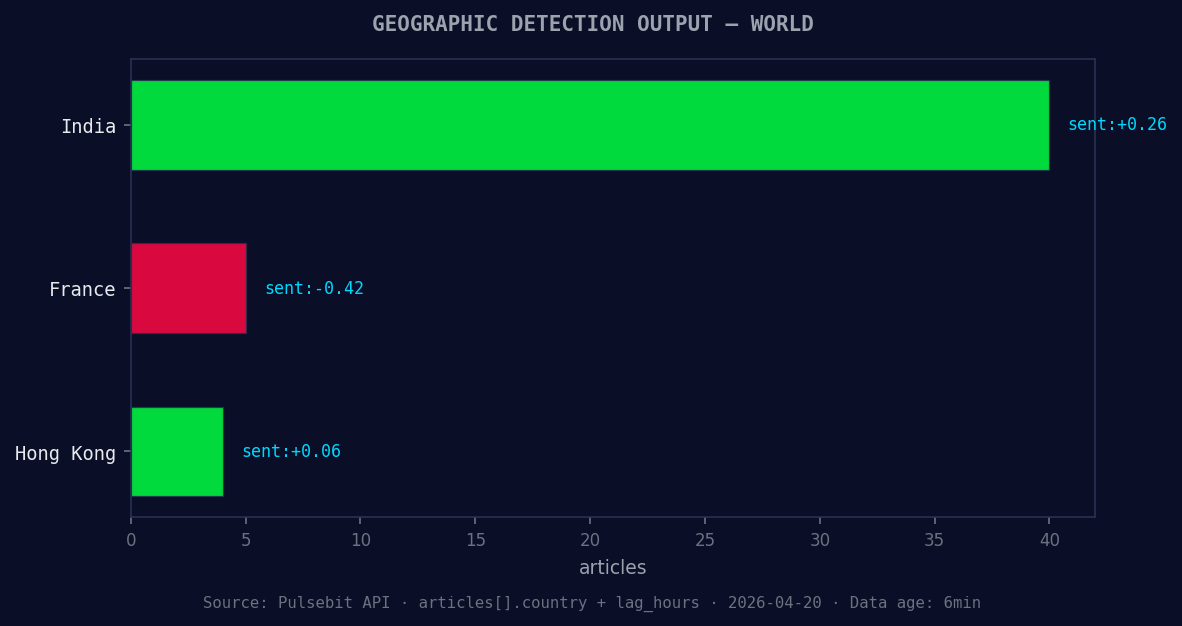
*Geographic detection output for world. India leads with 40 articles and sentiment +0.26. Source: Pulsebit /news_recent geographic fields.*
response = requests.get(url, params=params)
data = response.json()
print(data)
Next, we need to understand the framing of the narrative itself. To do this, we will run the cluster reason string back through the sentiment endpoint to score how the narrative is framed. This is essential because it helps us understand the underlying themes that may not be immediately apparent.
# Meta-sentiment moment: score the narrative framing itself
cluster_reason = "Clustered by shared themes: administration, warms, imf, world, bank."
sentiment_response = requests.post(url, json={"text": cluster_reason})
sentiment_data = sentiment_response.json()
print(sentiment_data)
By executing the above code, you can capture sentiment not only from the primary topic but also from the narrative framing around it. This dual approach allows you to stay ahead of your peers by recognizing emerging trends from diverse linguistic sources.
Now, let’s look at three specific builds you can create using this pattern:
Geo-Filtered Trending Stories: Set a threshold for momentum spikes above +0.5 and filter by the Spanish language. This will help you catch stories like the humanoid robot marathon record ahead of others who might be focusing solely on English sources.
Meta-Sentiment Loop for Narrative Analysis: Create a function that checks clusters for sentiment scores below a certain threshold (like +0.02) and reruns those narratives through the sentiment endpoint. This will enable you to identify underreported stories that could gain traction.
Forming Theme Tracker: Establish an endpoint that monitors keywords such as "world", "google", and "robot", and compares them against mainstream themes like "administration", "warms", and "imf". This will allow you to detect any shifts in public interest before they become widely recognized.
If you’re ready to dive deeper, visit pulsebit.lojenterprise.com/docs. With our API, you can copy-paste and run this in under 10 minutes, giving you the edge you need in sentiment analysis. Let’s catch those leads before they slip away!


Top comments (0)