

Your 24h momentum spike of -1.550 in artificial intelligence sentiment is a clear signal that something significant is happening, especially when the leading language is Spanish press, with no lag at 26.9 hours. This anomaly suggests an emerging conversation that has yet to filter through your existing models, leaving you potentially two and a half days behind in understanding this sentiment shift. The dominant theme centers around "China's AI Influence Amid Global Tensions," indicating a crucial narrative that your pipeline may have overlooked.
If your pipeline doesn't account for multilingual content or the dominance of specific entities, you're missing the mark. In this case, your model missed the Spanish-language narratives on China by an alarming 26.9 hours. This gap highlights the importance of integrating a more flexible approach to language processing and thematic clustering. As developments unfold in one part of the world, you need to ensure your models are agile enough to capture and reflect these sentiments, regardless of the language they're emerging in.

Spanish coverage led by 26.9 hours. Et at T+26.9h. Confidence scores: Spanish 0.85, English 0.85, Da 0.85 Source: Pulsebit /sentiment_by_lang.
Here’s how we can catch these crucial insights using our API. Below is a Python code snippet that demonstrates how to filter by geographic origin and assess the sentiment of the clustered narrative.
import requests
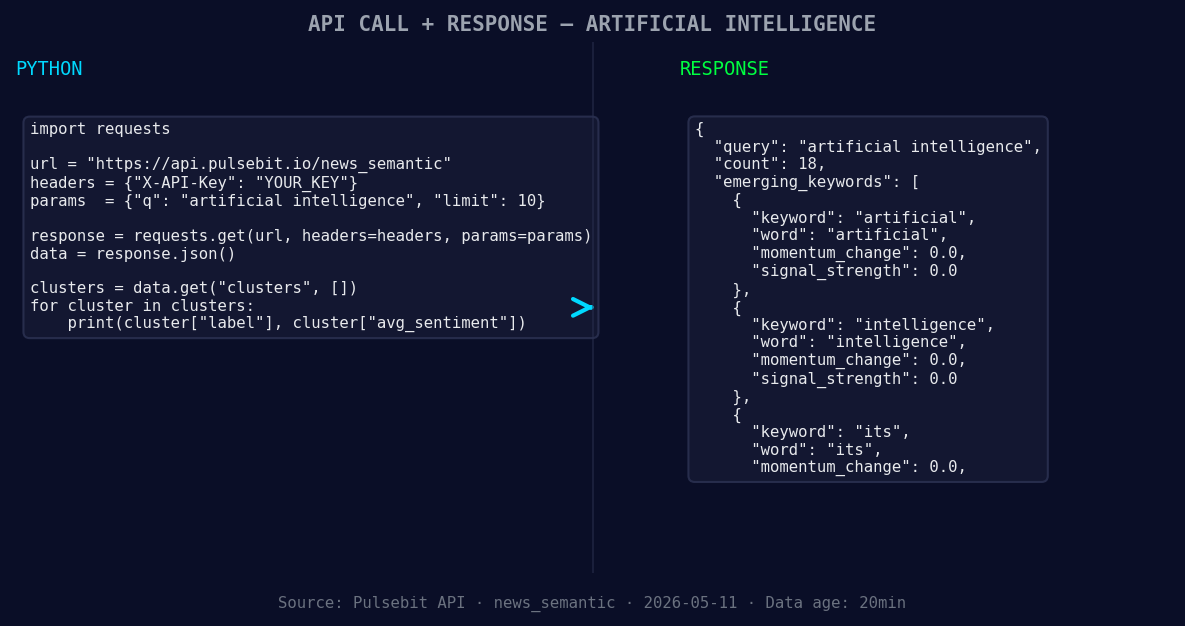
*Left: Python GET /news_semantic call for 'artificial intelligence'. Right: returned JSON response structure (clusters: 3). Source: Pulsebit /news_semantic.*
# Define the parameters
topic = 'artificial intelligence'
score = +0.158
confidence = 0.85
momentum = -1.550
lang = "sp" # Spanish
# Geographic origin filter: query by language/country
geo_filter_url = f"https://api.pulsebit.com/sentiment?topic={topic}&lang={lang}"
geo_response = requests.get(geo_filter_url)
if geo_response.status_code == 200:
print("Geo Filter Response:", geo_response.json())
else:
print("Error fetching geo filter:", geo_response.status_code)
# Meta-sentiment moment: run the cluster reason string back through POST /sentiment
cluster_reason = "Clustered by shared themes: china, conference, despite, over, per."
meta_sentiment_url = "https://api.pulsebit.com/sentiment"
meta_response = requests.post(meta_sentiment_url, json={"text": cluster_reason})
if meta_response.status_code == 200:
print("Meta Sentiment Response:", meta_response.json())
else:
print("Error fetching meta sentiment:", meta_response.status_code)
Now that we've established the foundation for monitoring sentiment, here are three specific builds we can implement tonight:
- Geographic Filter for Emerging Trends: Create an endpoint that continuously monitors sentiment for the topic "artificial intelligence" in Spanish. Set a threshold for momentum spikes greater than -1.0 to trigger alerts when sentiment declines rapidly. This will help you catch shifts in sentiment before they become mainstream.

Geographic detection output for artificial intelligence. Hong Kong leads with 5 articles and sentiment +0.03. Source: Pulsebit /news_recent geographic fields.
Meta-Sentiment Loop: Develop a dashboard that utilizes the meta-sentiment analysis on clustered narratives. For instance, continually assess narratives related to "China's AI Influence" and set a confidence threshold of 0.80. This will allow you to capture nuanced sentiment changes that are emerging from less-discussed regions.
Forming Themes Analytics: Build a reporting tool that identifies forming themes around keywords such as "artificial", "intelligence", and "its". Compare these against mainstream narratives like "china", "conference", and "despite". This tool should visualize trends and alert you when significant sentiment shifts occur in non-English articles.
By implementing these builds, you can ensure that your pipeline is not just reactive but proactive, catching shifts in sentiment well before they become apparent in your standard reporting.
Ready to dive in? Check out our documentation at pulsebit.lojenterprise.com/docs. With just a few lines of code, you can be running this in under 10 minutes.


Top comments (0)