

Your Pipeline Is 28.6h Behind: Catching World Sentiment Leads with Pulsebit
We recently stumbled upon a compelling data anomaly: a 24h momentum spike of +0.684 that could redefine how we interpret sentiment in multilingual contexts. This spike centers around the story of a humanoid robot breaking the half marathon world record in Beijing, with English press coverage leading by 28.6 hours. It’s a striking example of how rapid developments can leave conventional pipelines lagging behind, especially in the face of emerging narratives.

English coverage led by 28.6 hours. German at T+28.6h. Confidence scores: English 0.85, Spanish 0.85, French 0.85 Source: Pulsebit /sentiment_by_lang.
But here’s the catch: if your model isn’t equipped to handle multilingual origins or entity dominance, you might have missed this significant story by a staggering 28.6 hours. The leading language here is English, but the dominant narrative revolves around a breakthrough in robotics. If your pipeline is built only to process one language or fails to recognize the importance of emerging themes, you risk losing valuable insights that could influence your strategy.
Let’s take action with some concrete code examples. We can leverage our API to catch these insights in real-time. First, we'll filter by geographic origin using the English language, and then we’ll assess the narrative framing using our sentiment analysis endpoint. Here’s how you can do it:

Geographic detection output for world. India leads with 33 articles and sentiment +0.02. Source: Pulsebit /news_recent geographic fields.
import requests
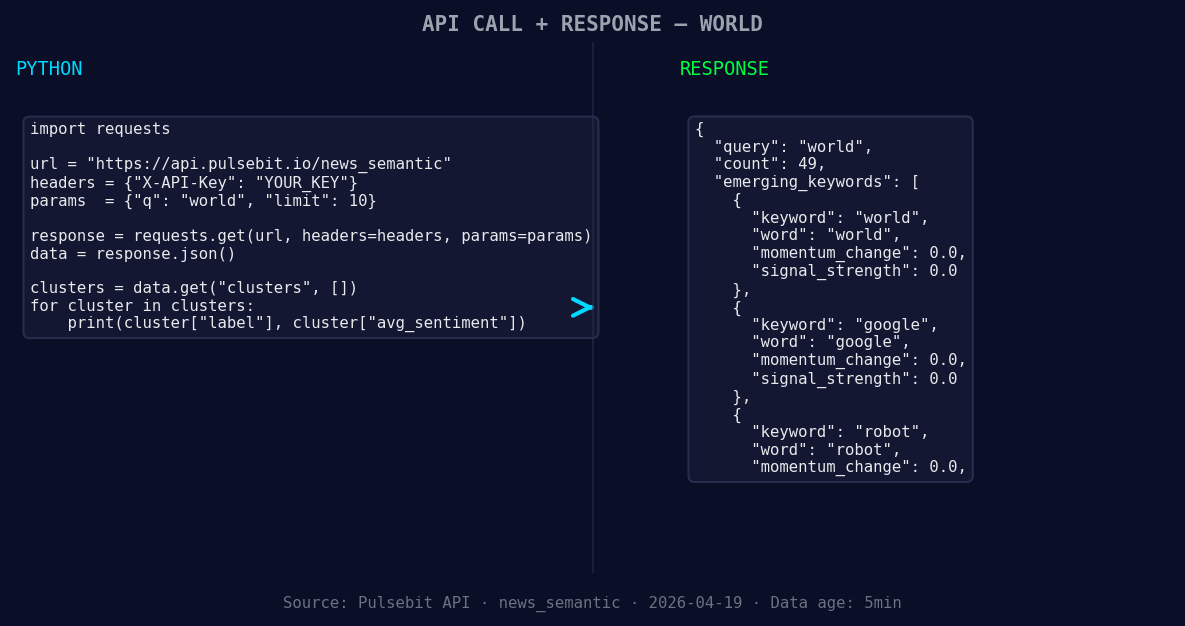
*Left: Python GET /news_semantic call for 'world'. Right: returned JSON response structure (clusters: 3). Source: Pulsebit /news_semantic.*
# Step 1: Geographic origin filter
topic = 'world'
score = -0.025
confidence = 0.85
momentum = +0.684
response = requests.get(
'https://api.pulsebit.com/v1/sentiment',
params={
'topic': topic,
'lang': 'en', # Filtering by English
'score': score,
'confidence': confidence,
'momentum': momentum
}
)
data = response.json()
print(data)
# Step 2: Meta-sentiment moment
cluster_reason = "Clustered by shared themes: administration, warms, imf, world, bank."
sentiment_response = requests.post(
'https://api.pulsebit.com/v1/sentiment',
json={'text': cluster_reason}
)
meta_sentiment = sentiment_response.json()
print(meta_sentiment)
In this code, the first request filters the sentiment data by the English language and retrieves relevant insights for the specified topic, while the second request runs the cluster reason string through our sentiment analysis to score the narrative framing itself. This allows us to see how the story of the robot is not just a standalone event but part of a larger thematic landscape.
Now that we've got the mechanics down, let’s explore three specific builds you can create with this pattern:
Geo-Sentiment Tracker: Create a dashboard that tracks sentiment for the topic “world” specifically for English articles. Set a threshold for momentum spikes above +0.5 to alert you when major stories break, ensuring you don’t miss critical updates like the robot’s record-breaking run.
Meta-Cluster Analyzer: Set up a scheduled job that processes cluster reasons every hour. Run them through the sentiment endpoint to identify emerging themes and frame narratives. For instance, when you see “robot” and “world” rising, you can dig deeper into the context surrounding these terms.
Dynamic Theme Watchlist: Implement a watchlist that triggers alerts for forming themes based on our earlier analysis. If you note themes like “world(+0.00)” or “google(+0.00)” alongside mainstream narratives like “administration” or “imf”, you can pivot your strategy to capture audience interest in real-time.
To get started with these builds, check out our documentation at pulsebit.lojenterprise.com/docs. You can copy-paste the code above and run it in under 10 minutes to start uncovering insights that your pipeline might currently be missing. Don’t let your models lag behind—stay ahead of the curve with the right tools.


Top comments (0)