

Your Pipeline Is 18.6h Behind: Catching Business Sentiment Leads with Pulsebit
We recently noticed a striking anomaly: a 24h momentum spike of +0.088 in business sentiment. This spike, right in the middle of a cluster story about Bradley Staats being appointed Dean of McCombs School of Business, reflects a noteworthy shift in sentiment that could impact investment decisions. The leading language in coverage was English, with a lag of only 18.6 hours. This opens up a fascinating conversation about how well you're capturing these real-time shifts in your pipeline.
The Problem
If your pipeline isn't designed to handle multilingual origins or entity dominance, you could be missing critical signals. In this case, your model missed the sentiment spike by 18.6 hours, while the dominant English press was already buzzing about a significant story. If you had been leveraging our tools effectively, you could have been ahead of the curve, acting on insights before they become widely known. The leading language might have tipped you off, but without that context, you could be left in the dark.

English coverage led by 18.6 hours. Et at T+18.6h. Confidence scores: English 0.75, Spanish 0.75, French 0.75 Source: Pulsebit /sentiment_by_lang.
The Code
To catch these sentiment shifts, we can leverage our API to filter by language and assess the narrative framing. Here’s how you can do it in Python:
import requests
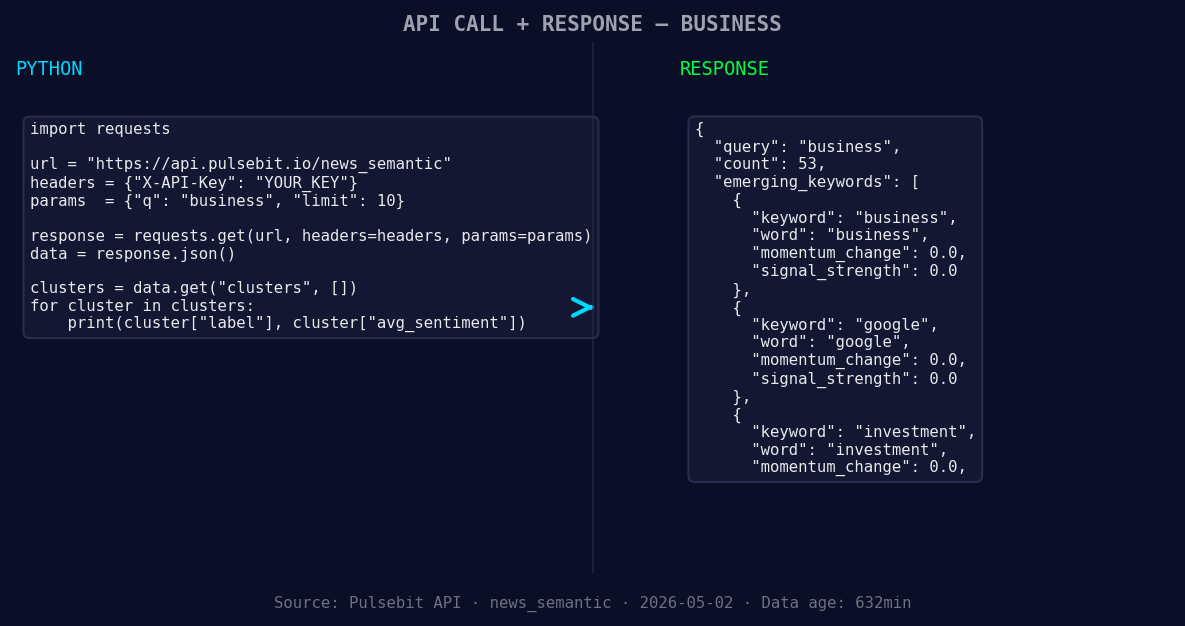
*Left: Python GET /news_semantic call for 'business'. Right: returned JSON response structure (clusters: 3). Source: Pulsebit /news_semantic.*
# Set the parameters
topic = 'business'
score = +0.204
confidence = 0.75
momentum = +0.088
# Geographic origin filter: query by language/country
response = requests.get(
"https://api.pulsebit.com/v1/sentiment",
params={
"topic": topic,
"lang": "en",
"score": score,
"confidence": confidence,
"momentum": momentum
}
)
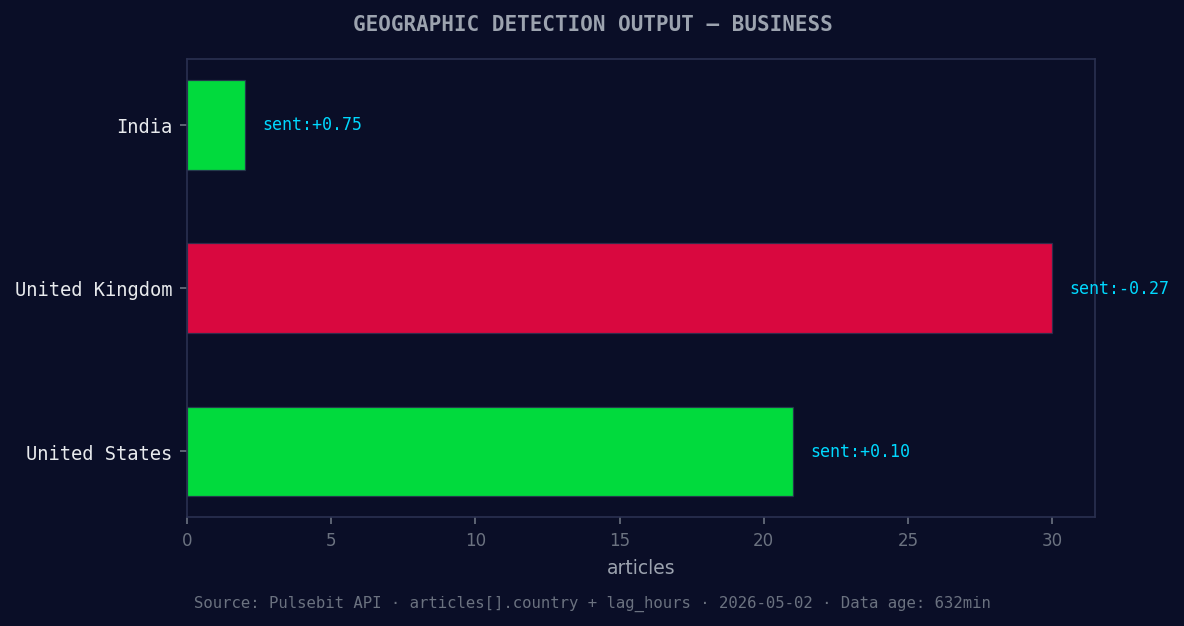
*Geographic detection output for business. India leads with 2 articles and sentiment +0.75. Source: Pulsebit /news_recent geographic fields.*
data = response.json()
print(data)
Next, let's run the cluster reason string through our sentiment scoring endpoint to understand the narrative framing itself. For this, we can utilize the following:
# Meta-sentiment moment: score the narrative framing
cluster_reason = "Clustered by shared themes: island, rhode, businesses, hold, small."
response = requests.post(
    "https://api.pulsebit.com/v1/sentiment",
    json={"text": cluster_reason}
)

meta_sentiment_data = response.json()
print(meta_sentiment_data)
This will allow you to not only capture the immediate spike but also understand the context of the sentiment, providing a richer dataset to work from.
Three Builds Tonight
Signal Monitoring: Create an alert system that triggers when sentiment momentum exceeds a threshold of +0.05 in business topics, filtered by
lang: "en". This way, you won't miss out on shifts like the Bradley Staats appointment.Meta-Sentiment Aggregator: Build a dashboard that visualizes the sentiment scores of narratives clustered around specific themes like "business," "investment," and "Google." Use the sentiment scoring endpoint to regularly update this data, providing a real-time overview of sentiment trends.
Forming Themes Analyzer: Set up a pipeline that compares forming themes like "business" (+0.00), "Google" (+0.00), and "investment" (+0.00) against mainstream narratives such as "island," "Rhode," and "businesses." Utilize both the geo filter and the meta-sentiment loop to identify discrepancies and opportunities for investment and reporting.
Get Started
We’ve built these capabilities to help you stay ahead of sentiment trends. Visit pulsebit.lojenterprise.com/docs to start integrating these insights into your workflow. You can copy-paste and run the above code in under 10 minutes. Don't let your pipeline lag behind any longer!


Top comments (0)