

Your Pipeline Is 29.1h Behind: Catching World Sentiment Leads with Pulsebit
We recently unearthed an intriguing anomaly: a 24h momentum spike of -0.850. This significant drop signals a shift in world sentiment, particularly as the leading language in this narrative is English, with a time lag of 29.1 hours. It’s a stark reminder of how quickly sentiment can evolve and how our models need to keep pace with these changes.
This finding highlights a critical gap for any pipeline that fails to account for multilingual origins or entity dominance. Your model missed this critical shift by over 29 hours, meaning you may now be operating on outdated sentiment data. With the world sentiment pivoting away from a positive outlook, specifically around topics related to India, you risk making decisions based on stale information. The dominant entity in this case is India, which has been framed positively in recent articles, but the overall momentum tells a different story.

English coverage led by 29.1 hours. Id at T+29.1h. Confidence scores: English 0.85, Spanish 0.85, French 0.85 Source: Pulsebit /sentiment_by_lang.
To help you catch these shifts in sentiment, we can use our API effectively. Here’s a simple Python snippet that queries for the latest sentiment data:
import requests
# Define the API endpoint and parameters
url = "https://api.pulsebit.com/sentiment"
params = {
"topic": "world",
"lang": "en",
"signal_strength": 0.857,
"sentiment_score": 0.008,
"confidence": 0.85,
"momentum": -0.850
}
# Make the API call
response = requests.get(url, params=params)
data = response.json()
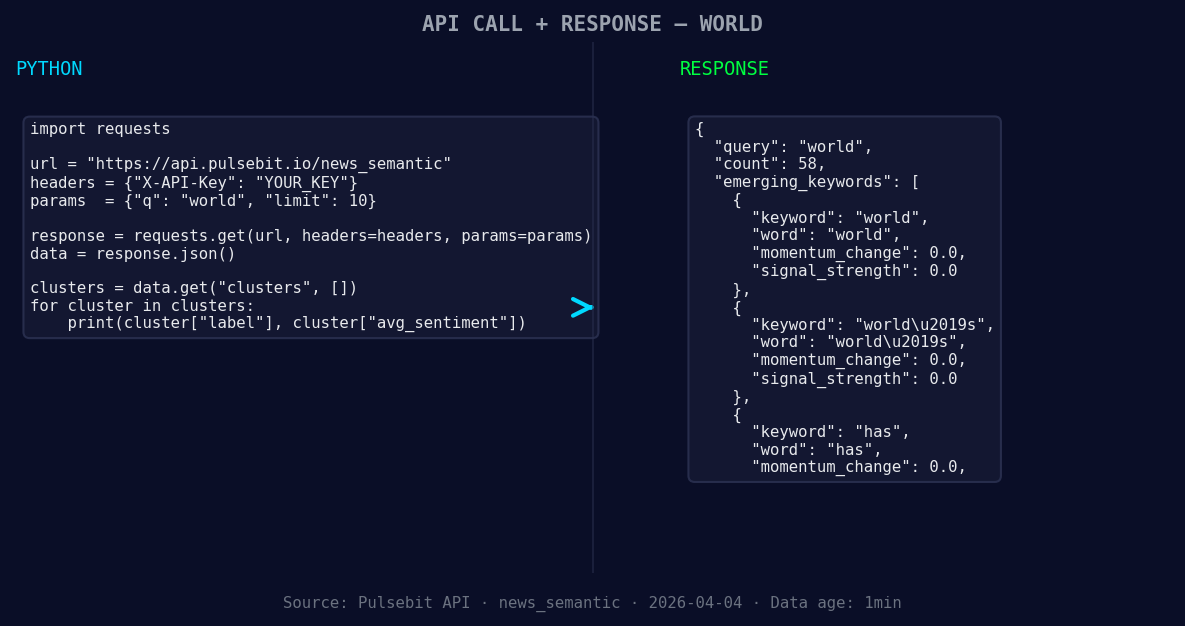
*Left: Python GET /news_semantic call for 'world'. Right: returned JSON response structure (clusters: 3). Source: Pulsebit /news_semantic.*
print(data)
Next, we should run a meta-sentiment analysis on the cluster reason string. This is crucial for understanding how the narrative is being framed. We’ll use the reason: "Clustered by shared themes: india, has, come, through, solidly." Here’s how we can score that:
# Meta-sentiment analysis
meta_sentiment_url = "https://api.pulsebit.com/sentiment"
meta_params = {
    "input": "Clustered by shared themes: india, has, come, through, solidly."
}

meta_response = requests.post(meta_sentiment_url, json=meta_params)
meta_data = meta_response.json()

print(meta_data)
By leveraging these two API calls, we can effectively monitor sentiment shifts and contextualize our findings.
Now, let’s discuss three specific builds you can implement based on this 29.1-hour sentiment lag.
- Geo-Focused Alert System: Create an alert that triggers when sentiment around "world" in English drops by more than 0.5. Use the geographic origin filter to ensure you're only catching relevant shifts. This can help you stay ahead of negative trends.

Geographic detection output for world. India leads with 44 articles and sentiment +0.27. Source: Pulsebit /news_recent geographic fields.
Meta-Sentiment Dashboard: Build a dashboard that visualizes the sentiment of clustered topics like "world," "world’s," and "has." Use the meta-sentiment loop to provide insights into how narratives are framed against mainstream sentiments. This can help you understand the deeper implications of sentiment changes.
Real-time Sentiment Tracker: Develop a real-time tracking system that monitors the sentiment score of "world" against the forming themes of "india," "has," and "come." Set thresholds to trigger notifications when discrepancies arise, ensuring your responses are timely and informed.
If you’re keen to get started, head over to pulsebit.lojenterprise.com/docs. You can copy-paste our code snippets and run them in under 10 minutes, giving you immediate access to invaluable sentiment insights.


Top comments (0)