

Your pipeline missed a significant anomaly: a 24h momentum spike of +0.751. This spike reveals that sentiment around film is rising sharply, particularly led by English press coverage that peaked at a 10.7-hour lead. This represents a crucial moment for any quant developer who should be actively monitoring trends but might be lagging behind in catching multilingual sentiment shifts.

English coverage led by 10.7 hours. Nl at T+10.7h. Confidence scores: English 0.85, Spanish 0.85, French 0.85 Source: Pulsebit /sentiment_by_lang.
The problem is clear: if your model isn't equipped to handle the nuances of multilingual origins or dominant entities, you've missed this spike by a staggering 10.7 hours. The lead language, English, is crucial here, as it drives the narrative in the sentiment landscape. This gap can lead to missed opportunities in understanding emerging trends and responding to market movements that could impact your strategies.
To catch this powerful sentiment spike, we can utilize our API effectively. Here's a concise Python script that queries sentiment in the film domain, focusing on English-language articles.
import requests
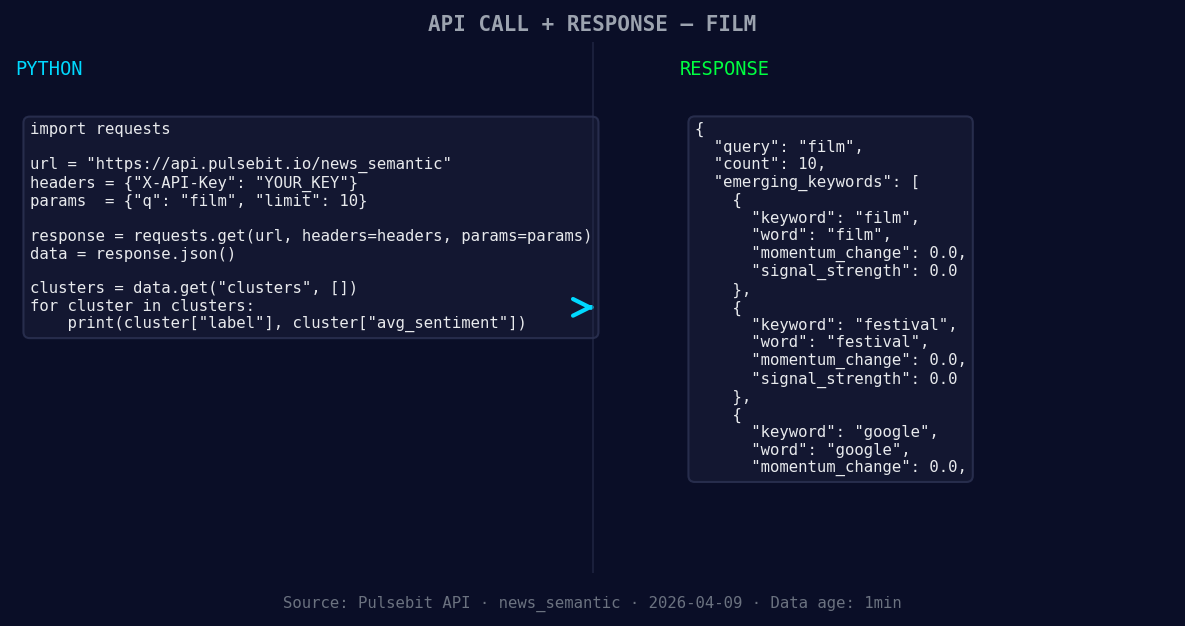
*Left: Python GET /news_semantic call for 'film'. Right: returned JSON response structure (clusters: 3). Source: Pulsebit /news_semantic.*
# Define the topic and parameters
topic = 'film'
score = +0.800
confidence = 0.85
momentum = +0.751
lang = "en"
# Geographic origin filter
response = requests.get(f"https://api.pulsebit.com/data?topic={topic}&lang={lang}")
data = response.json()
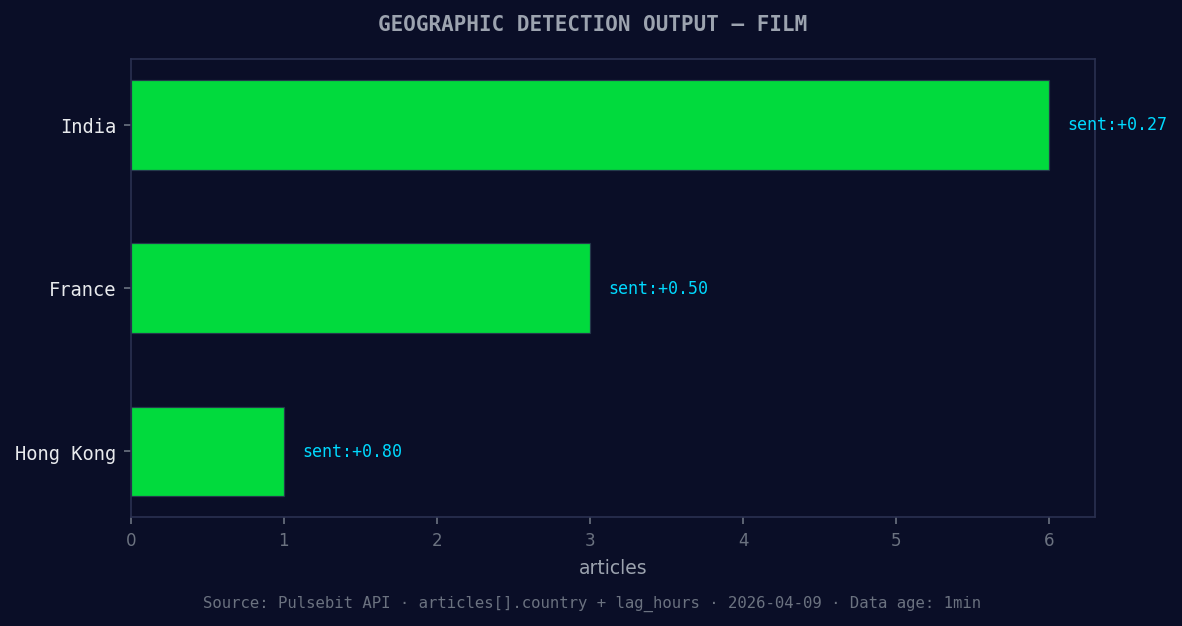
*Geographic detection output for film. India leads with 6 articles and sentiment +0.27. Source: Pulsebit /news_recent geographic fields.*
# Check for sentiment in the cluster reason
cluster_reason = "Clustered by shared themes: fest, showcases, prince, maria, bamford."
sentiment_response = requests.post("https://api.pulsebit.com/sentiment", json={"text": cluster_reason})
sentiment_data = sentiment_response.json()
print(sentiment_data)
In the above code, we first filter articles by language to ensure we are capturing the relevant sentiment tied to the film topic. After that, we run the cluster's narrative back through our sentiment endpoint to gauge how these themes are framing public perception.
Based on this pattern, here are three specific builds we can implement:
- Geo-filtered Article Sentiment: Use the geo filter to capture sentiment based on location. Set a threshold where the sentiment score exceeds +0.600 for the topic 'film'. This helps you hone in on regional sentiment trends that could influence local strategies.
   if data['sentiment_score'] > 0.600:
       print(f"High sentiment detected for {topic} in English articles.")
- Cluster Meta-sentiment Loop: Use the meta-sentiment loop on clusters that show rising themes. Set a threshold for articles processed; if we have more than 8 articles processed on the topic of 'film', run the sentiment analysis.
   if data['articles_processed'] > 8:
       # Execute sentiment analysis
       sentiment_response = requests.post("https://api.pulsebit.com/sentiment", json={"text": cluster_reason})
- Forming Theme Analysis: Monitor forming themes like 'film', 'festival', and 'google'. Set alerts for when these themes see a momentum shift greater than +0.5, indicating a potential market reaction.
   if momentum > 0.500:
       print(f"Momentum shift detected for themes: film, festival, google.")
By leveraging these specific signals, we can ensure our sentiment analysis pipeline is not only responsive but also anticipatory. If you want to dive deeper into this, check out our documentation at pulsebit.lojenterprise.com/docs. You can copy-paste this code and run it in under 10 minutes to get started. Don’t let your pipeline fall behind—stay ahead of the curve with timely sentiment insights!


Top comments (0)