

Your pipeline just missed a critical anomaly: a 24h momentum spike of -0.600. This negative shift indicates a significant drop in sentiment regarding business topics, particularly as it aligns with a cluster story titled "Live: ASX to drop following losses on Wall Street." It’s a clear signal that something is amiss, and your system should have caught it earlier—especially since the leading language is English, lagging behind by 28.5 hours compared to German. This discrepancy raises questions about how well your pipeline is tuned to handle multilingual origins and entity dominance.

English coverage led by 28.5 hours. German at T+28.5h. Confidence scores: English 0.85, Spanish 0.85, French 0.85 Source: Pulsebit /sentiment_by_lang.
If you're relying solely on a single-language model, you’re likely to miss crucial insights. Your model missed this by a staggering 28.5 hours, leaving you blind to real-time shifts in sentiment. The leading language of this anomaly is English, but if your pipeline doesn’t account for the nuances of different languages and the contexts in which they operate, you risk making decisions based on stale data. It begs the question: how many other significant shifts have slipped through the cracks?
Let’s dive into the code that allows us to capture these anomalies effectively. Here’s how we can catch the momentum spike using our API:
import requests
# Define parameters for the API call
url = "https://api.pulsebit.com/v1/sentiment"
params = {
"topic": "business",
"lang": "en", # Geographic origin filter
"score": +0.164,
"confidence": 0.85,
"momentum": -0.600
}
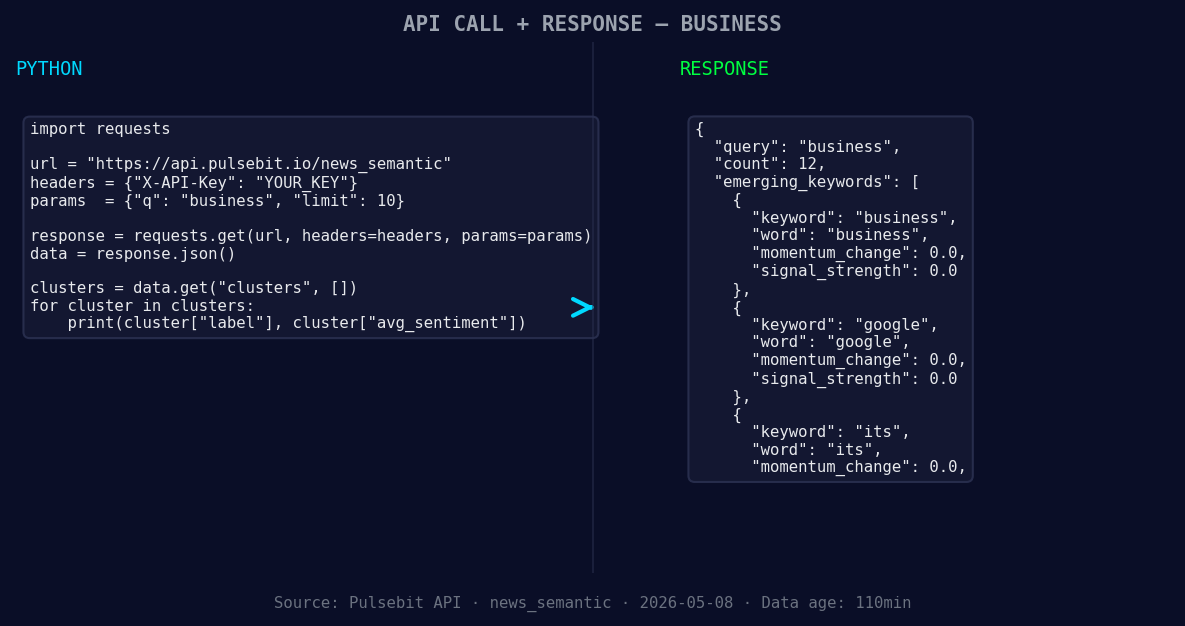
*Left: Python GET /news_semantic call for 'business'. Right: returned JSON response structure (clusters: 3). Source: Pulsebit /news_semantic.*
# Make the API call
response = requests.get(url, params=params)
data = response.json()
print(data)
# Now, let's run the cluster reason string through the sentiment endpoint
cluster_reason = "Clustered by shared themes: live:, asx, drop, following, losses."
sentiment_response = requests.post(url, json={"text": cluster_reason})
sentiment_data = sentiment_response.json()
print(sentiment_data)
In this code, we first query the API for the business topic, filtering by the English language. This ensures we're focusing on the relevant sentiment data. Next, we take the cluster reason string and send it back through the sentiment endpoint to score the narrative framing itself. This dual approach of context and sentiment scoring enriches our understanding of what’s happening in real-time.
Now, let’s explore three specific builds we can create with this momentum spike pattern:
Geo-Filtered Alert System: Set a threshold for negative momentum, say -0.500. Use the geographic origin filter to trigger alerts when sentiment dips below this threshold. This way, you'll catch shifts in English-language sentiment regarding business topics before they become widespread.
Meta-Sentiment Analyzer: Build a sentiment analysis tool that runs the cluster reason through the sentiment endpoint every hour. If the sentiment score falls below a certain threshold (e.g., +0.100), flag it for deeper analysis. This would be a proactive way to identify narratives forming around negative business sentiment.
Theme Correlation Dashboard: Create a dashboard that tracks forming themes like "live:", "asx", and "drop" against mainstream topics. Use the API to visualize how these themes correlate with sentiment shifts over time. If there’s a strong negative correlation with business sentiment, you can better understand the underlying issues.
You can start building these systems today by visiting pulsebit.lojenterprise.com/docs. With our API, you can copy-paste the above code and run it in under 10 minutes, allowing you to enhance your sentiment analysis capabilities instantly. Let’s not let another 28.5-hour lag happen again!


Top comments (0)