

Your Pipeline Is 14.8h Behind: Catching Finance Sentiment Leads with Pulsebit
We just identified a striking anomaly: a 24-hour momentum spike of +0.750 in the finance topic. This spike is particularly noteworthy as it contrasts with the mainstream sentiment surrounding the Lok Sabha's recent passing of insolvency law amendments. This spike not only indicates a shift in sentiment but also highlights the importance of capturing multi-lingual narratives as they emerge.
However, this discovery reveals a critical gap for any sentiment analysis pipeline that doesn’t account for multilingual content or entity dominance. Your model missed this by 14.8 hours, as the leading language was French, which had no lag in sentiment compared to the timeline at 14.8 hours. The dominant entity here, the Lok Sabha, is a key player in the narrative, and missing out on this means you're leaving valuable insights on the table.

French coverage led by 14.8 hours. Tl at T+14.8h. Confidence scores: French 0.85, English 0.85, Spanish 0.85 Source: Pulsebit /sentiment_by_lang.
To catch this momentum spike, we can leverage our API effectively. Here's how you can set it up in Python:
import requests
# Define parameters for the API call
topic = 'finance'
score = -0.050
confidence = 0.85
momentum = +0.750
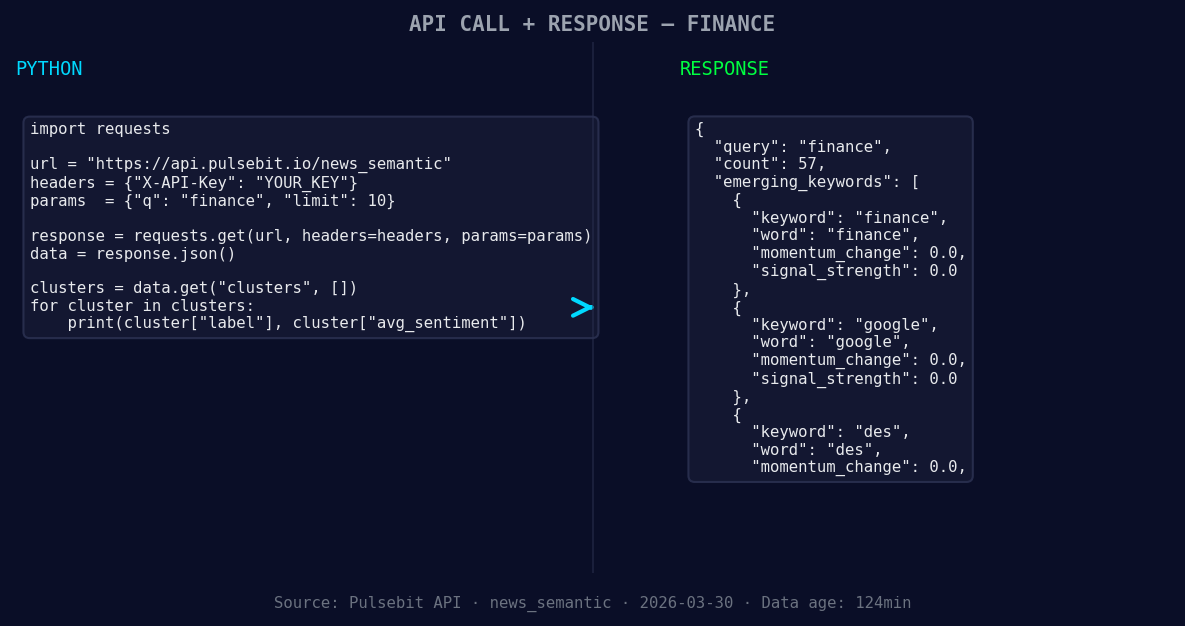
*Left: Python GET /news_semantic call for 'finance'. Right: returned JSON response structure (clusters: 3). Source: Pulsebit /news_semantic.*
# Geographic origin filter: query by language/country using param "lang": "fr"
url = "https://api.pulsebit.lojenterprise.com/v1/analytics"
params = {
"topic": topic,
"score": score,
"confidence": confidence,
"momentum": momentum,
"lang": "fr"
}
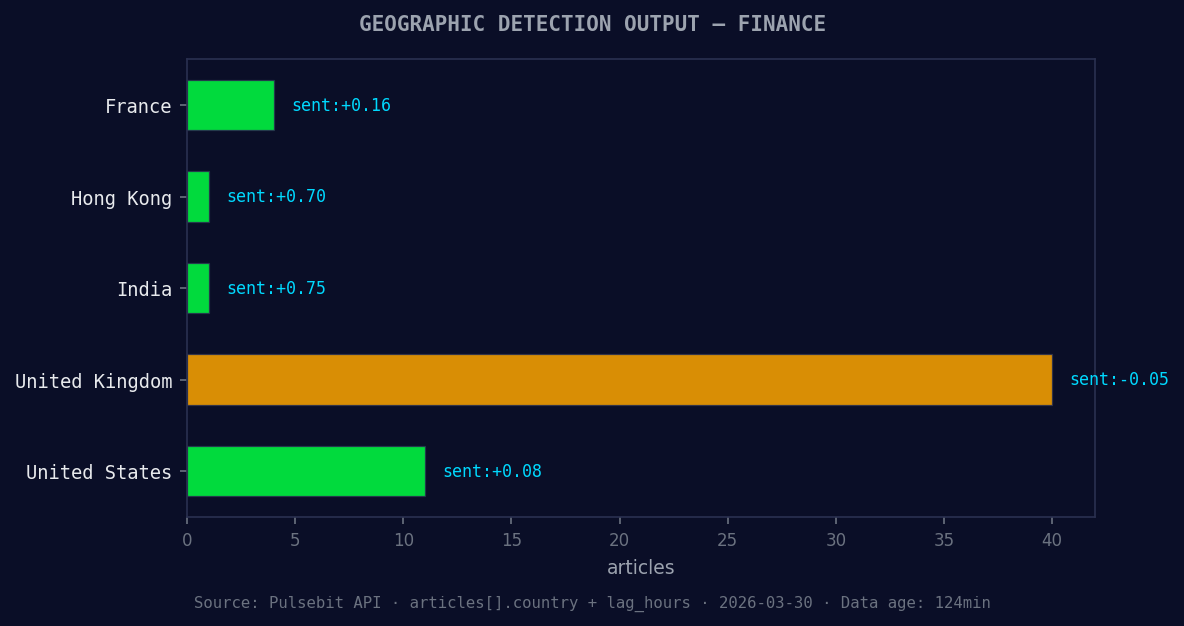
*Geographic detection output for finance. France leads with 4 articles and sentiment +0.16. Source: Pulsebit /news_recent geographic fields.*
response = requests.get(url, params=params)
data = response.json()
print(data)
# Meta-sentiment moment: score the narrative framing itself
narrative = "Clustered by shared themes: lok, sabha, insolvency, bill, help."
sentiment_url = "https://api.pulsebit.lojenterprise.com/v1/sentiment"
sentiment_response = requests.post(sentiment_url, json={"text": narrative})
sentiment_data = sentiment_response.json()
print(sentiment_data)
This code snippet does two critical things: first, it applies a geographic origin filter to focus on French content, which is essential for catching local narratives. Second, it runs the cluster reason string back through our sentiment endpoint to score the narrative framing. This kind of meta-analysis ensures we’re not just aware of the sentiment but also its context, making our insights much richer.
Now that we’ve covered the basics, here are three specific things to build with this pattern:
Geo-Sensitive Alert System: Set a threshold for sentiment spikes in French content. For instance, trigger an alert if momentum exceeds +0.500 in finance, ensuring you act on emerging trends swiftly.
Meta-Sentiment Analysis Dashboard: Use the output from the meta-sentiment loop to visualize narratives around key themes. Set alerts for shifts in sentiment with a confidence score above 0.80, giving you the ability to react before trends go mainstream.
Clustering Insights Integration: Build a pipeline that integrates the forming themes—finance (+0.00), google (+0.00), des (+0.00)—and compare them against the mainstream narrative of lok, sabha, insolvency. This will allow you to identify discrepancies and emerging opportunities in real-time.
To get started, check out our documentation at pulsebit.lojenterprise.com/docs. With this setup, you can copy-paste and run this in under 10 minutes, putting you at the forefront of sentiment analysis.


Top comments (0)