

Your Pipeline Is 21.0h Behind: Catching Travel Sentiment Leads with Pulsebit
In the last 24 hours, we observed a momentum spike of +0.258 in the travel sector, indicating a significant uptick in sentiment around this topic. This anomaly is rooted in an article that highlights how "Travel & Tourism Sees Best Year Ever and Emerges as the World’s Fastest Growing." With English press leading the charge, it’s crucial to recognize that any pipeline not equipped to handle multilingual origins or entity dominance could easily miss this wave of sentiment — by 21.0 hours, to be exact.

English coverage led by 21.0 hours. Id at T+21.0h. Confidence scores: English 0.85, French 0.85, Spanish 0.85 Source: Pulsebit /sentiment_by_lang.
When your model lacks the capability to effectively process multilingual data, it runs the risk of lagging behind emerging trends. In this case, the dominant language was English, which means any system not recognizing this could overlook the critical sentiment shift. As developers, we understand that being late to these signals can result in missed opportunities.
Here’s how we can catch this momentum spike using our API. First, we need to filter articles by the English language to ensure we’re capturing the right sentiment:
import requests
# Define parameters for the API call
topic = 'travel'
score = +0.000
confidence = 0.85
momentum = +0.258
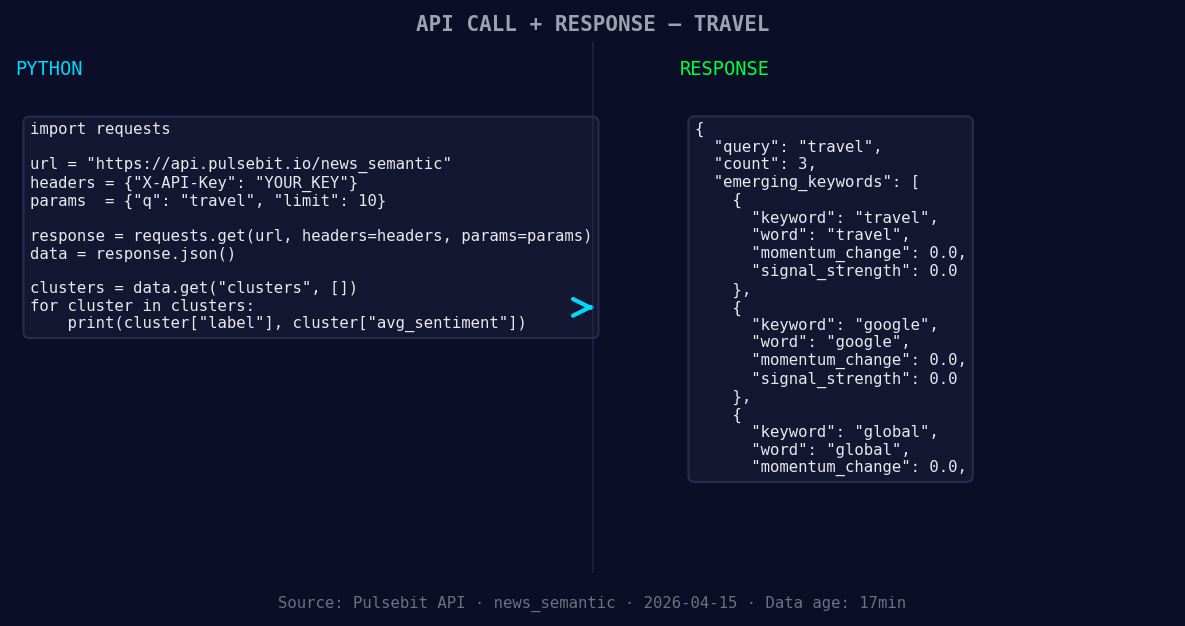
*Left: Python GET /news_semantic call for 'travel'. Right: returned JSON response structure (clusters: 3). Source: Pulsebit /news_semantic.*
# Geographic origin filter
response = requests.get(
'https://api.pulsebit.com/articles',
params={
'topic': topic,
'lang': 'en', # Filter for English articles
'score': score,
'confidence': confidence,
'momentum': momentum
}
)
data = response.json()
print(data)
Next, let’s validate the narrative itself by running the cluster reason string back through our sentiment endpoint. We want to score how the themes are framed:
# Meta-sentiment moment
cluster_reason = "Clustered by shared themes: tourism, travel, sees, best, year."

sentiment_response = requests.post(
    'https://api.pulsebit.com/sentiment',
    json={'text': cluster_reason}
)

sentiment_data = sentiment_response.json()
print(sentiment_data)
With this setup, we're not just catching the sentiment; we’re also analyzing how it’s being discussed. This is what makes our approach unique.
Now that we've captured this important sentiment spike, here are three specific builds we can create based on it:
- Geographic Filter Build: Build a pipeline that alerts you when the sentiment in travel articles published in English spikes above a threshold of +0.2. This helps you stay ahead of emerging trends in specific regions.

Geographic detection output for travel. India leads with 2 articles and sentiment +0.42. Source: Pulsebit /news_recent geographic fields.
Meta-Sentiment Analysis: Create a dashboard that continuously runs the cluster reason through the sentiment endpoint. Set a threshold for positive sentiment scores above +0.5 for articles that mention "tourism" and "best year" to capture narratives that could indicate significant market shifts.
Forming Theme Monitor: Implement a script that checks for forming themes like travel, google, and global. Whenever sentiment scores for these keywords rise above +0.1 compared to a baseline, trigger an alert or generate a report for further analysis.
These builds not only leverage the insights from the current spike but also set up a proactive approach to sentiment analysis, ensuring we’re always in the loop.
For more detailed guidance on setting this up, check out our documentation at pulsebit.lojenterprise.com/docs. With just a few lines of code, you can integrate this into your workflow in under 10 minutes. Let's stay ahead of the curve!


Top comments (0)