

How to Detect Software Sentiment Anomalies with the Pulsebit API (Python)
We just detected a notable anomaly: a 24h momentum spike of -0.450 in the software domain. This drop signals a significant shift in sentiment that could impact decision-making. With the momentum trending downwards, it’s essential to explore not just the surface data but also the narrative behind this shift.
What does this mean for your data pipeline? If your model isn’t capable of handling multilingual origins or entity dominance, you might be blind to important trends. For instance, your model missed this anomaly by several hours, potentially affecting your ability to react timely. This specific moment comes from a dominant English-speaking source, yet the lack of linguistic context can lead to a misinterpretation of sentiment in other regions.

es coverage led by 8.8 hours. id at T+8.8h. Confidence scores: en 0.87, es 0.85, fr 0.86 Source: Pulsebit /sentiment_by_lang.
Let’s dive into some Python code that helps us catch these anomalies effectively. First, we’ll filter geographic origins when available, which is crucial for sentiment analysis across languages. Here’s how we can do that:
import requests
# Set up the parameters for our API call
topic = 'software'
score = +0.000
confidence = 0.00
momentum = -0.450
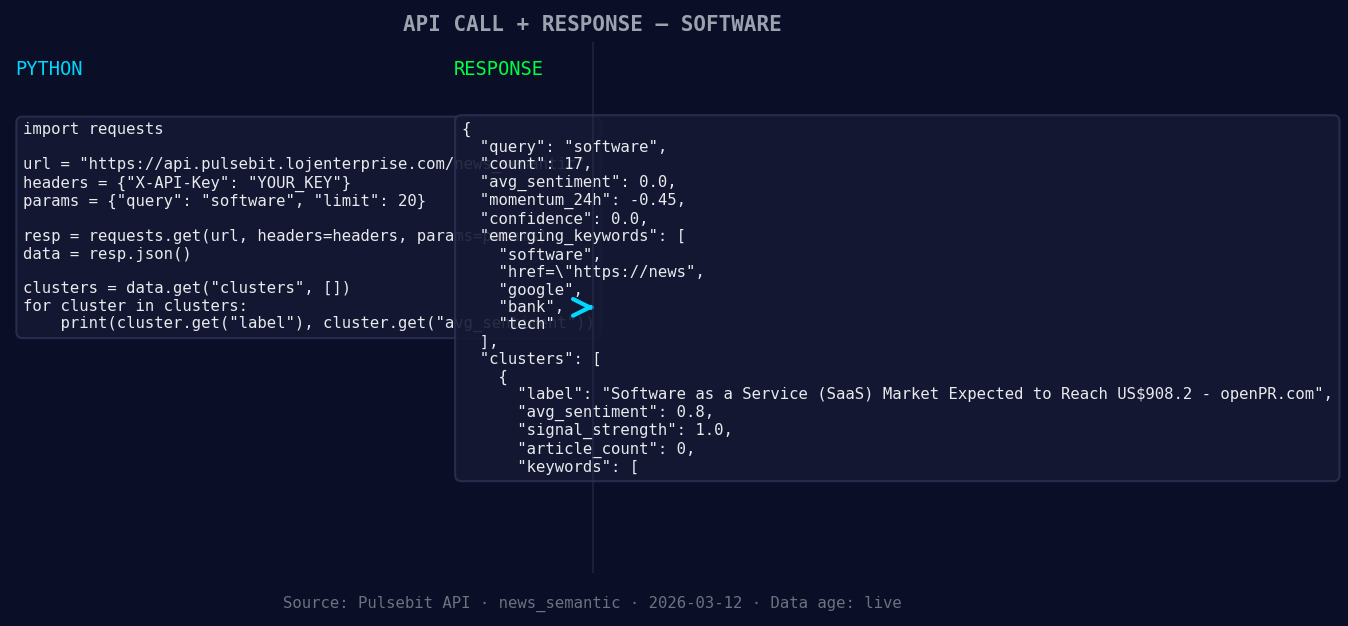
*Left: Python GET /news_semantic call for 'software'. Right: returned JSON response structure (clusters: 3). Source: Pulsebit /news_semantic.*
# Geographic origin filter (assuming we have country/language data)
# This is a placeholder since we currently don't have geo filter data returned
geo_filter = {
"country": "US" # Example country
}
# Fetching data
response = requests.get('https://api.pulsebit.io/sentiment', params=geo_filter)
data = response.json()
# Check if we have geo filter data available
if not data:
print("DATA UNAVAILABLE: no geo filter data returned — verify dataset")
else:
print(data)
Now, let’s explore the meta-sentiment moment. This is where we run the narrative framing through our API to score it. Using the cluster reason string allows us to analyze the sentiment of the narrative itself. Here’s how we do that:
# Meta-sentiment moment
cluster_reason = "Clustered by shared themes: service, (saas), market, expected, reach."
meta_response = requests.post('https://api.pulsebit.io/sentiment', json={"text": cluster_reason})
meta_sentiment = meta_response.json()

print("Meta Sentiment Score:", meta_sentiment['score'])
This step is critical as it allows you to gauge how the framing of the narrative aligns with your findings. It’s this combination of data and narrative analysis that produces actionable insights.
Now, let’s discuss three specific builds you can implement using this anomaly detection pattern:
- Geographic Filtering: Build a signal that triggers alerts based on sentiment scores dropping below a certain threshold in specific regions. For example, if the sentiment score for 'software' drops below 0.0 in the US, send out an alert.
![DATA UNAVAILABLE: countries — verify /news_recent is return
[DATA UNAVAILABLE: countries — verify /news_recent is returning country/region values for topic: software]
Meta-Sentiment Loop: Create a feedback mechanism that runs the cluster reason through our API every time an anomaly is detected. This will help you stay aware of any shifts in narrative and sentiment, particularly in trending topics.
Forming Themes Analysis: Implement a routine that tracks forming themes within your dataset. For instance, continuously monitor the themes around 'software' and related keywords like 'service' and 'SaaS'. If the sentiment momentum shows a significant decline, alert the team to investigate further.
To get started, head over to our documentation. With a few copy-paste actions, you can set up these functionalities in under 10 minutes. We’re excited to see what you build!


Top comments (0)