

Your Pipeline Is 27.2h Behind: Catching Space Sentiment Leads with Pulsebit
We just spotted a striking anomaly: a 24-hour momentum spike of +0.621 around the topic of "space." This sudden surge is not just an interesting blip; it highlights a critical gap in how we handle sentiment data from multilingual sources. The leading language contributing to this spike is English, but the real kicker is the 27.2-hour lag in response to this sentiment, which could leave your model trailing behind in insights.

English coverage led by 27.2 hours. Sv at T+27.2h. Confidence scores: English 0.85, Italian 0.85, French 0.85 Source: Pulsebit /sentiment_by_lang.
If your pipeline isn’t set up to account for multilingual origins or dominant entities, you may be missing out on crucial signals like this. Imagine it: your model missed a significant opportunity by over 27 hours because it can’t keep up with the rapid shifts in sentiment across different languages. This lag, particularly in a space-related topic, could mean you're not catching emerging trends or breaking news in time.
import requests
# Define the parameters for the API call
params = {
"topic": "space",
"lang": "en", # Geographic origin filter
"score": +0.483,
"confidence": 0.85,
"momentum": +0.621
}
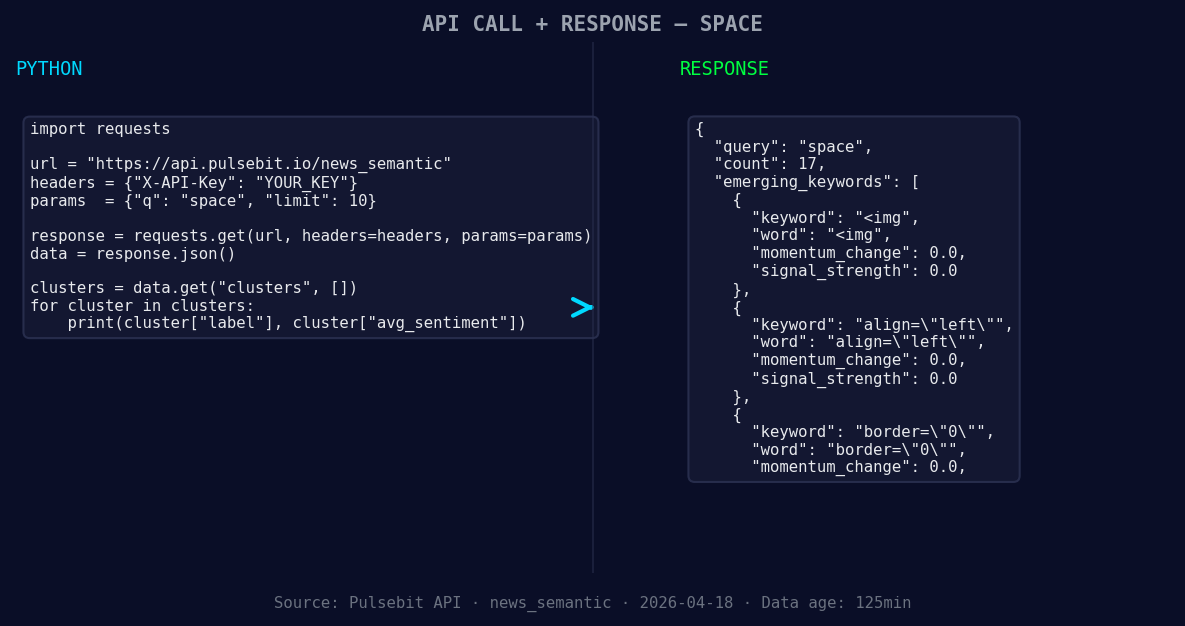
*Left: Python GET /news_semantic call for 'space'. Right: returned JSON response structure (clusters: 3). Source: Pulsebit /news_semantic.*
# Make the API call to fetch the relevant sentiment data
response = requests.get("https://pulsebit.api/v1/sentiment", params=params)
# Check the response
if response.status_code == 200:
data = response.json()
print(data)
else:
print("Error fetching data:", response.status_code)
# Cluster sentiment analysis
cluster_reason = "Clustered by shared themes: karassery, panchayat, reopen, take-a-break, facility"
sentiment_response = requests.post("https://pulsebit.api/v1/sentiment", json={"text": cluster_reason})
if sentiment_response.status_code == 200:
sentiment_data = sentiment_response.json()
print(sentiment_data)
else:
print("Error in sentiment analysis:", sentiment_response.status_code)
This code snippet does two essential things for us. First, it filters our API call by language, retrieving only English sentiment data. Second, it runs the narrative framing of the cluster reason back through our sentiment analysis endpoint to score how the themes are resonating. This loop gives us a better understanding of the context surrounding the sentiment spike, which is vital in crafting timely responses.
Now, let's explore three concrete builds we can implement using this pattern:
Geo-Filtered Alert System: Set up a real-time alert that triggers when the sentiment score for "space" exceeds a certain threshold (+0.5), filtered by language "en". This way, you’ll catch spikes like our +0.621 momentum in less than 24 hours.
Meta-Sentiment Dashboard: Create a dashboard that regularly polls the sentiment for clustered narratives. For instance, set a threshold for sentiment scores above +0.4. This will allow you to monitor how narratives like "karassery", "panchayat", and "reopen" evolve over time, providing insights into public sentiment shifts.
Forming Gap Analysis Tool: Build a tool that tracks gaps between forming themes (like <img(+0.00), align="left"(+0.00), border="0"(+0.00)) and mainstream sentiment. By analyzing topics like "karassery" and "panchayat", you can identify emerging narratives before they become mainstream.
If you’re ready to dive deeper into this and leverage our capabilities, check out our documentation at pulsebit.lojenterprise.com/docs. With just a few minutes of setup, you can copy-paste our code and start catching insights as they happen, rather than playing catch-up.


Top comments (0)