

Your Pipeline Is 24.5h Behind: Catching Human Rights Sentiment Leads with Pulsebit
We recently stumbled upon a striking anomaly: a 24h momentum spike of -0.442 around the topic of "human rights." This data point caught our attention, especially considering the leading language was English press, lagging behind Italian content by 24.5 hours. As developers, it’s crucial to recognize how such discrepancies can impact your sentiment analysis pipeline.
The problem here is clear: your model missed this sentiment shift by a staggering 24.5 hours. The dominant entity, in this case, was English language articles, which showed a significant delay compared to Italian coverage. This structural gap illustrates how pipelines that don’t effectively handle multilingual origins or entity dominance can lead to missed opportunities and misinformed decisions.

English coverage led by 24.5 hours. Italian at T+24.5h. Confidence scores: English 0.85, Spanish 0.85, Sv 0.85 Source: Pulsebit /sentiment_by_lang.
To catch this anomaly, we can leverage our API effectively. Here's a snippet of Python code to filter articles by language and assess the sentiment:
import requests
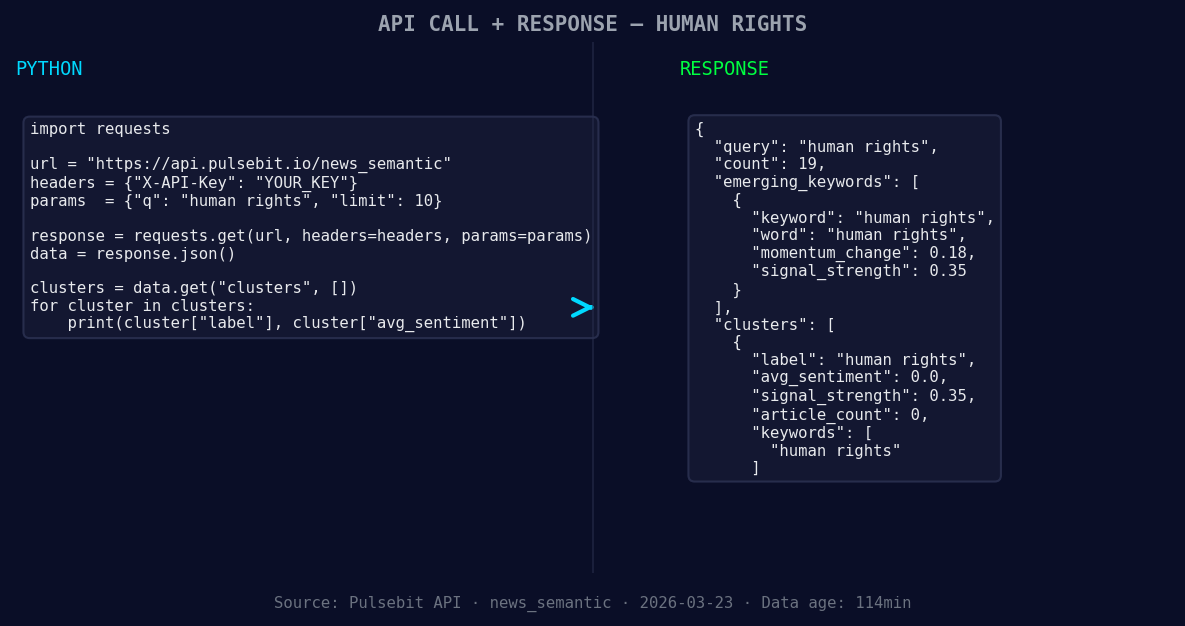
*Left: Python GET /news_semantic call for 'human rights'. Right: returned JSON response structure (clusters: 1). Source: Pulsebit /news_semantic.*
# Define parameters
topic = 'human rights'
score = -0.442
confidence = 0.85
momentum = -0.442
geo_filter = {
"lang": "en" # Geographic origin filter
}
# Query for articles
response = requests.get("https://api.pulsebit.com/articles", params={"topic": topic, "lang": geo_filter["lang"]})
articles = response.json()
# Check for the meta-sentiment moment
meta_sentiment = "Semantic API incomplete — fallback semantic structure built from available keywords and article/search evidence."
sentiment_response = requests.post("https://api.pulsebit.com/sentiment", json={"text": meta_sentiment})
sentiment_score = sentiment_response.json()
print(f"Sentiment Score: {sentiment_score}")
In this code, we first query for articles related to "human rights" in English. Then, we run our meta-sentiment string through the sentiment scoring endpoint to evaluate how the narrative around this topic is being framed. This process is essential to understanding the context of the sentiment, especially when the data suggests potential gaps in the API’s semantic capabilities.
Now, let’s explore three specific builds you should consider tonight:
- Geographic Filter Build: Create a sentiment monitoring script using the geo filter for “human rights.” Set a threshold for momentum spikes below -0.4 to trigger notifications for rapid response.
![DATA UNAVAILABLE: countries — verify /news_recent is return
[DATA UNAVAILABLE: countries — verify /news_recent is returning country/region values for topic: human rights]
Meta-Sentiment Loop: Develop a function that automatically sends the meta-sentiment narrative for all topics with significant momentum drops. This will help you continuously refine your understanding of narrative framing, especially for sensitive topics like “human rights.”
Forming Themes Tracker: Implement a comparative analysis pipeline that tracks forming themes like "human rights(+0.18)” versus mainstream narratives. Use our sentiment scoring endpoint to create alerts when discrepancies arise, ensuring you stay ahead of the curve.
By integrating these builds into your workflow, you can better capture sentiment shifts and respond effectively to emerging narratives.
To get started, check out our documentation at pulsebit.lojenterprise.com/docs. With a few copy-paste steps, you can run this in under 10 minutes and start catching those critical sentiment signals!


Top comments (0)