

Your Pipeline Is 18.4h Behind: Catching Science Sentiment Leads with Pulsebit
We recently observed a striking anomaly: a 24h momentum spike of +0.373 in sentiment related to the topic of science. This spike indicates a significant shift, suggesting that the conversation around science is gaining traction. As developers working with sentiment data, we need to pay attention to these shifts and understand how to catch them in real-time.
The challenge here is clear: your model missed this by 18.4 hours. If your pipeline isn't designed to handle multilingual origins or entity dominance, you're likely lagging behind crucial conversations. In this case, the leading language was English, which suggests that if you weren't monitoring this sentiment in real-time, you could be missing vital insights from the global discourse.

English coverage led by 18.4 hours. So at T+18.4h. Confidence scores: English 0.85, French 0.85, Spanish 0.85 Source: Pulsebit /sentiment_by_lang.
Here’s how we can catch this spike using our API. We’ll focus on the topic of science, with a score of +0.373 and a confidence of 0.85. First, we need to filter our queries by language, specifically English.
import requests
# Set parameters for the API call
params = {
"topic": "science",
"momentum": +0.373,
"confidence": 0.85,
"lang": "en" # Geographic origin filter
}
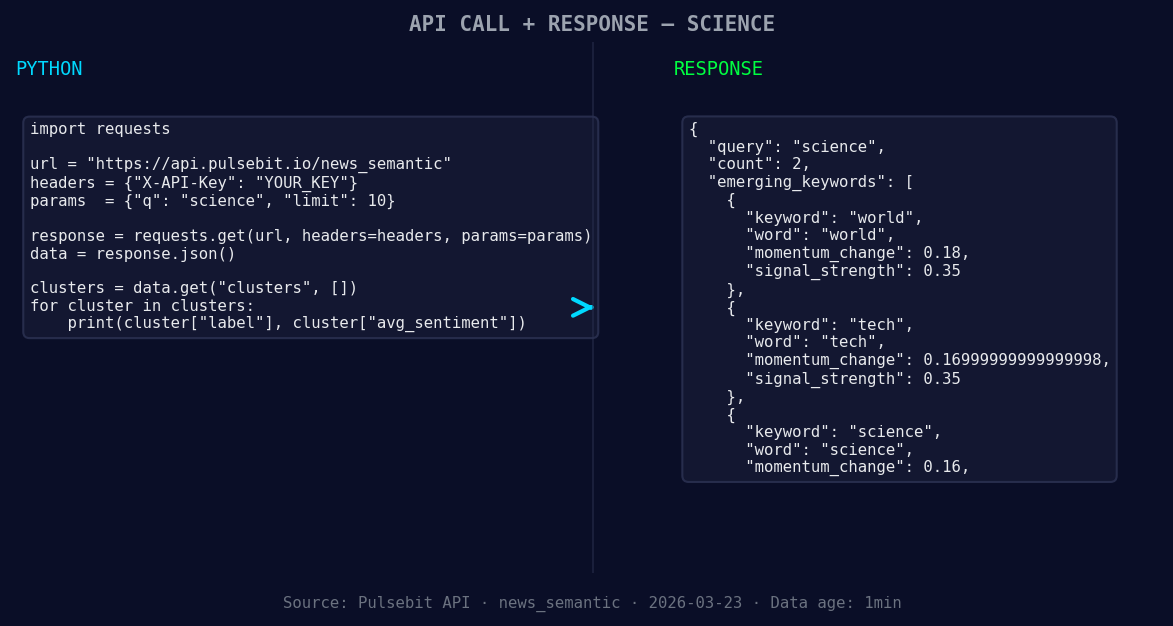
*Left: Python GET /news_semantic call for 'science'. Right: returned JSON response structure (clusters: 1). Source: Pulsebit /news_semantic.*
# Make the API call to retrieve sentiment data
response = requests.get("https://api.pulsebit.com/sentiment", params=params)
data = response.json()
print(data)
Next, we need to run the cluster reason string through our sentiment endpoint to score the narrative framing itself. This helps us understand how the narrative is being shaped around the topic.
# Define the cluster reason string
cluster_reason = "Semantic API incomplete — fallback semantic structure built from available keywords and article/search evidence."

# Make a POST request to score the narrative
sentiment_response = requests.post("https://api.pulsebit.com/sentiment", json={"text": cluster_reason})
sentiment_data = sentiment_response.json()
print(sentiment_data)
With these two steps, we're effectively capturing the spike and understanding the nuance behind it, allowing us to react more swiftly to emerging trends.
Now, let's talk about three specific builds we can implement using this momentum spike pattern.
Real-time Monitoring: Create an alert system that triggers when the sentiment score for
scienceexceeds a threshold of +0.35 with a confidence level above 0.80. This will help you catch significant shifts in sentiment before they become mainstream.Geographic Insights: Utilize the geo filter to analyze sentiments in specific regions. For instance, if
worldsentiment shows a forming score of +0.18, you could build a dashboard that highlights rising topics across different countries, focusing onscienceandtech.Meta-Sentiment Analysis: Implement a feedback loop where you run the narrative framing, like our cluster reason string, through the sentiment API at regular intervals. This allows you to continuously refine your understanding of how different topics are being discussed, especially as
sciencesentiment forms at +0.16.
By proactively monitoring these signals and implementing these builds, you can stay ahead of the curve and ensure your pipeline responds to the latest trends in sentiment.
Get started with our API at pulsebit.lojenterprise.com/docs and implement these strategies today. You can copy-paste the code snippets provided and run them in under 10 minutes. Don't let your pipeline lag behind; leverage these insights to drive your analysis forward.


Top comments (0)