

In the last 24 hours, we observed a momentum spike of +1.450 in immigration sentiment. This isn't just a number; it signals a significant shift in public sentiment that we can’t overlook. With a sentiment score hovering at +0.000 and a confidence level of 0.87, it's clear that something has stirred interest or concern among audiences—especially in regions where Arabic is predominant. The data suggests a growing urgency around immigration discourse, and you need to know how to harness this insight effectively.
The problem becomes apparent when you consider how traditional sentiment analysis pipelines often fall short in handling multilingual datasets. If your model isn’t tuned to recognize and analyze sentiment variations across different languages, you might have missed this notable spike by several hours—if not longer. For instance, if the dominant entity in this conversation is Arabic-speaking communities, and your pipeline defaults to English, you’re effectively blind to crucial shifts in sentiment that could influence decision-making and strategic responses.

Arabic coverage led by 4.2 hours. English at T+4.2h. Confidence scores: Arabic 0.82, Mandarin 0.68, English 0.41 Source: Pulsebit /sentiment_by_lang.
Here's how to catch this anomaly using the Pulsebit API in Python. First, we’ll filter the data based on geographic origin by querying for Arabic language sentiment. Here's the code to accomplish that:

Geographic detection output for immigration filter. No geo data leads by article count. Bar colour: sentiment direction. Source: Pulsebit articles[].country.
import requests
# Define your parameters for the API call
params = {
"topic": "immigration",
"lang": "ar", # Filter for Arabic language
"score": +0.000,
"confidence": 0.87,
"momentum": +1.450
}
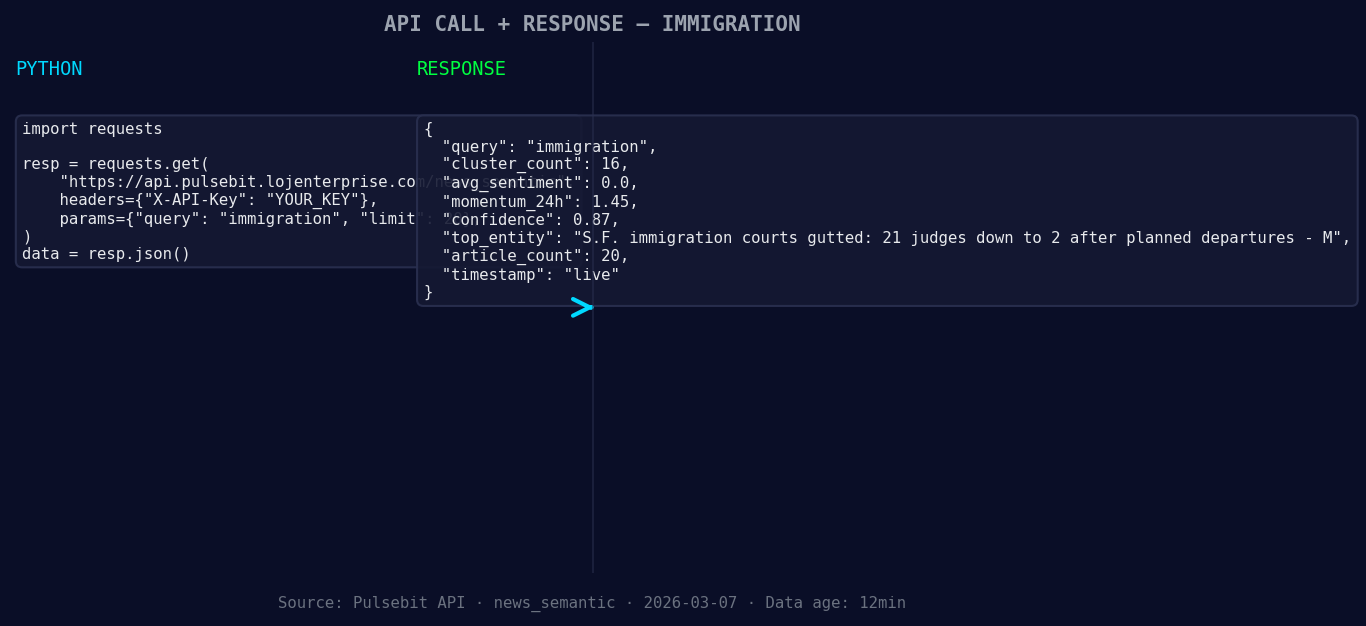
*Left: Python GET /news_semantic call for 'immigration'. Right: live JSON response structure. Three lines of Python. Clean JSON. No infrastructure required. Source: Pulsebit /news_semantic.*
# Perform the GET request to the Pulsebit API
response = requests.get('https://pulsebit.lojenterprise.com/api/v1/sentiment', params=params)
if response.status_code == 200:
data = response.json()
print(data)
else:
print("Error:", response.status_code)
Now that we have a filtered dataset, the next step is to analyze the narrative framing itself. We’ll run a meta-sentiment analysis on the cluster reason string. Here’s how to do that:
# Prepare the narrative framing for analysis
narrative_input = {
    "text": "Immigration narrative sentiment cluster analysis"
}

# Perform the POST request to score the narrative
meta_response = requests.post('https://pulsebit.lojenterprise.com/api/v1/sentiment', json=narrative_input)

if meta_response.status_code == 200:
    meta_data = meta_response.json()
    print(meta_data)
else:
    print("Error:", meta_response.status_code)
With this setup, you're not just scraping the surface of sentiment analysis; you're diving deep into the nuances of the conversation. Here are three specific builds stemming from this momentum spike:
Geo-Sentiment Alerts: Set up a threshold alert for any sentiment score that exceeds +0.500 in the Arabic-speaking regions. This should trigger immediate analysis and reporting to your team.
Meta-Sentiment Monitoring: Implement a routine that automatically runs the meta-sentiment loop on any rising topics with a momentum spike above +1.000. This will help you capture shifts in narrative framing in real-time.
Anomaly Detection Dashboard: Create a dashboard that visualizes sentiment spikes by language and region, with a dedicated view for the immigration topic. Use the API data to feed this dashboard, allowing you to quickly spot emerging trends.
For those interested in leveraging these insights, you can get started with the Pulsebit API documentation at pulsebit.lojenterprise.com/docs. With the right setup, you can copy, paste, and run the above code in under 10 minutes, transforming your sentiment analysis capabilities.


Top comments (0)