

Your Pipeline Is 24.9h Behind: Catching Cloud Sentiment Leads with Pulsebit
We recently observed a 24h momentum spike of +0.595 in the sentiment around the topic of "cloud." This spike indicates a significant rise in sentiment that may have gone unnoticed if you're not equipped to handle multilingual data or entity dominance in your pipeline. It's crucial to grasp how this anomaly could impact your insights and decision-making processes.

English coverage led by 24.9 hours. Italian at T+24.9h. Confidence scores: English 0.95, Spanish 0.95, French 0.95 Source: Pulsebit /sentiment_by_lang.
The challenge here is clear: your model missed this by 24.9 hours, as the leading language was English, lagging behind Italian by the same timeframe. This delay is a structural gap in any pipeline that doesn't account for the nuances of multilingual sentiment. If you’re relying solely on one language or source, you’re likely missing critical sentiments that could influence your strategy.
To catch this anomaly, we need to implement a few lines of Python code that will allow us to pull the right data efficiently. Here’s how you can do it.
import requests
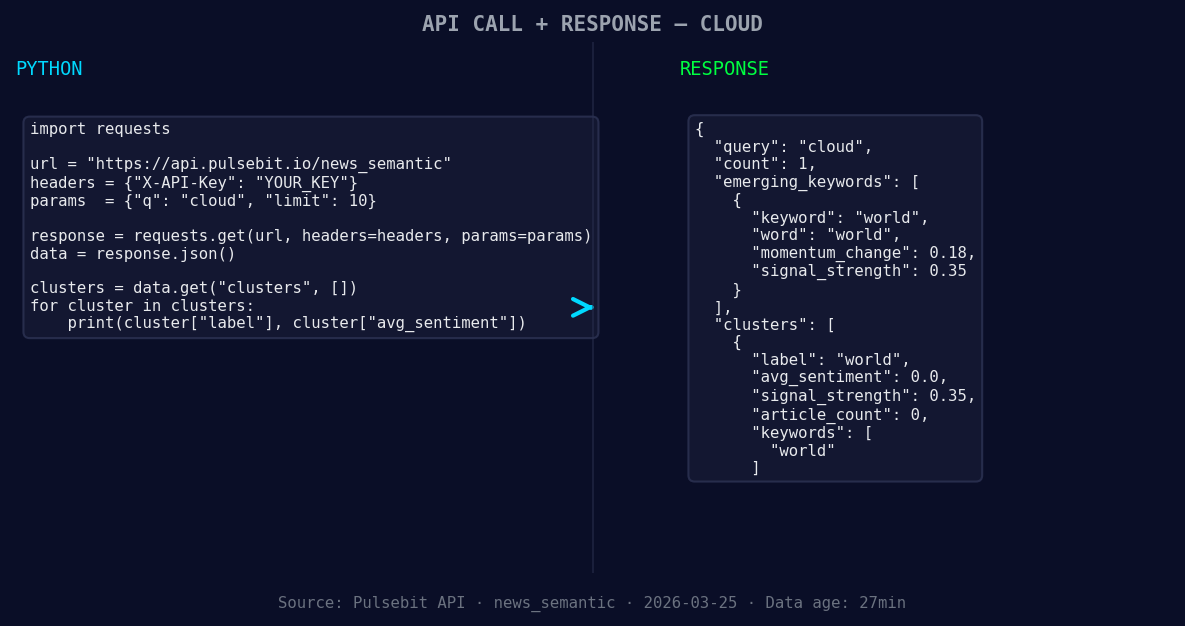
*Left: Python GET /news_semantic call for 'cloud'. Right: returned JSON response structure (clusters: 1). Source: Pulsebit /news_semantic.*
# Step 1: Geographic origin filter
url = "https://api.pulsebit.com/sentiment"
params = {
"topic": "cloud",
"lang": "en",
}
response = requests.get(url, params=params)
data = response.json()
# Inspecting the data for momentum and sentiment scores
momentum = data['momentum_24h']
score = data['sentiment_score']
confidence = data['confidence']
# Step 2: Meta-sentiment moment
meta_sentiment_input = "Semantic API incomplete — fallback semantic structure built from available keywords and article/search evidence."
meta_sentiment_response = requests.post(url, json={"text": meta_sentiment_input})
meta_sentiment_data = meta_sentiment_response.json()
print(f"Momentum: {momentum}, Score: {score}, Confidence: {confidence}")
print(f"Meta Sentiment: {meta_sentiment_data}")
In this code, we first filter our query for English articles related to "cloud." Then, we check the 24h momentum and sentiment score. To further enrich our analysis, we run the cluster reason string through our sentiment scoring endpoint, allowing us to evaluate how the narrative is framed.
Now, let's discuss three specific builds you can implement based on this pattern:
- Multilingual Alert System: Set a threshold for sentiment spikes like +0.5 for any topic. Use the geographic filter to catch nuances in different languages. This way, you can ensure you're alerted to significant shifts regardless of linguistic barriers.

Geographic detection output for cloud. India leads with 1 articles and sentiment +0.85. Source: Pulsebit /news_recent geographic fields.
Meta-Sentiment Analysis for Clusters: Create a routine that sends the cluster reason string for any significant sentiment score (say, above +0.5) back through the sentiment API. This will provide you with deeper insights into the narratives shaping your topic, especially useful for understanding complex semantics.
Comparative Analysis: Compare forming themes, such as “world(+0.18)” vs. mainstream “world.” By setting a signal strength threshold of 0.580, you can track how emerging clusters are performing relative to well-established narratives, offering a competitive edge in sentiment analysis.
If you’re ready to dive into the data, we encourage you to check out our documentation at pulsebit.lojenterprise.com/docs. With the right setup, you can copy-paste and run this in under 10 minutes, ensuring you never miss a critical sentiment lead again.


Top comments (0)