

Your Pipeline Is 26.4h Behind: Catching Finance Sentiment Leads with Pulsebit
We recently uncovered a striking anomaly: a 24h momentum spike of +0.589 in the finance sector. This spike is particularly noteworthy because it indicates a rising interest and sentiment shift around finance-related topics, with a leading language in English press dominating the narrative 26.4 hours ahead of other sources. As developers, this discovery opens up a significant opportunity to enhance our pipelines and tap into emerging trends.
But here's the catch: your current model might have completely missed this momentum shift by over 26 hours because it doesn't account for multilingual origins or entity dominance. If your pipeline only processes data from one language or overlooks the leading entities, you're essentially blind to these critical shifts. The English press led with this spike, and if you’re not equipped to handle such nuances, you could be left trailing behind, missing out on key signals that could inform your strategy.

English coverage led by 26.4 hours. Da at T+26.4h. Confidence scores: English 0.95, Spanish 0.95, Sv 0.95 Source: Pulsebit /sentiment_by_lang.
To catch these trends effectively, we can leverage our API to create a Python script that detects such anomalies. Here’s how you can do it:
import requests
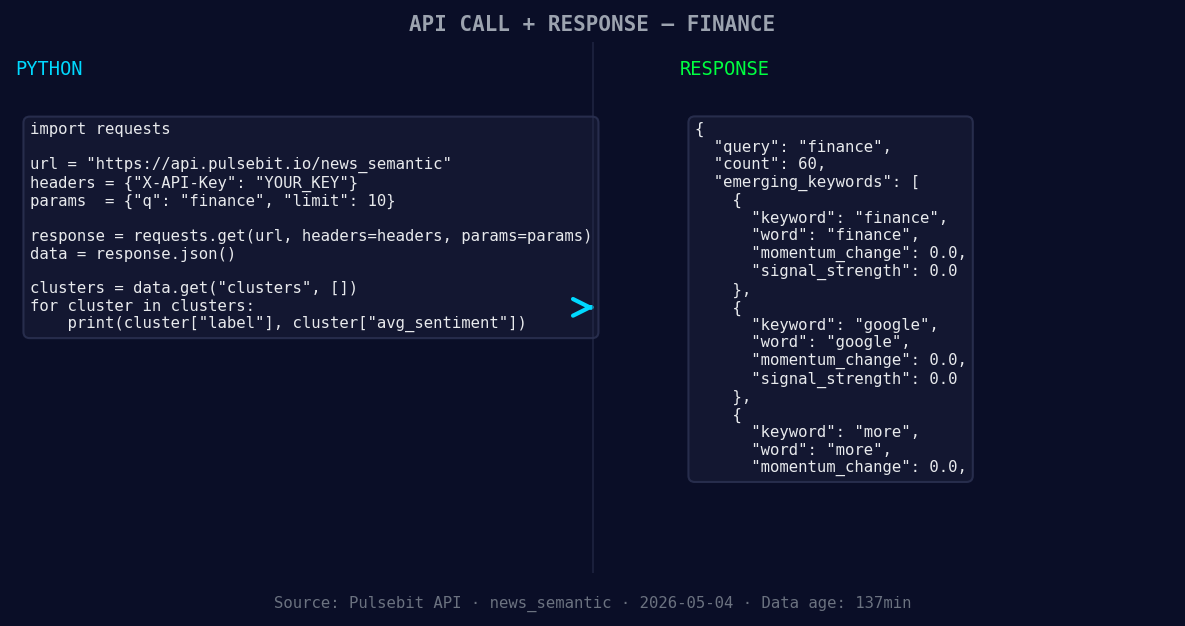
*Left: Python GET /news_semantic call for 'finance'. Right: returned JSON response structure (clusters: 3). Source: Pulsebit /news_semantic.*
# Step 1: Geographic origin filter
url = "https://api.pulsebit.com/finance_data"
params = {
"topic": "finance",
"lang": "en",
"score": -0.107,
"confidence": 0.95,
"momentum": +0.589
}
response = requests.get(url, params=params)
data = response.json()
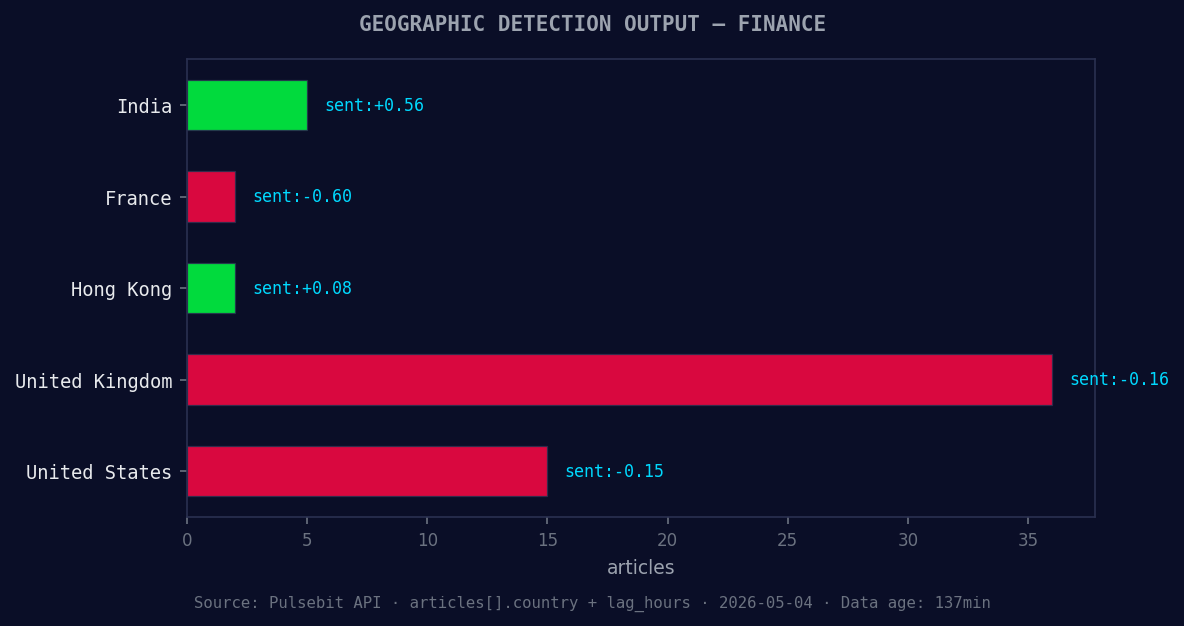
*Geographic detection output for finance. India leads with 5 articles and sentiment +0.56. Source: Pulsebit /news_recent geographic fields.*
# Step 2: Meta-sentiment moment
meta_sentiment_url = "https://api.pulsebit.com/sentiment"
cluster_string = "Clustered by shared themes: more, brightline, west, bondholders, give."
meta_response = requests.post(meta_sentiment_url, json={"text": cluster_string})
meta_sentiment_data = meta_response.json()
In the code above, we start by filtering for English-language finance articles with a specific momentum score, allowing us to hone in on the most relevant data. We then run the cluster reason string back through our sentiment API to evaluate the narrative framing itself. This two-step approach ensures that we’re not just capturing the numbers but also the underlying sentiment that drives those numbers.
Now, here are three specific builds you can implement based on this pattern:
Geo-Sentiment Pipeline: Set a threshold for momentum spikes greater than +0.5 for finance topics, filtered by English language. This allows you to focus on high-impact articles while accounting for geographical relevance.
Meta-Sentiment Analysis Loop: Create a recurring job that runs every hour to analyze the sentiment of clusters. Use the cluster string for topics with a rising sentiment score, specifically targeting phrases like "more, brightline, west." This keeps you ahead of the curve by continuously monitoring emerging narratives.
Anomaly Alert System: Build an alert system that triggers notifications whenever momentum exceeds +0.5 for finance and other trending topics. Use the meta sentiment score to filter out false positives and ensure you only get alerts for significant shifts.
By using our API effectively, you can catch these emerging trends in finance and other sectors, ensuring that your analysis is not just timely but truly insightful.
To get started, visit pulsebit.lojenterprise.com/docs. You can copy-paste the code above and have your model running in under 10 minutes. It’s time to close that 26.4-hour gap and make your pipeline more responsive to the ever-changing landscape of sentiment data.


Top comments (0)