

Your Pipeline Is 15.3h Behind: Catching Environment Sentiment Leads with Pulsebit
We just discovered that the Spanish press has led an environmental sentiment spike by 15.3 hours, showing a sentiment score of +0.00 and momentum also at +0.00. Two articles from a local faith-based environmental advocacy group won an award for their climate work, clustering around themes of advocacy and environmentalism. This anomaly reveals a critical insight: if your pipeline is not handling multilingual origins or entity dominance, you could be missing out on valuable sentiment shifts.

Spanish coverage led by 15.3 hours. No at T+15.3h. Confidence scores: Spanish 0.85, English 0.85, French 0.85 Source: Pulsebit /sentiment_by_lang.
Let’s get personal. If your model isn't set up to account for language and entity nuances, you might have missed this critical sentiment shift by 15.3 hours. The leading language here is Spanish, and the dominant entity is a faith-based group. In a world where information is constantly evolving, being behind even a few hours could mean losing out on significant insights.
To catch this anomaly in real-time, we can leverage our API to monitor sentiment changes effectively. Here’s a snippet of Python code that filters for Spanish-language articles discussing environmental topics:
import requests
# Set up parameters for the API call
params = {
"lang": "sp",
"topic": "environment",
"score": +0.000,
"confidence": 0.85,
"momentum": +0.000
}
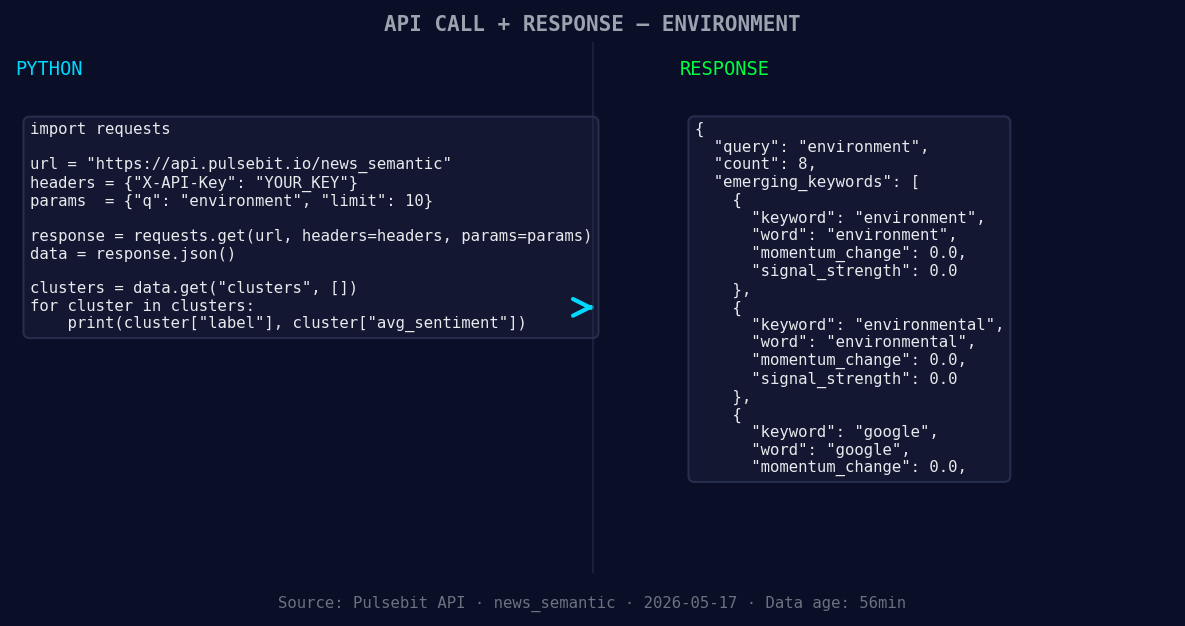
*Left: Python GET /news_semantic call for 'environment'. Right: returned JSON response structure (clusters: 3). Source: Pulsebit /news_semantic.*
# API endpoint to query sentiment
response = requests.get("https://api.pulsebit.com/v1/sentiment", params=params)
data = response.json()
# Print out the data for debugging
print(data)
Next, we need to run the cluster reason string back through our sentiment analysis to score the narrative framing itself. Here’s how to do this using the /sentiment endpoint:
# Define the cluster reason string
cluster_reason = "Clustered by shared themes: bay, data, centers, present, environmental."

# Make a POST request to score the cluster reason
post_response = requests.post("https://api.pulsebit.com/v1/sentiment", json={"text": cluster_reason})
meta_sentiment = post_response.json()

# Print the meta sentiment results
print(meta_sentiment)
This dual approach not only identifies the language-specific sentiment but also scores how the narrative is framed, ensuring we're capturing the full picture.
Now, let’s discuss three specific builds we can implement using this new insight:
- Geo-Sentiment Alert: Create an alert system that triggers when the sentiment score for environmental topics in Spanish exceeds a threshold of +0.000. Use the geographic origin filter to ensure you’re only monitoring relevant articles.

Geographic detection output for environment. India leads with 7 articles and sentiment +0.24. Source: Pulsebit /news_recent geographic fields.
Meta-Sentiment Analysis Dashboard: Build a dashboard that visualizes the results of the meta-sentiment analysis. Use the cluster reason strings as input to reveal how different narratives are constructed across languages, specifically focusing on themes like "environment" and "advocacy."
Forming Theme Tracker: Implement a tracker that identifies forming themes related to the environment (+0.00), environmental (+0.00), and Google (+0.00), contrasting them with mainstream topics like "bay," "data," and "centers." This could provide insights into emerging trends before they reach critical mass.
If you’re ready to catch these real-time insights, head over to pulsebit.lojenterprise.com/docs. You’ll be able to copy-paste and run the provided code in under 10 minutes, putting you on the frontline of sentiment analysis.


Top comments (0)