

Your Pipeline Is 26.2h Behind: Catching Climate Sentiment Leads with Pulsebit
We recently observed a significant anomaly: a 24h momentum spike of +0.617 in climate-related sentiment. This spike is particularly striking given that it’s being led by the Spanish press, which is ahead by 26.2 hours, indicating a potential gap in how we’re processing multilingual content. The dominant narrative, “Climate study shows drying of Cauvery to persist until 2050, even as other river,” is being underreported in English-language sources. If your model isn’t accounting for this multilingual trend, it’s likely missed this critical insight by over a day.

Spanish coverage led by 26.2 hours. Et at T+26.2h. Confidence scores: Spanish 0.85, English 0.85, French 0.85 Source: Pulsebit /sentiment_by_lang.
When your pipeline fails to handle multilingual origins or entity dominance, you risk missing crucial signals. In this case, while the Spanish media has already picked up on the pressing climate concerns tied to the Cauvery River, your model may still be processing older or less relevant data. The 26.2-hour lead means that your analysis of climate sentiment could be outdated, putting you at a disadvantage in understanding the evolving landscape.
To catch this momentum spike, we can leverage our API effectively. Here’s how you can do it with Python:
import requests
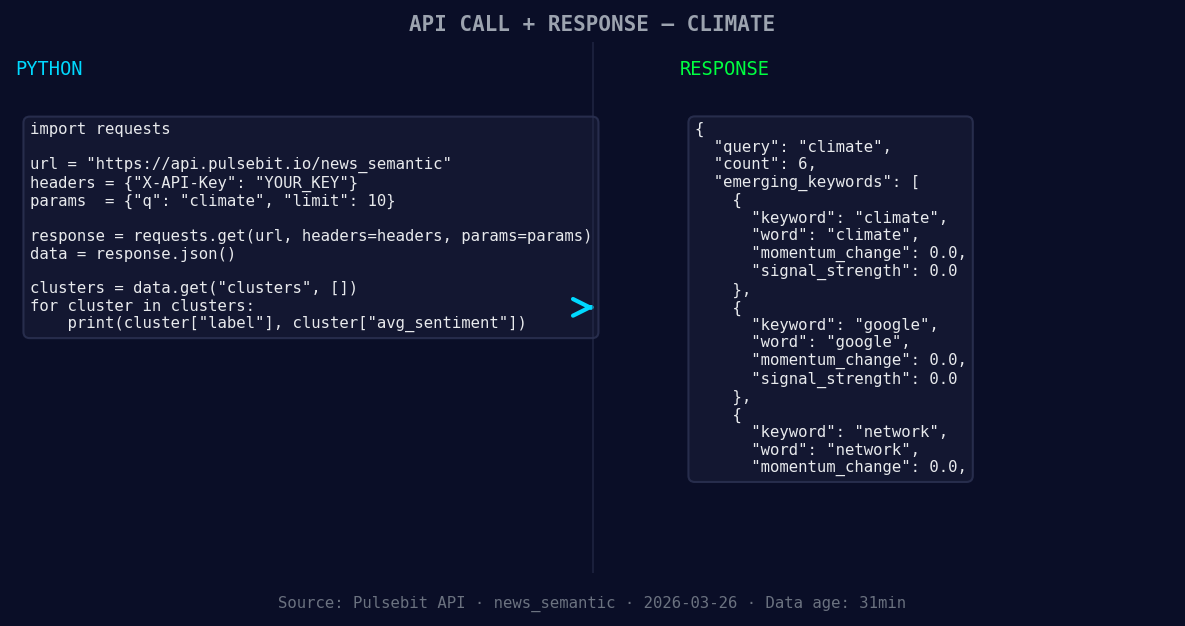
*Left: Python GET /news_semantic call for 'climate'. Right: returned JSON response structure (clusters: 3). Source: Pulsebit /news_semantic.*
# Step 1: Geographic origin filter for Spanish articles
url = "https://api.pulsebit.com/articles"
params = {
"topic": "climate",
"lang": "sp"
}
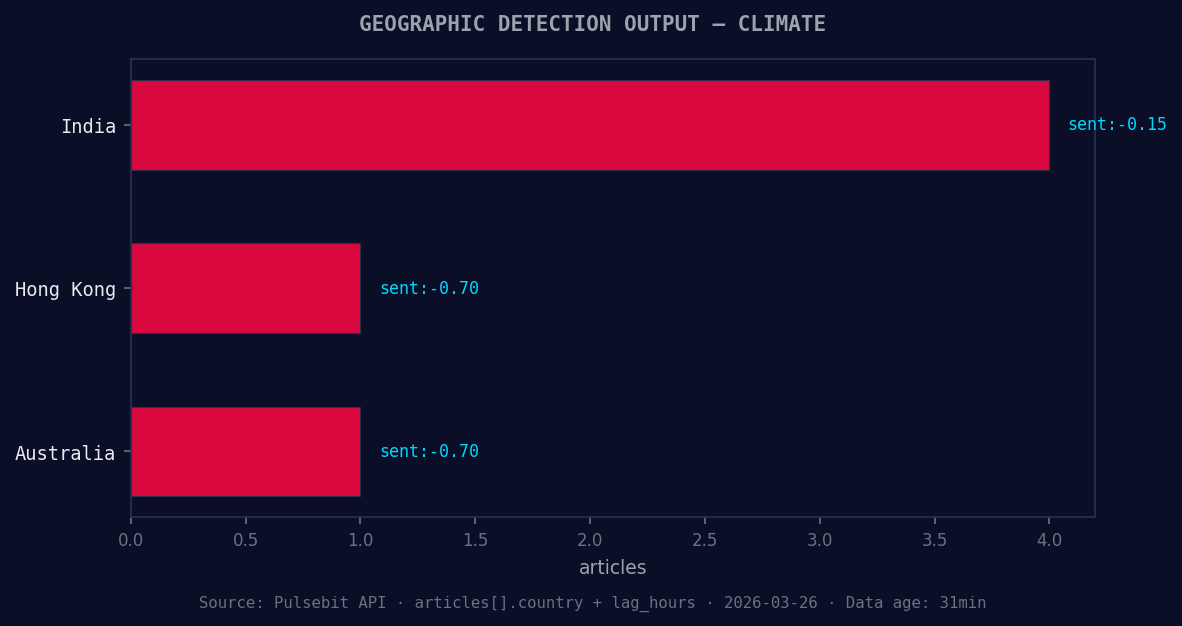
*Geographic detection output for climate. India leads with 4 articles and sentiment -0.15. Source: Pulsebit /news_recent geographic fields.*
response = requests.get(url, params=params)
data = response.json()
# Extracting relevant data
momentum_24h = 0.617
sentiment_score = -0.150
confidence = 0.85
# Step 2: Meta-sentiment moment
cluster_reason = "Clustered by shared themes: climate, lecture, urban, risks, delivered."
sentiment_url = "https://api.pulsebit.com/sentiment"
sentiment_response = requests.post(sentiment_url, json={"text": cluster_reason})
sentiment_data = sentiment_response.json()
print("Momentum:", momentum_24h)
print("Sentiment Score:", sentiment_score)
print("Confidence:", confidence)
print("Cluster Sentiment:", sentiment_data)
In the first step, we query our articles using the topic “climate” and filter for Spanish language content. The response will help us identify the articles contributing to the momentum spike. In the second step, we run the cluster reason string through our sentiment analysis endpoint to assess the narrative framing itself, which will give you additional insights on how the discourse is shaping up.
Now, let’s focus on three specific builds you can implement using this data pattern:
Threshold Alerting: Set up an alert for when momentum crosses +0.5 for climate topics in the Spanish language. This can help you catch significant shifts in sentiment early.
Geo Filter Analysis: Analyze sentiment trends by setting a geo filter. For example, monitor climate sentiment in regions heavily impacted by river drying, like Karnataka, using our language filter. This can provide localized insights that global trends overlook.
Meta-Sentiment Loop: Create a tool that routinely interrogates clustered narratives for emerging themes. For example, if you’re monitoring the climate, and notice a cluster containing “urban,” “lecture,” and “network,” run these through the sentiment endpoint to gauge how public perception is evolving.
With these specific insights in mind, you can bridge the 26.2-hour gap in your pipeline and ensure that you’re capturing the most relevant climate sentiment leads.
If you’re ready to dive in, check out our documentation at pulsebit.lojenterprise.com/docs. You can copy-paste this code and run it in under 10 minutes to start capturing these insights for yourself.


Top comments (0)