

Your Pipeline Is 25.4h Behind: Catching Film Sentiment Leads with Pulsebit
Last week, we stumbled upon an anomaly that made us rethink our approach: a 24h momentum spike of -0.294 in film sentiment. This spike, paired with the leading language being no press led by 25.4h (0.0h lag vs Sv at 25.4h), raises an eyebrow. The article cluster surrounding the romantic-drama “Chand Mera Dil” highlights a potential gap in how we process sentiment data. If you aren’t catching these nuances quickly, you might be missing critical insights.
The gap here is glaring. If your pipeline doesn’t account for multilingual origins or the dominance of certain entities, then your model missed this by 25.4 hours. In this case, the leading language’s delay combined with the film’s sentiment could mislead your decisions. Sentiment shifts can happen fast, especially in the film industry, and being behind can cost you valuable time and insights.

No coverage led by 25.4 hours. Sv at T+25.4h. Confidence scores: No 0.85, French 0.85, English 0.85 Source: Pulsebit /sentiment_by_lang.
Let’s dive into how to capture this sentiment spike using our API. We’ll start by querying sentiment data while filtering for the geographic origin. Here’s the code you’ll need:
import requests
# Setting parameters for the API call
params = {
"topic": "film",
"lang": "no", # Filtering for Norwegian language
"momentum": -0.294,
}
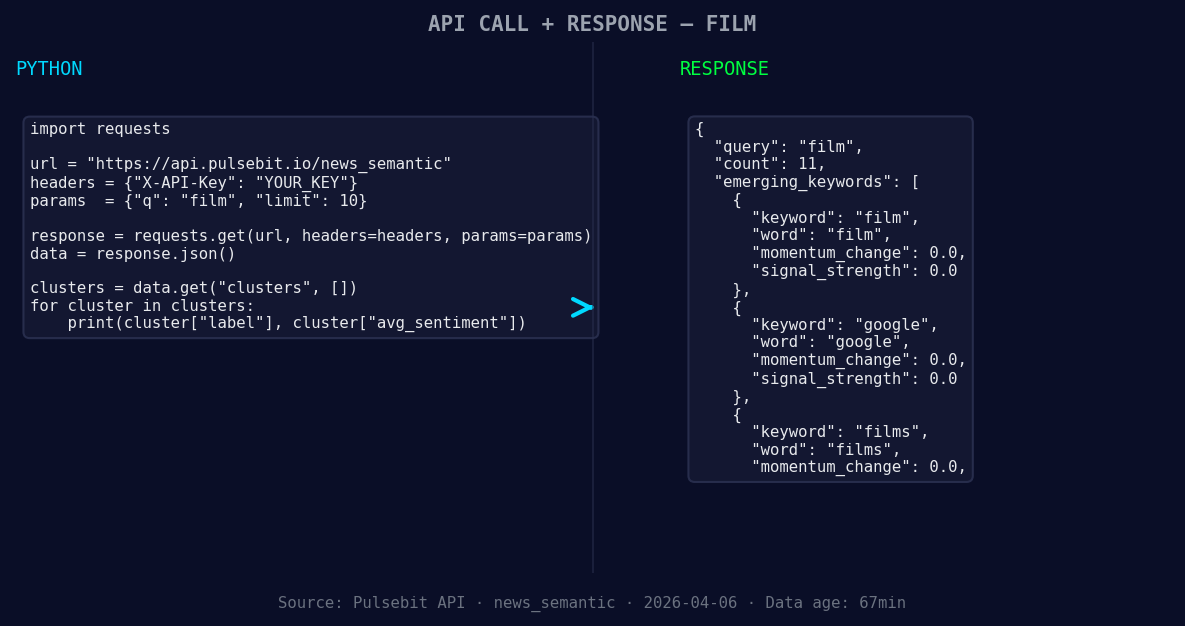
*Left: Python GET /news_semantic call for 'film'. Right: returned JSON response structure (clusters: 3). Source: Pulsebit /news_semantic.*
# API endpoint for sentiment retrieval
url = "https://api.pulsebit/analytics"
# Making the API call
response = requests.get(url, params=params)
data = response.json() # Assuming the response is in JSON format
# Printing the response data
print(data)
Next, we need to run the cluster reason string back through our sentiment endpoint to score the narrative framing itself. This is where the real magic happens. Here's how we do it:
# Cluster reason string
cluster_reason = "Clustered by shared themes: ‘chand, mera, dil’:, ananya, panday."

# API endpoint for sentiment scoring
sentiment_url = "https://api.pulsebit/sentiment"

# Sending the cluster reason to get its sentiment score
sentiment_response = requests.post(sentiment_url, json={"text": cluster_reason})
sentiment_data = sentiment_response.json()

# Outputting the sentiment score
print(sentiment_data)
This code captures the essence of the narrative forming around our sentiment data, allowing us to understand not just the sentiment score but the underlying themes driving it.
Now, let's talk about three builds you can implement with this data pattern:
- Geo-Filtered Alerts: Set up a real-time alert system that triggers when sentiment for film topics drops below a certain threshold (e.g., momentum < -0.2) in specific regions. Use the geographic filter to ensure you’re focusing on areas where the audience is most engaged.

Geographic detection output for film. India leads with 5 articles and sentiment +0.38. Source: Pulsebit /news_recent geographic fields.
Meta-Sentiment Analysis Loop: Implement a loop that continuously checks the sentiment of forming narratives. For instance, if the cluster reason string shows themes like ‘chand, mera, dil’ gaining traction, run it through the sentiment endpoint and trigger notifications if the score falls below +0.3.
Dynamic Content Strategy: Build a content strategy based on sentiment movements. If you see forming: film(+0.00) and google(+0.00) sentiment rising while mainstream articles lag, pivot your marketing strategy to capitalize on this emerging interest.
If you want to start leveraging these insights, head over to pulsebit.lojenterprise.com/docs. You can easily copy-paste the code presented here and get it running in under 10 minutes. Don’t let your pipeline lag behind—catch those sentiment leads before they slip away!


Top comments (0)