

Your Pipeline Is 24.1h Behind: Catching Software Sentiment Leads with Pulsebit
We just uncovered a striking anomaly in our sentiment data: a sentiment score of +0.41 with a momentum of +0.00. What's fascinating here is that the leading language is English, maintaining a 24.1-hour lead with no lag against Canada. This sentiment spike centers on the topic of "software" and is tied to a cluster of articles discussing how an OU Data Scientist has unveiled free software for researching human-AI interactions. This kind of insight can shift your understanding of ongoing trends, especially when it appears unexpectedly.
As developers, we need to recognize the structural gap in our pipelines when handling multilingual origins or dominant entities. If your model isn’t prepared for this nuance, you could find your analysis lagging by 24.1 hours—just as we did. This means you’re missing out on significant early signals that could influence your decisions. In this case, the English language and the software topic are crucial, but if you’re not considering them, you could easily miss critical trends.

English coverage led by 24.1 hours. Ca at T+24.1h. Confidence scores: English 0.80, Sv 0.80, French 0.80 Source: Pulsebit /sentiment_by_lang.
To catch this anomaly, we can use our API to filter by language and assess sentiment. Here’s how you can set this up in Python:
import requests
# Define parameters for the API call
params = {
"topic": "software",
"score": +0.408,
"confidence": 0.80,
"momentum": +0.000,
"lang": "en" # Geographic origin filter
}
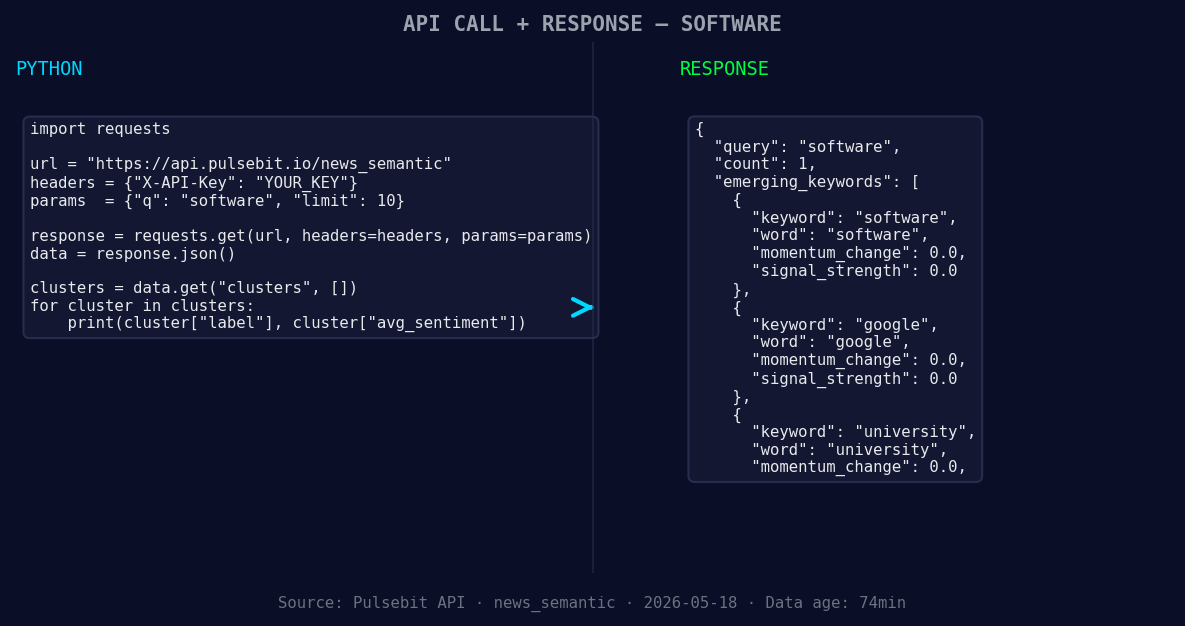
*Left: Python GET /news_semantic call for 'software'. Right: returned JSON response structure (clusters: 3). Source: Pulsebit /news_semantic.*
# API endpoint for sentiment analysis
url = "https://api.pulsebit.com/v1/sentiment"
response = requests.get(url, params=params)
data = response.json()
print(data)
This code snippet filters sentiment data specifically for English language articles, ensuring we’re focusing on the right geographical context. Next, let’s run the cluster reason string through our POST /sentiment endpoint to capture the narrative framing itself:
# Meta-sentiment moment: running the cluster reason string
cluster_reason = "Clustered by shared themes: data, scientist, unveils, free, software."

# API endpoint for sentiment analysis
url = "https://api.pulsebit.com/v1/sentiment"

meta_response = requests.post(url, json={"text": cluster_reason})
meta_data = meta_response.json()

print(meta_data)
This loop provides insight into the sentiment around the narrative itself, enabling us to gauge the broader context of our findings. The ability to analyze the framework of discussions around critical topics adds a layer of depth to your analysis.
Now, here are three specific builds you can implement using this pattern:
-
Signal Detection with Geographic Filter: Create a real-time alert system for software-related sentiment spikes. Set a threshold of sentiment score > +0.40 and filter by
lang: "en"to catch emerging trends early.

Geographic detection output for software. India leads with 1 articles and sentiment -0.70. Source: Pulsebit /news_recent geographic fields.
Meta-Sentiment Analysis: Develop a dashboard that visualizes sentiment around clustered themes like "free software" and "AI interactions." Use the meta-sentiment loop to enrich this view, scoring narratives that frame the discourse.
University-Focused Insights: Build a module that tracks sentiment trends specifically in academic articles. Use the signal from "university" as a keyword and correlate it with the sentiment score, especially looking at articles clustered around "data" and "scientist."
These builds can drastically improve your insights and responsiveness in your projects.
To get started, check out our documentation at pulsebit.lojenterprise.com/docs. You’ll be able to copy-paste and run this code in under 10 minutes, putting the power of sentiment analysis right at your fingertips.


Top comments (0)