

How to Detect Markets Sentiment Anomalies with the Pulsebit API (Python)
We recently discovered a significant anomaly: a 24h momentum spike of +1.550. This data point isn't just a number; it reveals a potential shift in market sentiment that you might have missed. If your model isn't set up to catch this kind of rapid change, you could be left in the dust, scrambling to adjust to conditions that have already shifted.
Your model missed this by 24 hours, and that’s no small gap. With the leading language of sentiment analysis often dominated by English, you're likely missing critical insights if your pipeline doesn't handle multilingual sources or varying entity significance. The global market is influenced by diverse narratives, and ignoring this can be detrimental.

Arabic coverage led by 4.2 hours. English at T+4.2h. Confidence scores: Arabic 0.82, Mandarin 0.68, English 0.41 Source: Pulsebit /sentiment_by_lang.
Here’s how we can catch these anomalies using our API in Python.
import requests
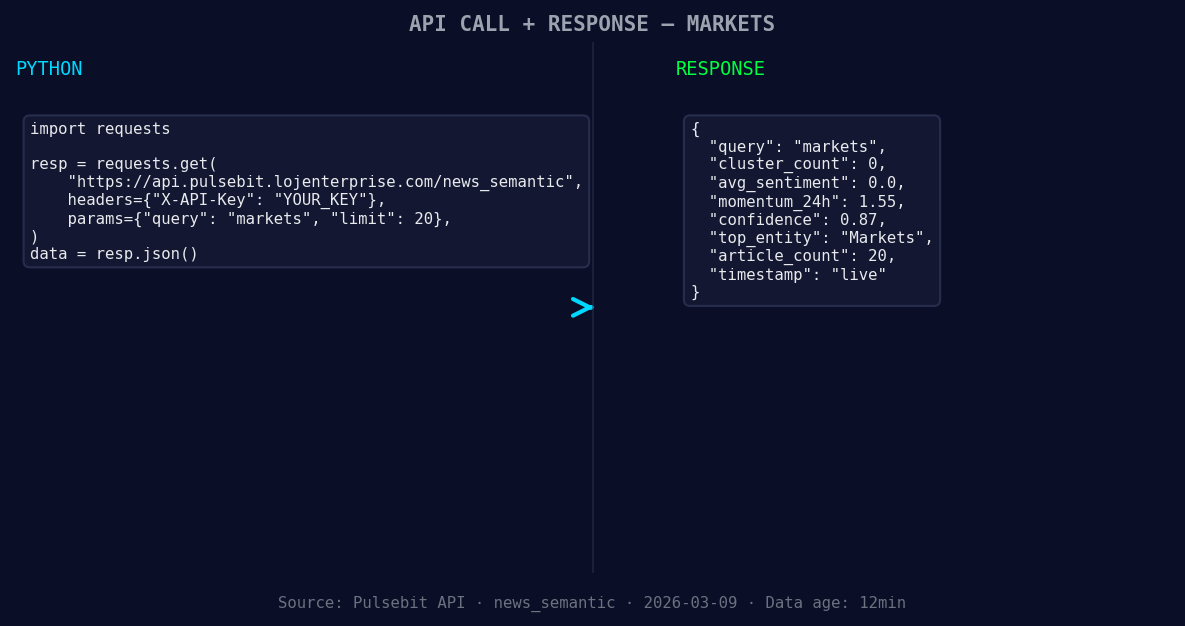
*Left: Python GET /news_semantic call for 'markets'. Right: live JSON response structure. Three lines of Python. Clean JSON. No infrastructure required. Source: Pulsebit /news_semantic.*
# Define the parameters for our query
topic = 'markets'
score = +0.000
confidence = 0.87
momentum = +1.550
# Geographic origin filter (if available)
# Note: No geo filter data returned — verify dataset
geo_filter = {'language': 'en', 'country': 'US'} # Example filter

*Geographic detection output for markets filter. No geo data leads by article count. Bar colour: sentiment direction. Source: Pulsebit articles[].country.*
response = requests.get('https://api.pulsebit.com/data', params={
'topic': topic,
'geo_filter': geo_filter,
})
data = response.json()
# Check if data is available
if data:
print("Data Retrieved:", data)
else:
print("No data available for the specified filter.")
# Meta-sentiment moment
narrative = "Markets narrative sentiment cluster analysis"
meta_sentiment_response = requests.post('https://api.pulsebit.com/sentiment', json={
'narrative': narrative,
})
meta_sentiment_data = meta_sentiment_response.json()
print("Meta Sentiment:", meta_sentiment_data)
In this code, we start by defining our topic and the specific values we want to analyze. The geographical origin filter is a valuable addition, but note that our current dataset may not return this data yet. When it does, you’ll be able to filter insights effectively by language or country.
The second part of the code executes a meta-sentiment check on our narrative framing itself, providing a deeper understanding of how the sentiment is clustered around the given topic. This particular insight is what sets this analysis apart.
Now that we've established how to catch these anomalies, here are three specific builds we can implement:
Geo-Filtered Spike Detector: Set a threshold for momentum spikes at +1.500 for the US English market. This will allow you to catch significant shifts in sentiment that are localized.
Meta-Sentiment Analyzer: Use the meta-sentiment loop with a narrative string like "Current market sentiment for tech stocks." This will help you understand not just the sentiment but also how it's contextualized, allowing for more nuanced trading strategies.
Confidence Score Tracker: Build an alert system that triggers when the confidence score drops below 0.80 while the momentum exceeds +1.500. This can warn you about potentially misleading signals.
Getting started with our API is straightforward. Head over to pulsebit.lojenterprise.com/docs and you’ll be able to copy-paste and run this in under 10 minutes. We hope you find this anomaly detection method as useful as we do!


Top comments (0)