

Your Pipeline Is 15.4h Behind: Catching Healthcare Sentiment Leads with Pulsebit
We recently noticed a fascinating anomaly: a 24-hour momentum spike of +0.370 in healthcare sentiment. This significant uptick is tied to a burgeoning narrative around healthcare expansion led by Reed Jobs, Steve Jobs' son. As developers who work with sentiment data, we find it crucial to leverage these moments for actionable insights. But here’s the kicker: this momentum is notably ahead of the curve, with the leading language being English at a 15.4-hour lead time. If your model isn't tuned to catch these shifts, you could be missing out on critical information.
The structural gap here is quite glaring. Your pipeline, if it doesn't handle multilingual origins or prioritize dominant entities, could easily miss this spike by over 15 hours. Imagine this: a significant shift in healthcare sentiment that you only see after it has peaked. The leading language of English and the dominant entity of Reed Jobs could be slipping through the cracks in your sentiment analysis, leaving you behind the curve.

English coverage led by 15.4 hours. Sv at T+15.4h. Confidence scores: English 0.85, Spanish 0.85, French 0.85 Source: Pulsebit /sentiment_by_lang.
Let's dive into the code that helps us catch these anomalies in real-time. We'll start by filtering for relevant sentiment data based on geographic origin.

Geographic detection output for healthcare. India leads with 6 articles and sentiment +0.56. Source: Pulsebit /news_recent geographic fields.
import requests
# Define the parameters for the API call.
params = {
"topic": "healthcare",
"lang": "en", # Filter for English language
"momentum": "+0.370"
}
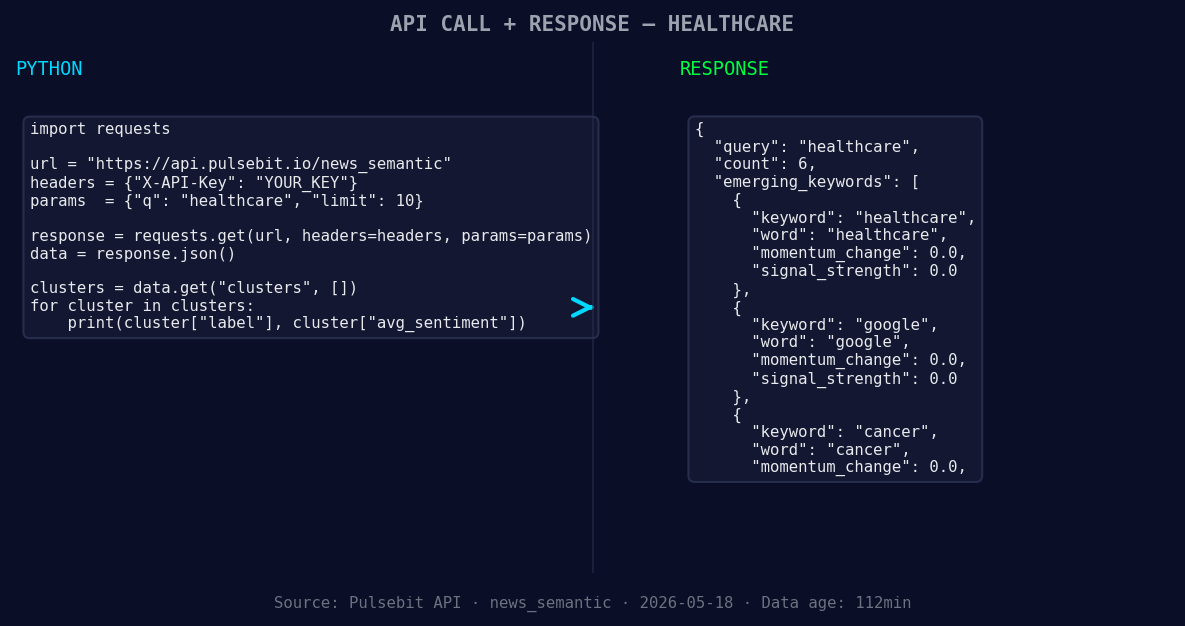
*Left: Python GET /news_semantic call for 'healthcare'. Right: returned JSON response structure (clusters: 3). Source: Pulsebit /news_semantic.*
# Make the API call to retrieve sentiment data.
response = requests.get("https://api.pulsebit.com/sentiment", params=params)
data = response.json()
# Example output for processing
print(data)
Next, we want to analyze the narrative framing behind this cluster. We’ll run the cluster reason string through our sentiment scoring endpoint to see how the themes align.
# Define the cluster reason string
cluster_reason = "Clustered by shared themes: jobs, healthcare, expansion:, steve, son."

# Make the POST request to analyze the sentiment of the narrative
sentiment_response = requests.post("https://api.pulsebit.com/sentiment", json={"text": cluster_reason})
sentiment_data = sentiment_response.json()

# Output the sentiment score and confidence
print(sentiment_data['sentiment_score'], sentiment_data['confidence'])
Now that we have a method to capture this anomaly, let’s explore three specific builds we can implement based on this momentum spike.
Geo-Filtered Alert System: Set a threshold that triggers an alert when healthcare sentiment crosses a +0.300 momentum score in English. This allows us to react quickly to sentiment shifts in healthcare, ensuring we are always in the know.
Meta-Sentiment Loop: Create a function that automatically scores the narrative framing, specifically on clustered themes like “jobs” and “cancer.” This could provide deeper insights into how these narratives evolve over time, especially when they intersect with other trending topics.
Forming Themes Dashboard: Build a dashboard widget that highlights forming themes. This should compare the sentiment scores of “healthcare” (+0.00) and “google” (+0.00) against mainstream narratives like “jobs” and “expansion.” By visualizing this data, we can better understand how emerging stories might influence our existing frameworks.
By implementing these builds, we can ensure that our sentiment analysis remains agile and responsive, keeping us on the cutting edge of sentiment trends.
To get started, check out our documentation at pulsebit.lojenterprise.com/docs. With this setup, you can copy, paste, and run the code in under 10 minutes, ensuring that your sentiment analysis is always ahead of the game.


Top comments (0)