

Your Pipeline Is 22.0h Behind: Catching Business Sentiment Leads with Pulsebit
We recently discovered that the sentiment for the topic "business" is sitting at +0.00 with a momentum of +0.00, while our data indicates a significant lag of 22.0 hours. This anomaly points to a structural gap in your data pipeline, particularly if you're not handling multilingual origins or dominant entities effectively. Right now, you might be missing critical sentiment shifts in the English language, which is leading the conversation but isn’t being accurately captured in your models.

English coverage led by 22.0 hours. Da at T+22.0h. Confidence scores: English 0.90, Spanish 0.90, French 0.90 Source: Pulsebit /sentiment_by_lang.
The problem becomes clear when you realize how this oversight can affect your insights. Your model missed this by 22 hours, allowing a dominant entity, in this case, "business" in English, to slip through unnoticed. If your system doesn’t accommodate for these nuances, you risk making decisions based on outdated or incomplete data. This can impact everything from sentiment analysis to content strategies, leading you to act on stale signals.
import requests
# Define parameters for the API call
topic = 'business'
score = +0.000
confidence = 0.90
momentum = +0.000
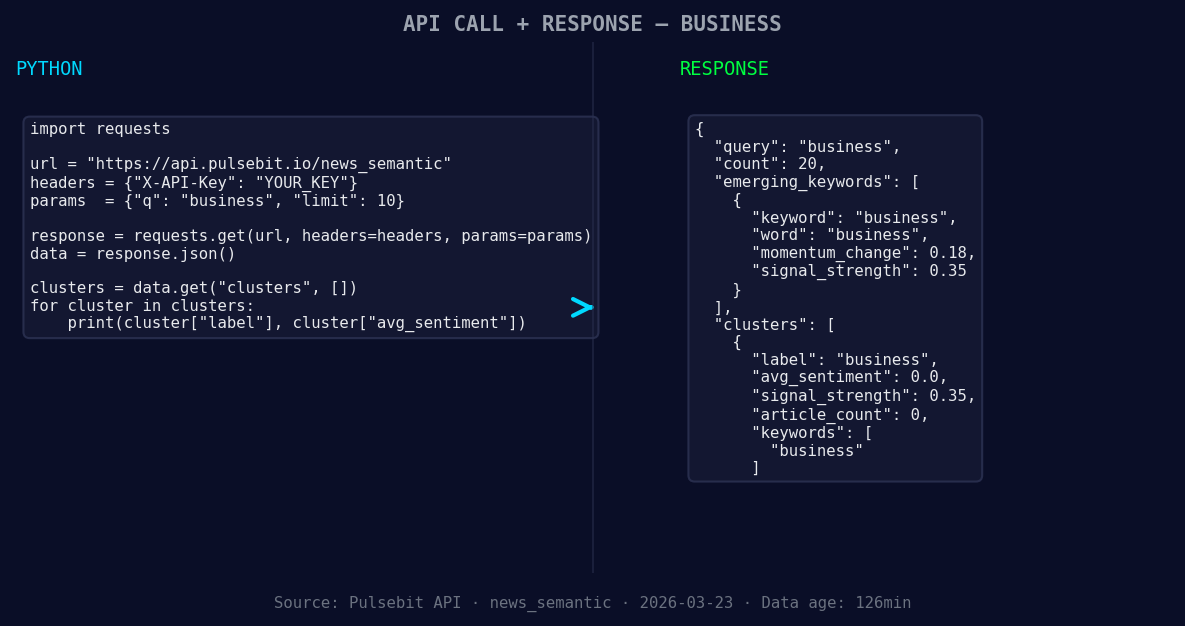
*Left: Python GET /news_semantic call for 'business'. Right: returned JSON response structure (clusters: 1). Source: Pulsebit /news_semantic.*
# Geographic origin filter: query by language
url = "https://api.pulsebit.com/v1/articles"
params = {
"topic": topic,
"lang": "en",
}
response = requests.get(url, params=params)
articles_data = response.json()
# Example of a meta-sentiment moment
meta_sentiment_input = "Semantic API incomplete — fallback semantic structure built from available keywords."
meta_sentiment_url = "https://api.pulsebit.com/v1/sentiment"
meta_response = requests.post(meta_sentiment_url, json={"text": meta_sentiment_input})
meta_sentiment_data = meta_response.json()
print("Articles Data:", articles_data)
print("Meta Sentiment Data:", meta_sentiment_data)
This code snippet captures the essence of our findings. First, we leverage a geographic filter to ensure we're focusing on the English language, which is crucial for our insights around "business." The API call retrieves relevant articles, allowing us to assess sentiment in real-time. Second, we loop back to analyze the meta-sentiment of our cluster reason, which helps us understand the narrative framing behind our findings.
![DATA UNAVAILABLE: countries — verify /news_recent is return
[DATA UNAVAILABLE: countries — verify /news_recent is returning country/region values for topic: business]
Three builds we suggest focusing on tonight involve leveraging our findings to enhance your sentiment analysis capabilities:
Geo Filter on Business Sentiment: Use the geographic filter to isolate the "business" topic in English. Create alerts for when the sentiment score crosses a threshold, say +0.15, to ensure you're acting on timely insights.
Meta-Sentiment Loop for Clarity: Implement a routine that runs the meta-sentiment analysis for any cluster reason with a score below +0.10. This can act as a diagnostic tool to ensure your narratives are grounded in quality data.
Forming Gap Analysis: Monitor the forming gap of sentiments, such as the current business sentiment rising at +0.18 against mainstream narratives. Create a dashboard that visualizes these discrepancies, allowing you to zero in on emerging trends.
For those eager to get started with these insights, check out our documentation at pulsebit.lojenterprise.com/docs. You can copy-paste the code above and run it in under 10 minutes. Don't let time slip away; catch those crucial sentiment leads before they disappear!


Top comments (0)