

Your Pipeline Is 26.1h Behind: Catching Climate Sentiment Leads with Pulsebit
We recently stumbled upon a striking anomaly: a 24h momentum spike of -0.477 in sentiment surrounding climate issues. This shift is particularly intriguing given the leading language in the conversation is English, with a 26.1-hour lead time. It’s a clear signal that something significant is happening, and if your models aren't accounting for these nuances, you might be missing critical information.
The Problem
Your model missed this by a staggering 26.1 hours, which is a huge gap when it comes to timely insights. This delay is particularly problematic in the context of climate sentiment, where the leading language is English. If you’re relying solely on data that doesn’t accommodate multilingual origins or dominant entities, you are likely to lag behind in understanding emerging trends. This isn't just a theoretical issue; it impacts real-time decision-making and strategic responses.

English coverage led by 26.1 hours. Af at T+26.1h. Confidence scores: English 0.75, Spanish 0.75, French 0.75 Source: Pulsebit /sentiment_by_lang.
The Code
Let’s dive into how we can catch this momentum spike using our API. First, we need to filter the data by geographic origin. In our case, we’ll focus on English language articles related to climate sentiment. Here’s a Python snippet to get you started:

Geographic detection output for climate. India leads with 1 articles and sentiment +0.85. Source: Pulsebit /news_recent geographic fields.
import requests
# Define parameters
topic = 'climate'
lang = 'en'
# API call to get sentiment data
response = requests.get(
f"https://api.pulsebit.com/sentiment?topic={topic}&lang={lang}"
)
data = response.json()
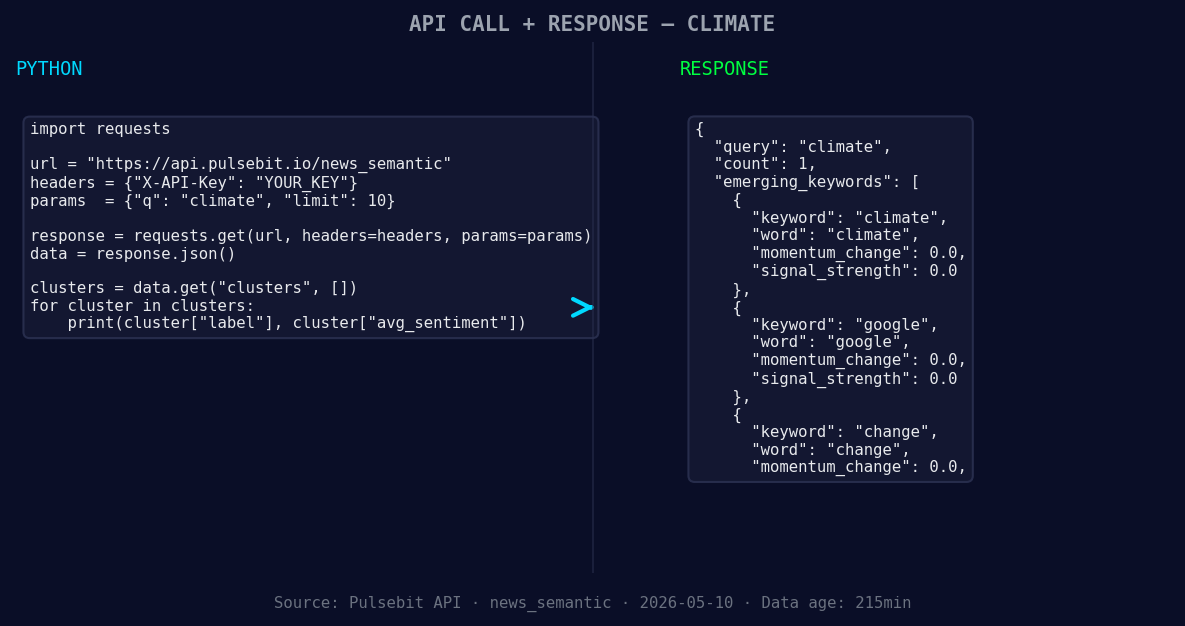
*Left: Python GET /news_semantic call for 'climate'. Right: returned JSON response structure (clusters: 3). Source: Pulsebit /news_semantic.*
# Extracting relevant information
momentum = data['momentum_24h'] # Expected to be -0.477
print(f"Momentum for {topic}: {momentum}")
Next, we will run the cluster reason string through our sentiment scoring endpoint. This step provides a meta-sentiment score that can help us understand the narrative framing itself. Here’s how you can implement that:
# Define the meta-sentiment input
meta_sentiment_input = "Clustered by shared themes: grow, over, more, gray, whale."

# API call for meta-sentiment scoring
meta_response = requests.post(
    "https://api.pulsebit.com/sentiment",
    json={"text": meta_sentiment_input}
)
meta_data = meta_response.json()

# Output the meta sentiment score
print(f"Meta Sentiment Score: {meta_data['sentiment_score']}, Confidence: {meta_data['confidence']}")
These snippets give you a foundation for capturing and analyzing sentiment momentum effectively.
Three Builds Tonight
Here are three specific builds we recommend creating based on this sentiment spike:
Geo-Filtered Insights: Build an endpoint that continuously monitors sentiment for the topic 'climate' but restricts results to English-language sources. This gives you timely updates without the noise from other languages.
Meta-Sentiment Analysis: Create a function that automatically scores cluster reason strings like "Clustered by shared themes: grow, over, more, gray, whale." This helps you gauge the underlying narrative and adjust your response strategies accordingly.
Threshold Alert System: Set up alerts for a threshold of momentum changes, say anything below -0.5. This will notify you when there's a significant shift in sentiment, ensuring you’re always on top of emerging trends.
Get Started
Ready to dive in? Check out our documentation at pulsebit.lojenterprise.com/docs. You can copy-paste this code and run it in under 10 minutes to start harnessing the power of sentiment analysis for timely insights!


Top comments (0)